Cerezine
Known Participant
July 24, 2024

Legacy Healing Brush on Photoshop 25.11.0

  • July 24, 2024
  • 29 replies
  • 3711 views

Hi!
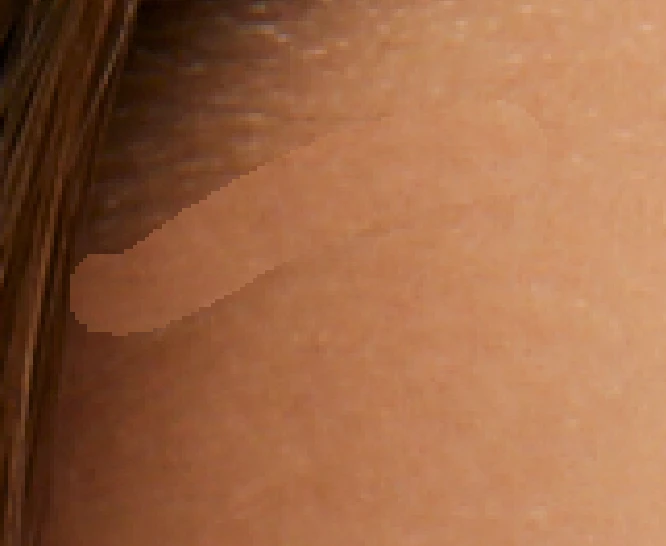
I just updated to the latest Photoshop version (25.11.0), and my Legacy Healing Brush is creating jagged borders after brushing. This occurs when I'm working directly on the layer. If I try to use "current & below" on a blank layer, nothing happens—it's like I'm not brushing at all. This is happening with both large and low-resolution files.

I have already reset the Healing Brush tool and my preferences. The standard Healing Brush works fine; this issue only occurs with the legacy version.

Notes: This is happening in different files. All of them are set to 100% opacity and fill, with no holes in the layers, and all blend modes are set to "normal". The Healing Brush blend mode is also set to normal.

I'm running Photoshop on an M1 MBP with macOS Ventura.

Attached images for better understanding. 
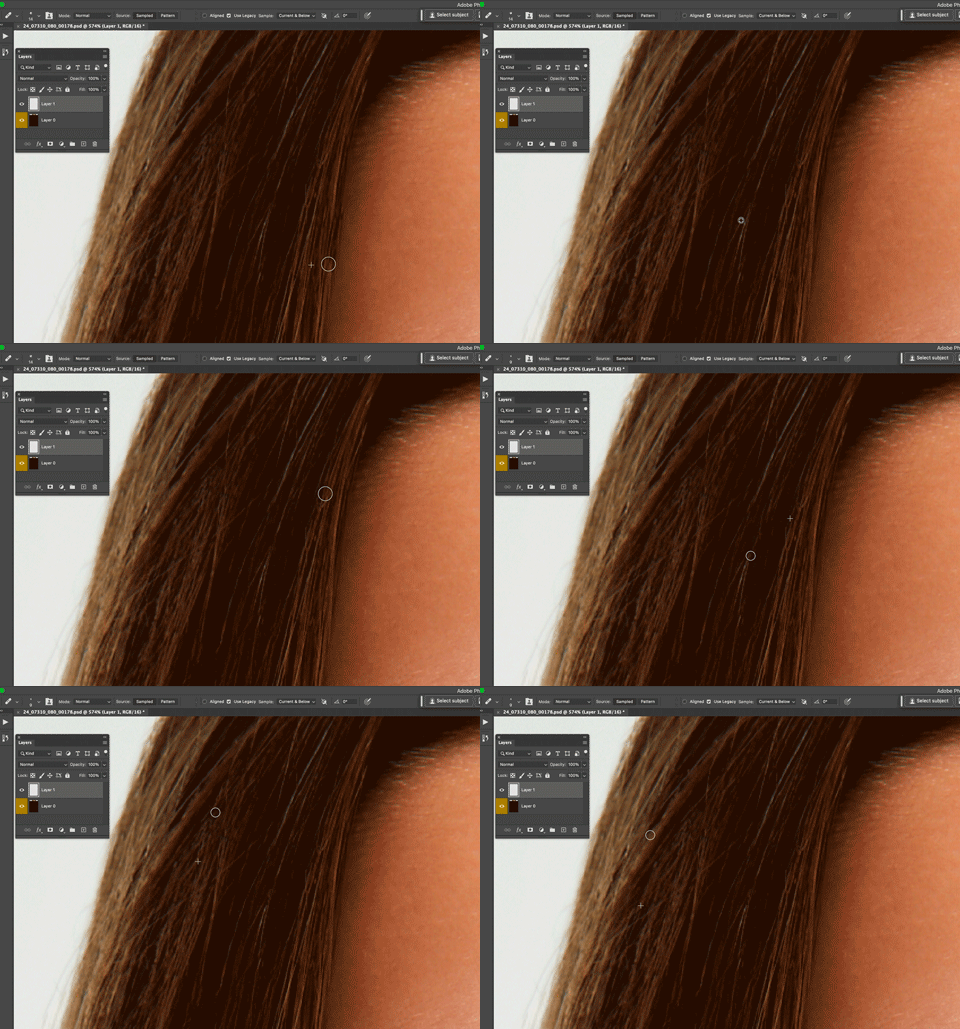
for better understanding.
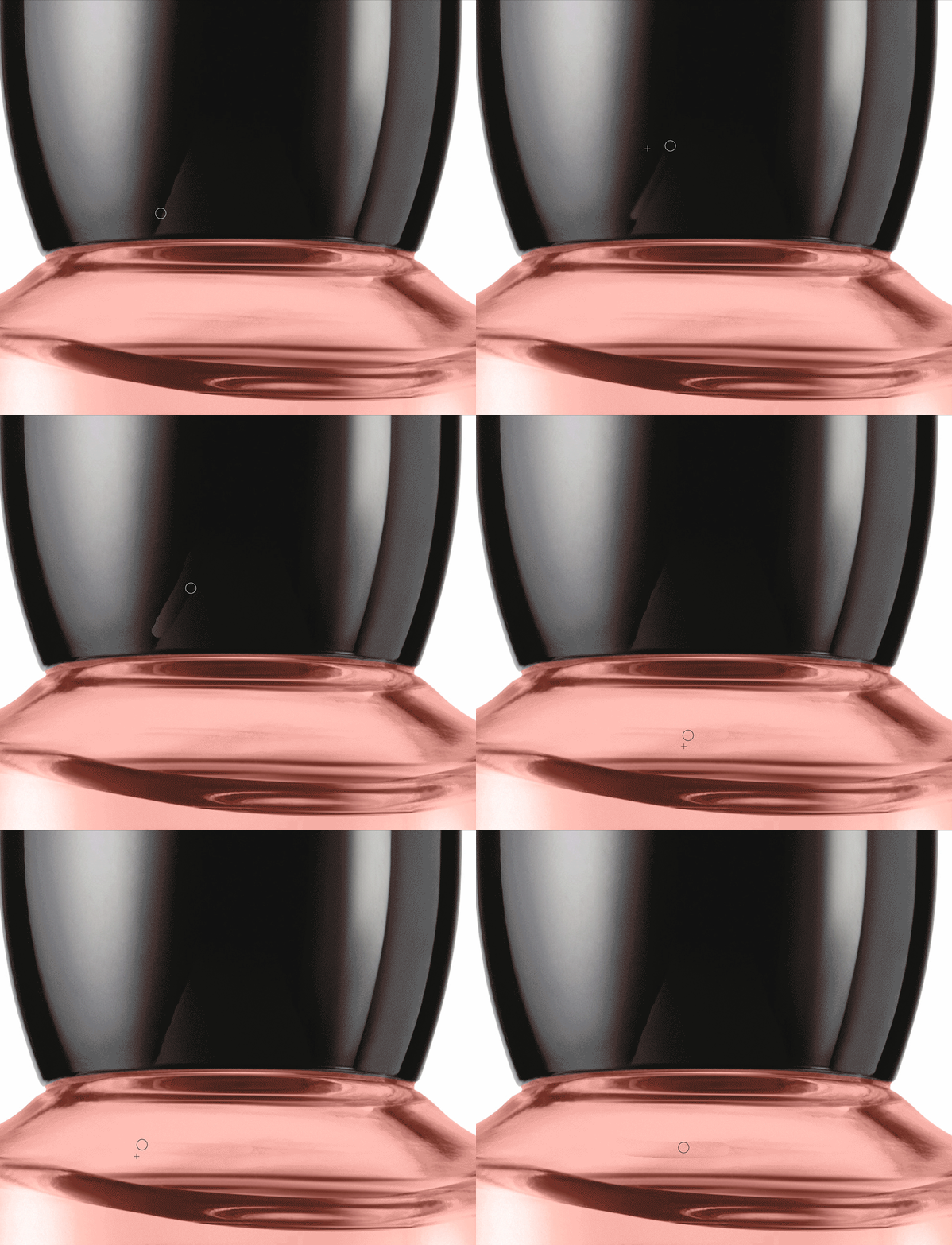
29 replies

Participating Frequently
September 10, 2024

I've searched manually for Updates in the Creative Cloud App and only got a Version 25.12.0. In this Version the bug isn't fixed. There is no Version 25.13.0 available.

dianer_macperson
Inspiring
September 10, 2024

It's fixed in 25.13. Please upgrade. 

Participating Frequently
September 10, 2024

It's two weeks now...

Same Problem here on a MacBook Pro M3 Max Sonoma 14.6.1 and Photoshop 25.11.0

Absolutely not acceptable!!! Come on Adobe, get your work done. We have to do our work, too!

Participant
August 26, 2024

I am also dealing with this issue in 25.11 with the Legacy Healing Brush. In Mac OS 14.6.1. Please fix fast!

dianer_macperson
Inspiring
August 20, 2024

The legacy tool does not work on my Mac pro with the Quad-Core Intel Xeon E5  (black round shaped mac pro).

It works fine on my M1 mac mini purchased 2 years ago. The same version of photoshop on both macs.  I wonder if this has something to do with the processor of the mac? Anyone have any ideas? 

The Legacy healing used to work on my mac pro in 25.9 version of photoshop.

also works in version 22.2 before the introduction of the remove tool. I have to switch back to an older version of photoshop to use the legacy healing tool


Inspiring
August 16, 2024

Hello again,  on win 11 pro 64 and PS 25.11.0

And not here to argue with anyone or adobe for that matter, just what I found today

While I do not have a fix for this. after all these post's. I went down the rabbit hole for a while today

And I did a screen share video of this. on how it is working for me.

Spoiler alert    the blank layer  does not work right. but what I found interesting was on a duplicate

or pixel layer. I was able to get a lot of different results.

And another spoiler alert. there are major differences if you are on a 8bit or 16 bit file.https://youtu.be/CCMPGfMnKVk 

I tried to insert video but forum says its private so I inserted link to see if that works.

Masschine
Participant
August 15, 2024

Same problem with the Legacy Healing Brush.  I need it for skin as well.  Hope Adobe fixes this issue and soon!

Participating Frequently
August 10, 2024

Same problem here. I don't find many users online with our problem, on a tool so used there should be forums that talk about it, videos, or even an official communication from Adobe...

Participant
August 9, 2024

Same issue here since updated to 25.11


Don't blame the users. Every update get more and more bugs. Unaccetable, Adobe... 

Inspiring
August 4, 2024

Hello, I am on the new 25.11. update and on win 11pro64 

And I was looking for another issue (pen working strange when trying to move sliders etc.)

But since I use healing a lot. Tried to see if I would get your problem.

But I am not having your issues both legacy and new, work normal  but.......

I looked at Catalin's screen shot and on legacy I get the exact type of issue

until I let go and then it blends normal. It only looks like screen grab, in like the preview 

before I let go. 

Not an answer but may give some clues to someone.