
Main preview window displays incorrect colour information as of last update
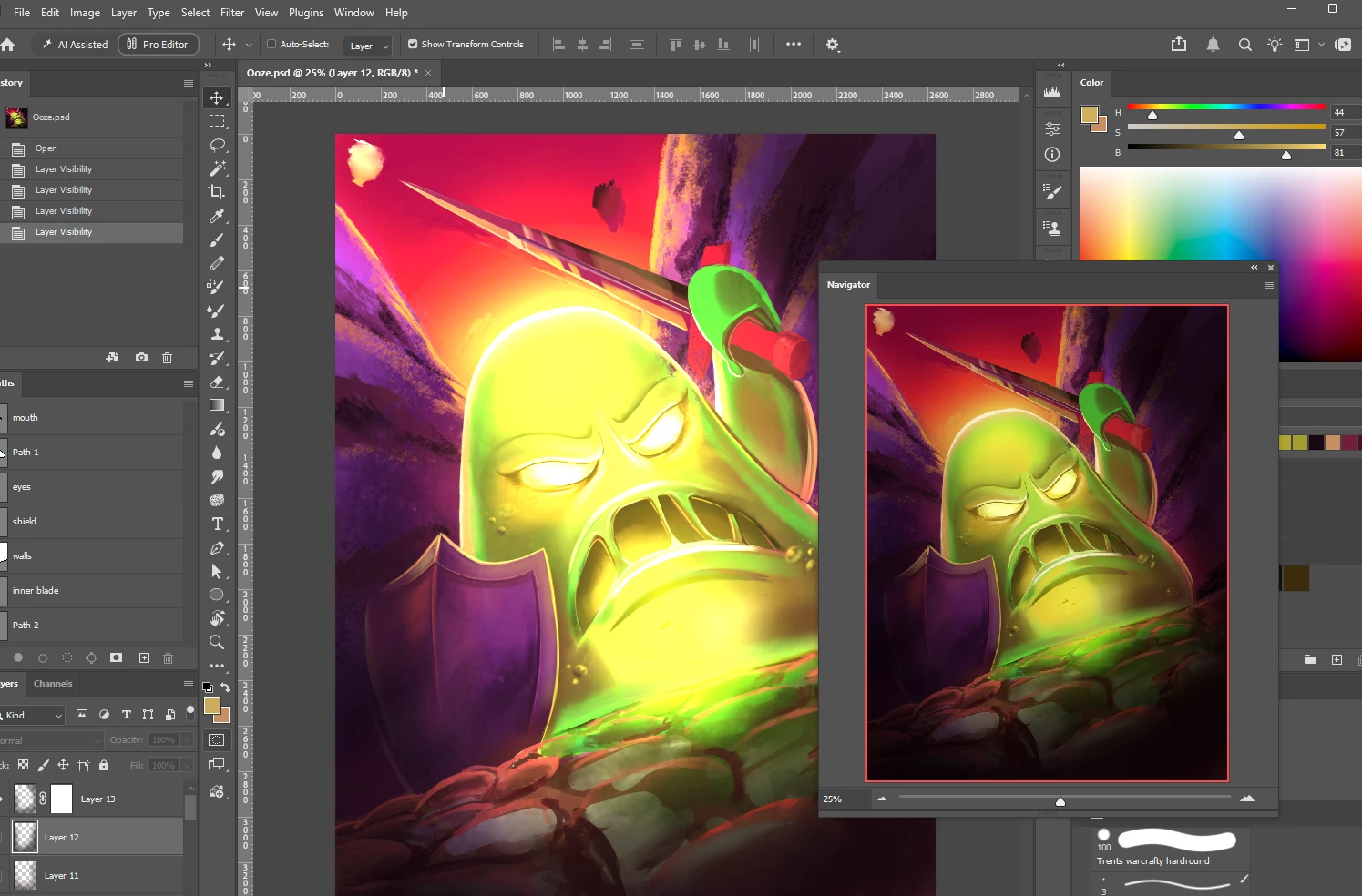
After the latest updates Photoshop is not correctly displaying the brightness values of images in the main window. Depending on the monitor, the image either appears underexposed or overexposed. This is not an issue with my monitor set up as when moving the Photoshop window across monitors the values display correctly, but when I release the mouse drag, the colour values change. This is also only in the main window. The navigator and file preview images display the image at its true values. Both monitors have been colour calibrated. I have tested this on various files including flattened jpegs.
Running PS v27.10 on Win 11 off an AMD GPU with up to date drivers.
Screenshots below showing preview issues on one of my monitors monitors. Note how the navigator pane still displays image accurately. Windows snippet tool does not capture the underexposure issue and actually fixes the underexposed colours on output.


 AdChoices