


Major Architectural Flaw in Artboards: Severe Performance Drops & Tool Incompatibilities
Hi everyone,
I heavily rely on the Artboards feature to manage multiple layouts within a single document, and it provides great convenience for my workflow. However, for a long time now, it has suffered from severe bugs, optimization flaws, and performance bottlenecks. Furthermore, many of the newer features added to Photoshop do not work properly within artboards. The lack of attention to these issues in recent updates makes it feel like the developer team has neglected this core feature.
Below is a detailed breakdown of the structural bugs I’ve encountered. If you are experiencing the same bottlenecks, please comment and upvote to bring this to the development team's attention. I sincerely hope it gets fixed soon.
Although I am not an app developer, I have been using Photoshop's artboards feature for a long time, and I believe the root of all these problems lies within how the system operates.
Behind the scenes, Photoshop treats a document with multiple artboards as a single, gigantic canvas. Instead of being isolated environments, artboards essentially function merely as advanced "Groups." Every time a new artboard is added, the global canvas size expands automatically. As the document grows more complex, the program's performance is directly and negatively impacted. Simply duplicating an artboard or copy-pasting any layer in such a file can take minutes. (I have personally witnessed it taking up to 30 minutes.)
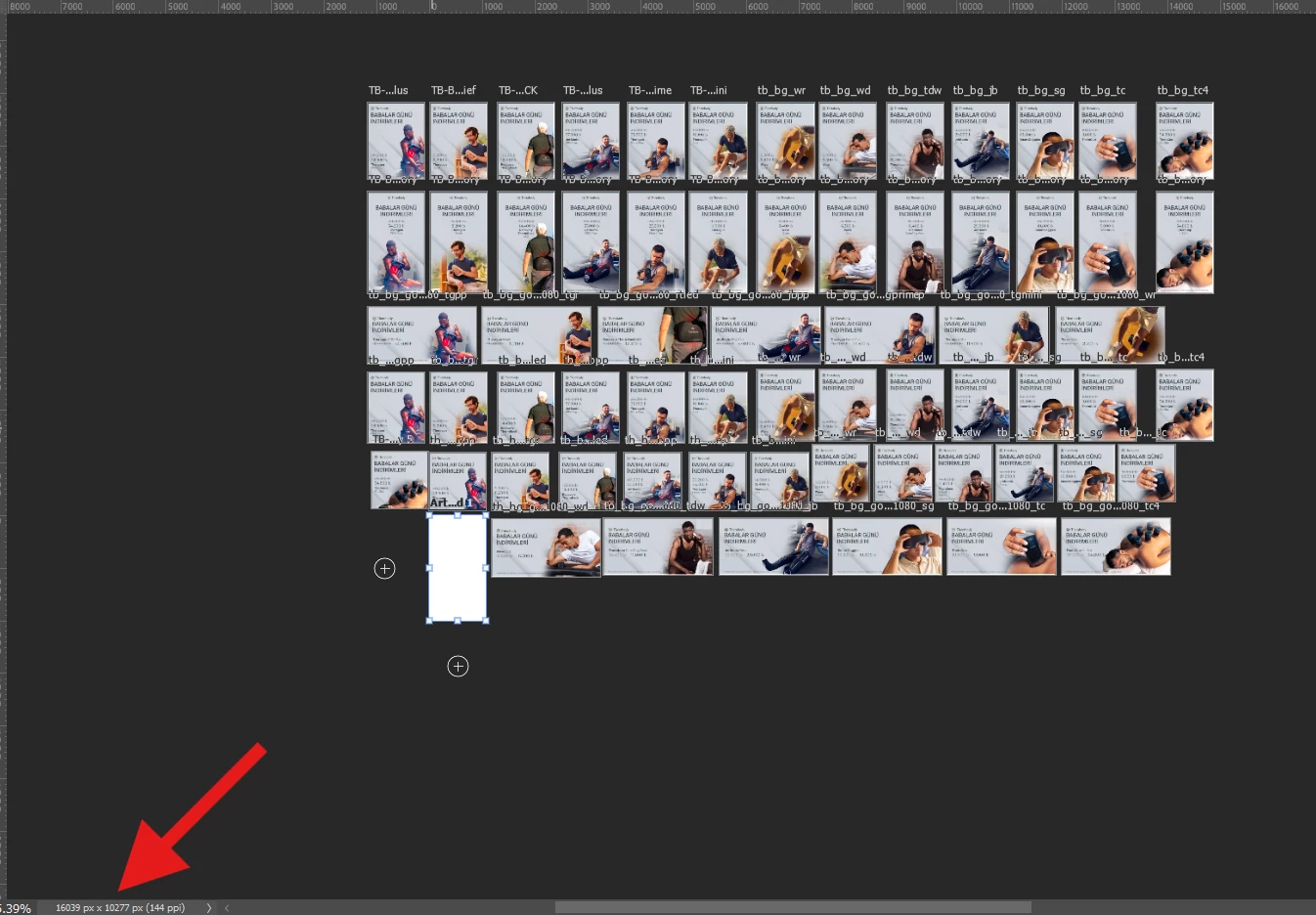
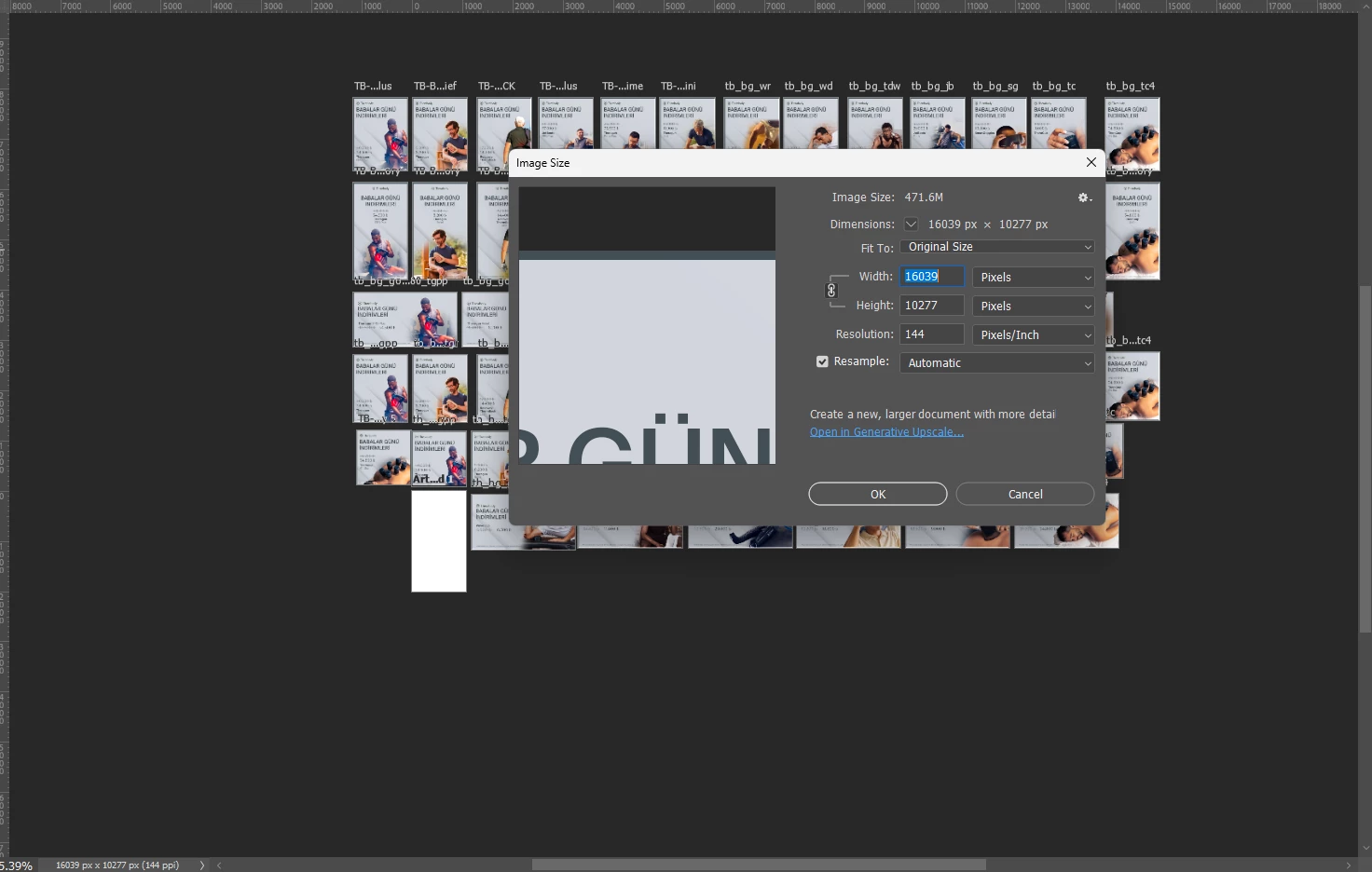
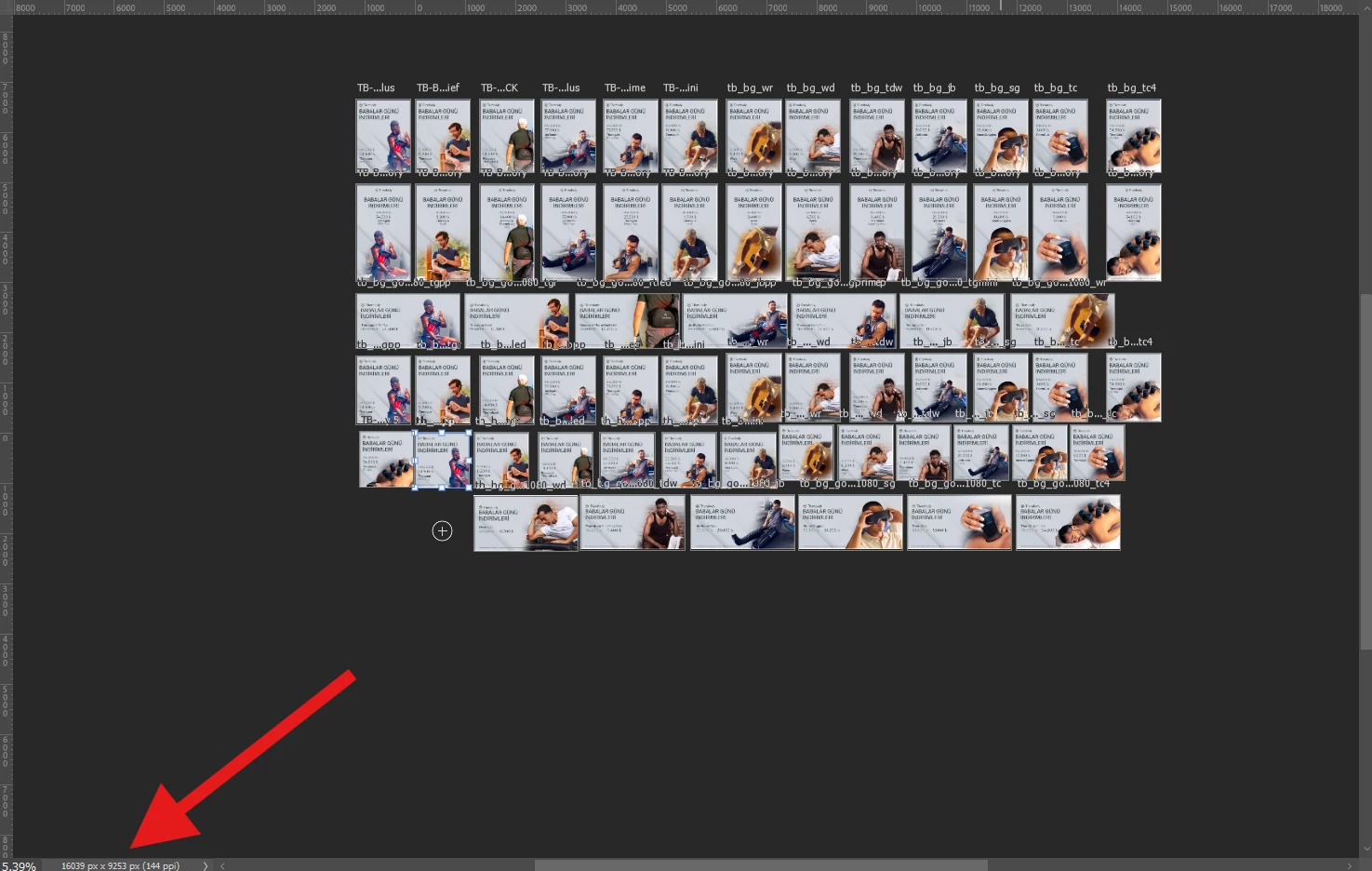
Due to this faulty canvas calculation logic, many functions like masking, effects, and gradients either do not work properly or are completely unoptimized:
- Because of the way artboards operate, scaling gradients becomes extremely difficult. You either have to apply a mask sized exactly to the artboard or use a shape layer of the same size. This is the only way you can even use the classic gradient feature. As for the newly introduced live Gradient tool, even if you apply these workarounds, the gradient completely breaks upon exporting . (The only workaround is converting the layer into a Smart Object).
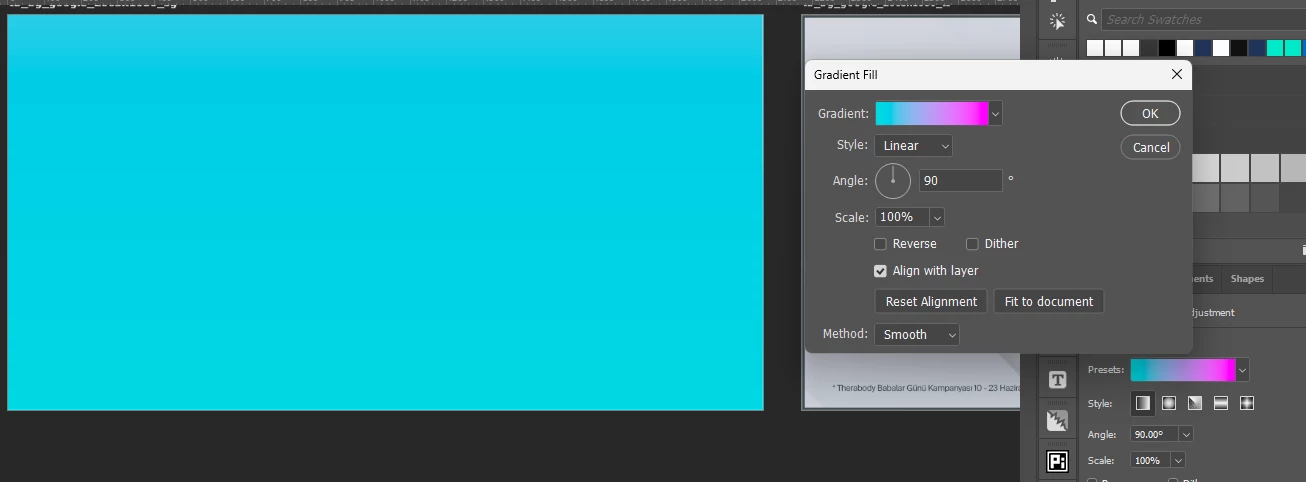
When a gradient fill is added to the artboard, the appearance is determined by the default settings. 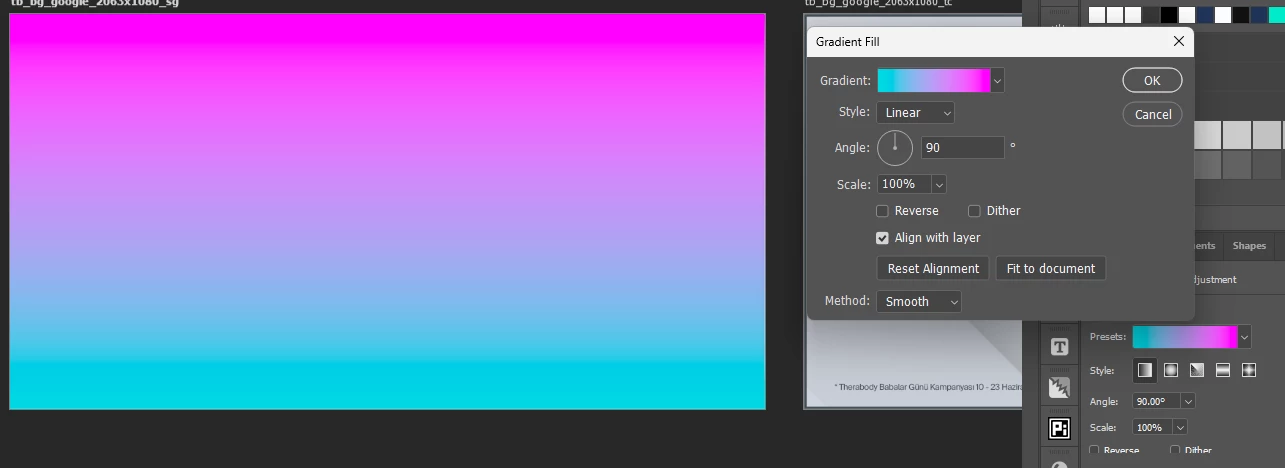
When the default mask of gradient fill is removed and a new mask is created with the artwork dimensions 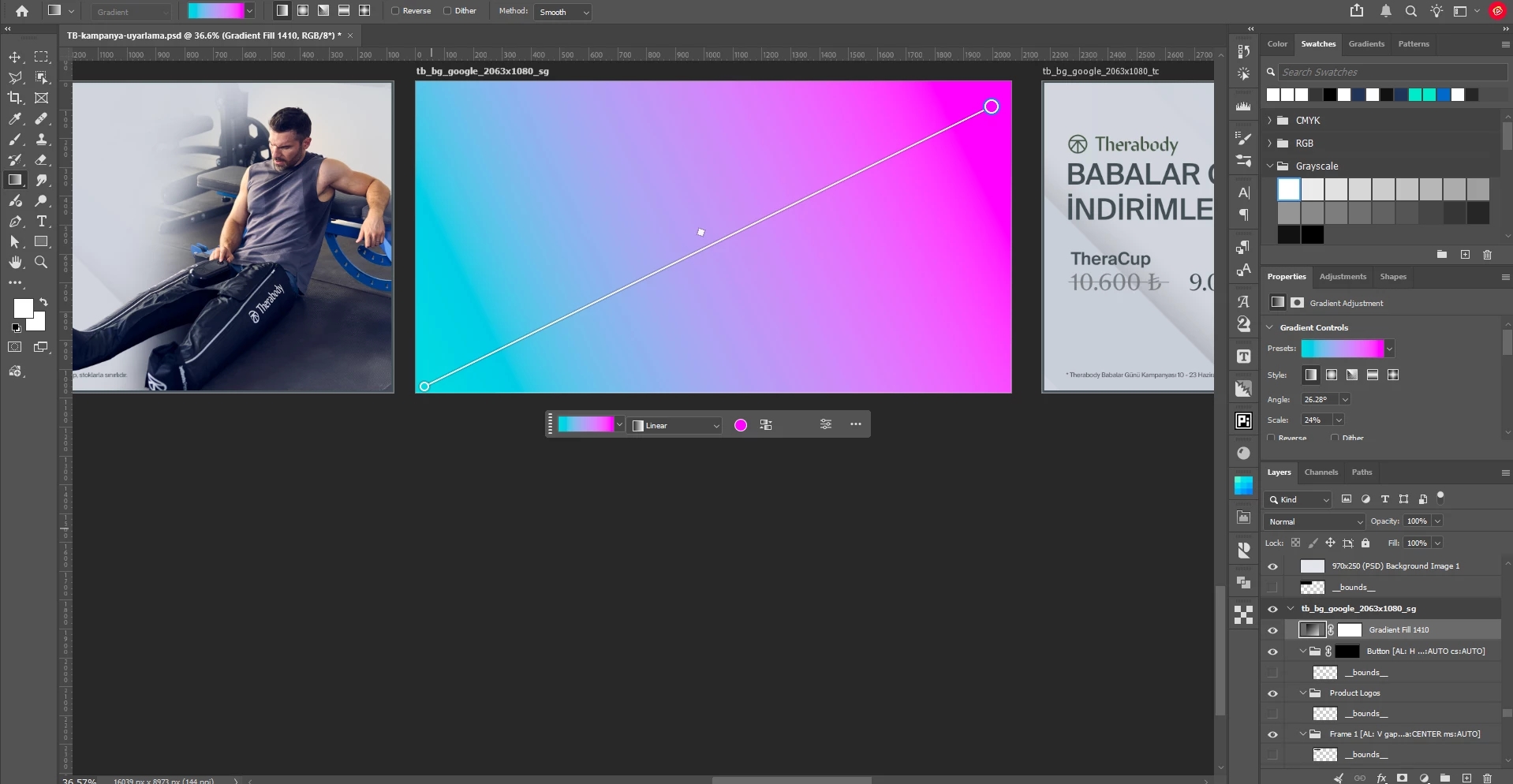
Applying new gradient feature with gradient tool in the artboard 
The result after export. - If you add a blank mask directly to a layer without an active selection, and then
Ctrl/Cmd + Left Clickon that mask, you will see that the mask bounds span across the entire global canvas instead of being restricted to that specific artboard. Creating a mask this way causes massive performance drops when duplicating or copying/pasting the layer. Even if you turn it into a Smart Object, it still covers that massive global area, making the rendering of effects, filters, etc., take an absurdly long time.
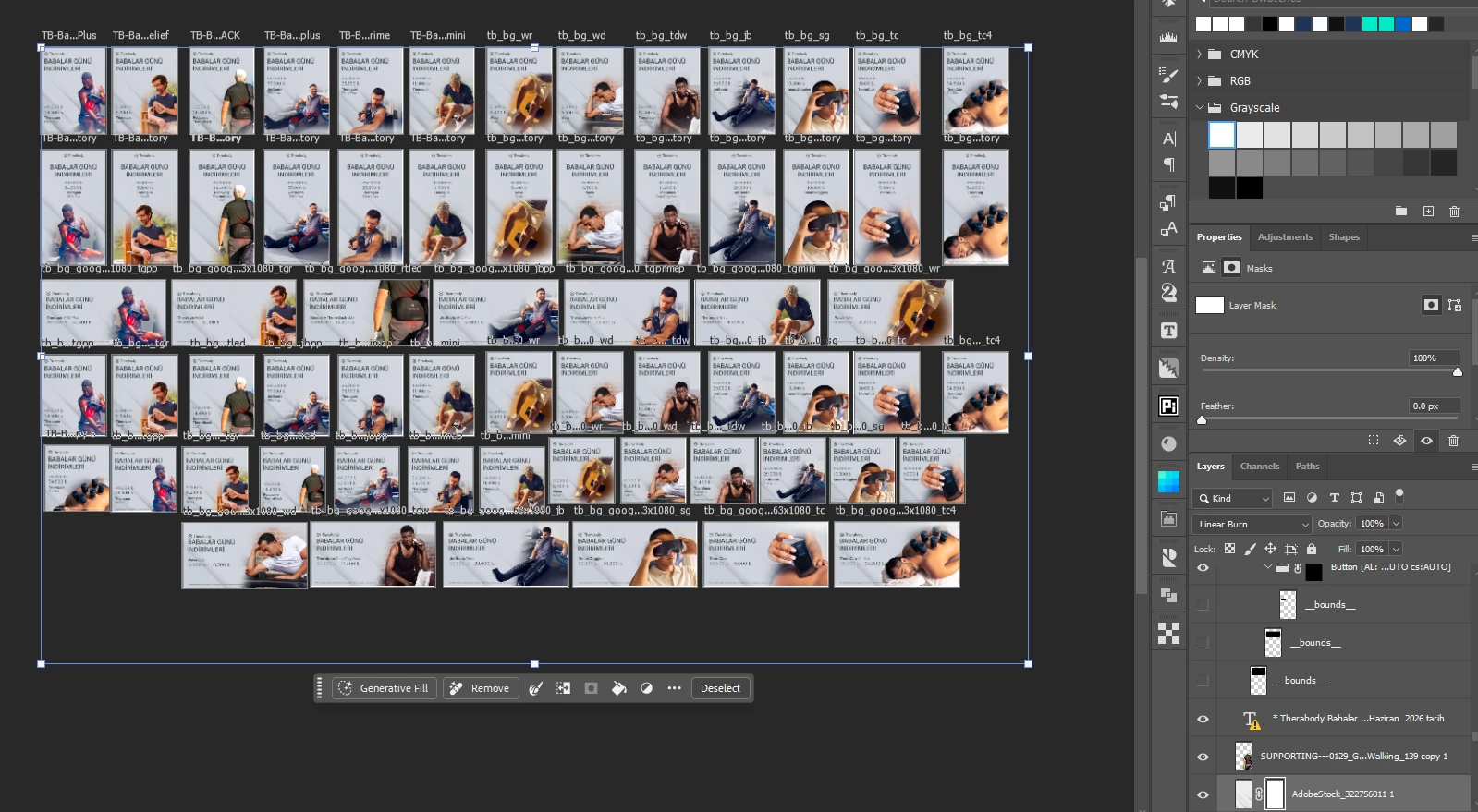
- When creating an adjustment layer like Solid Color or Gradient fill, instead of limiting its bounds to the active artboard, Photoshop generates it to fit the combined size of all artboards (as shown in the attached screenshot).
-
Here are some examples of issues related to neural filters.
-
JPEG Artifacts Removal: When applied to a layer inside an artboard, the processing time escalates to absurd lengths (see attached screenshot) because it tries to process the entire global canvas. Copying the exact same layer into a new, standard single-canvas document finishes in seconds.
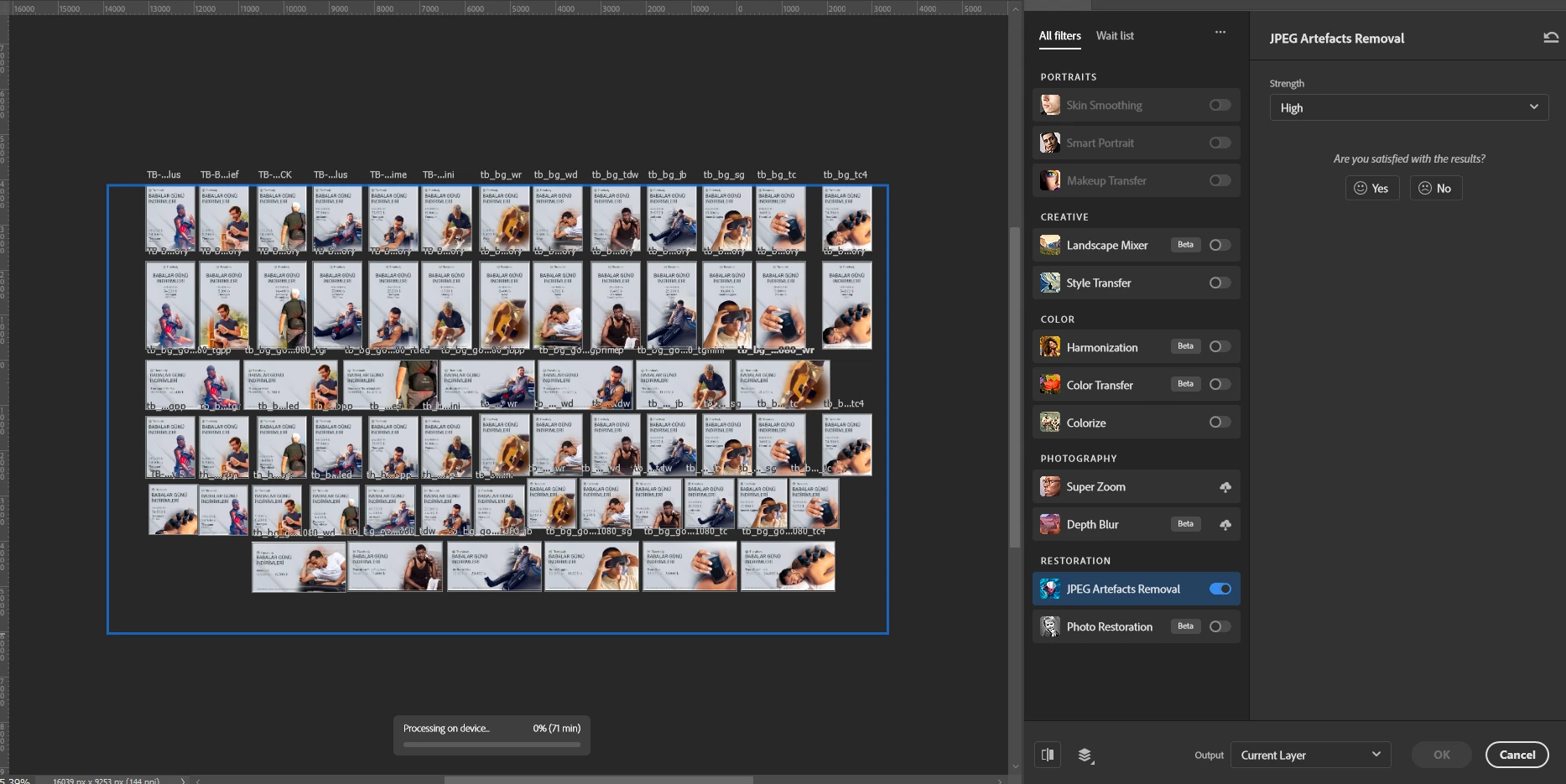
Applying JPEG Artifacts Removal a layer and processing time shows 71 min. 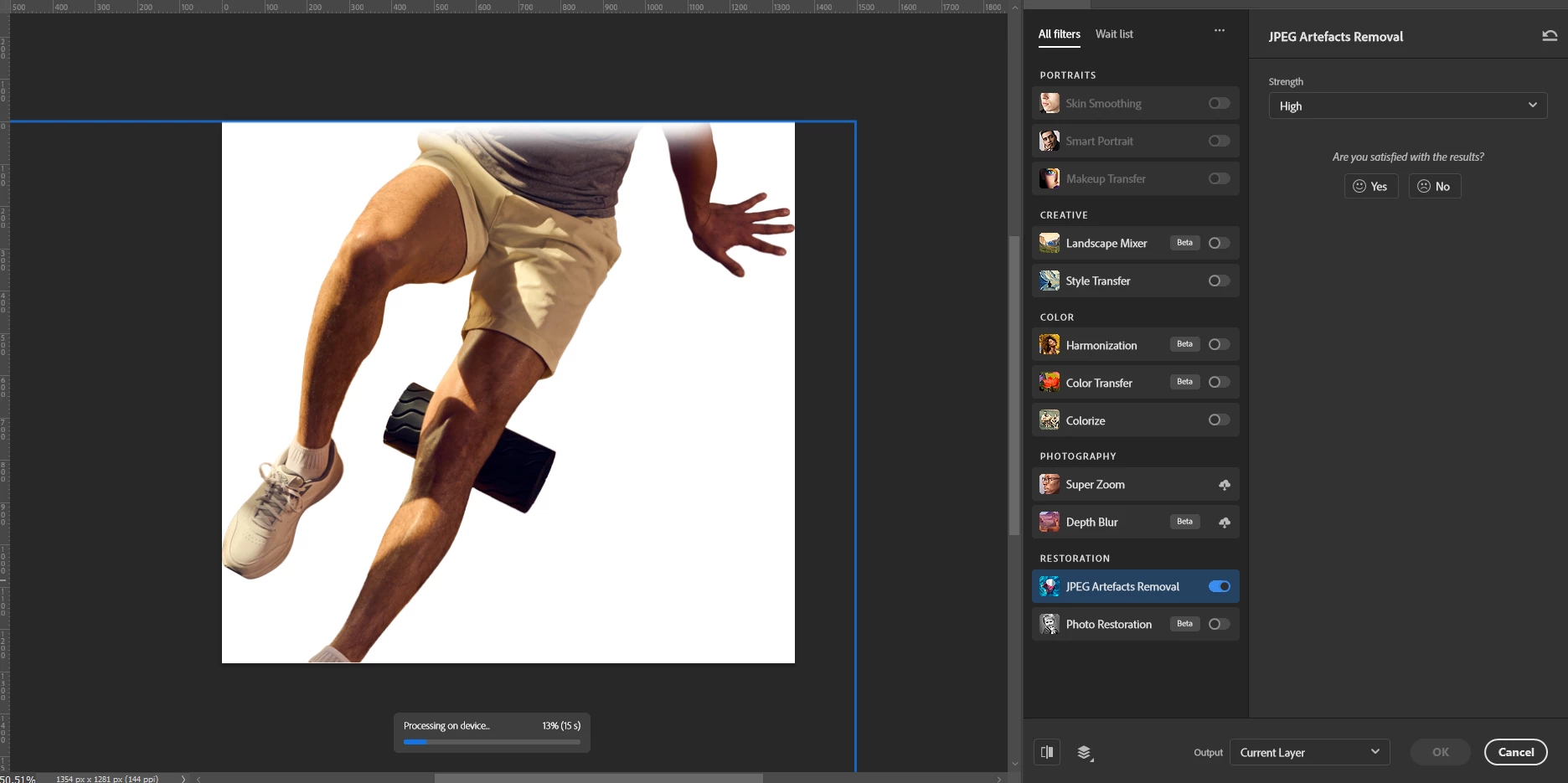
Same layer pasted to different artwork and result is 15 sec. -
Harmonization: In the filter preview window, the reference layer is perceived as a tiny dot inside a massive white void, making it impossible to get a proper result. Moving the layer to a separate document fixes the preview and delivers a consistent blend.
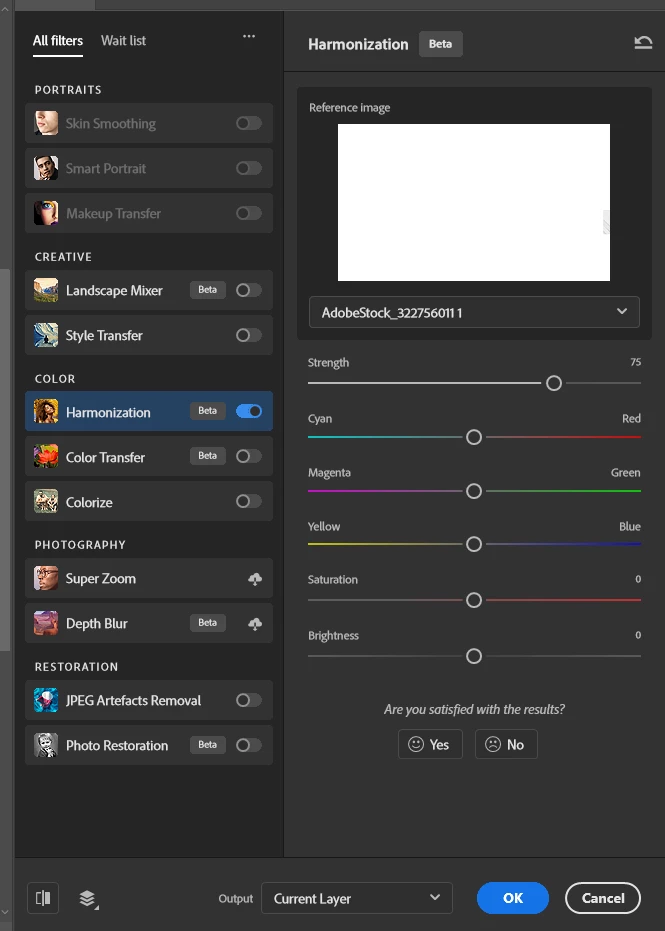
Apllying harmonization feature to the layer on the artborards 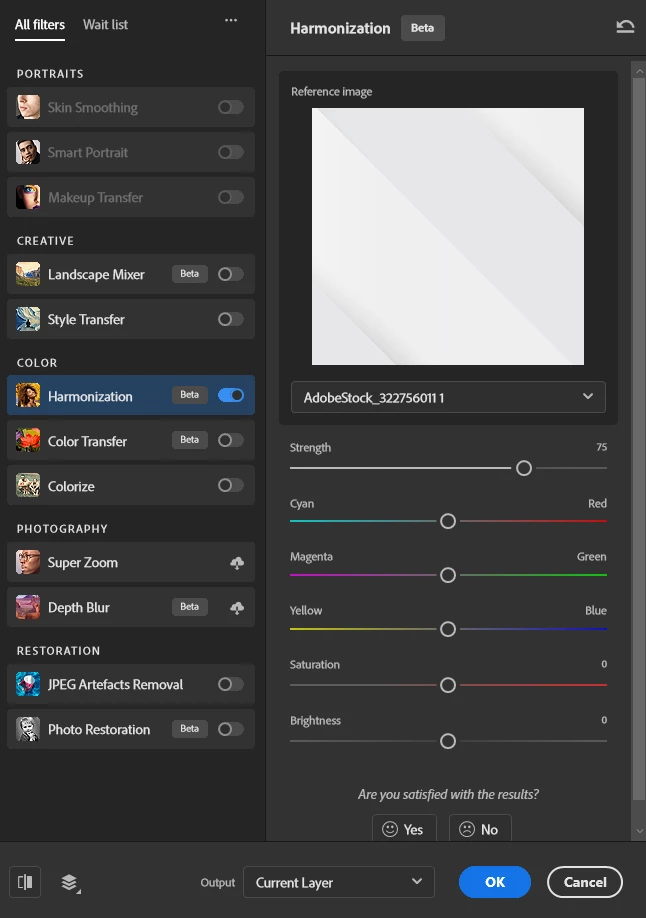
Apllying harmonization to the layer on the new artwork.
-
-
When trying to use any filter in the Blur Gallery, Photoshop fails to recognize the isolated artboard or selected layer. It treats all artboards as a single canvas and drops the center pin at the absolute center of the entire global canvas layout.
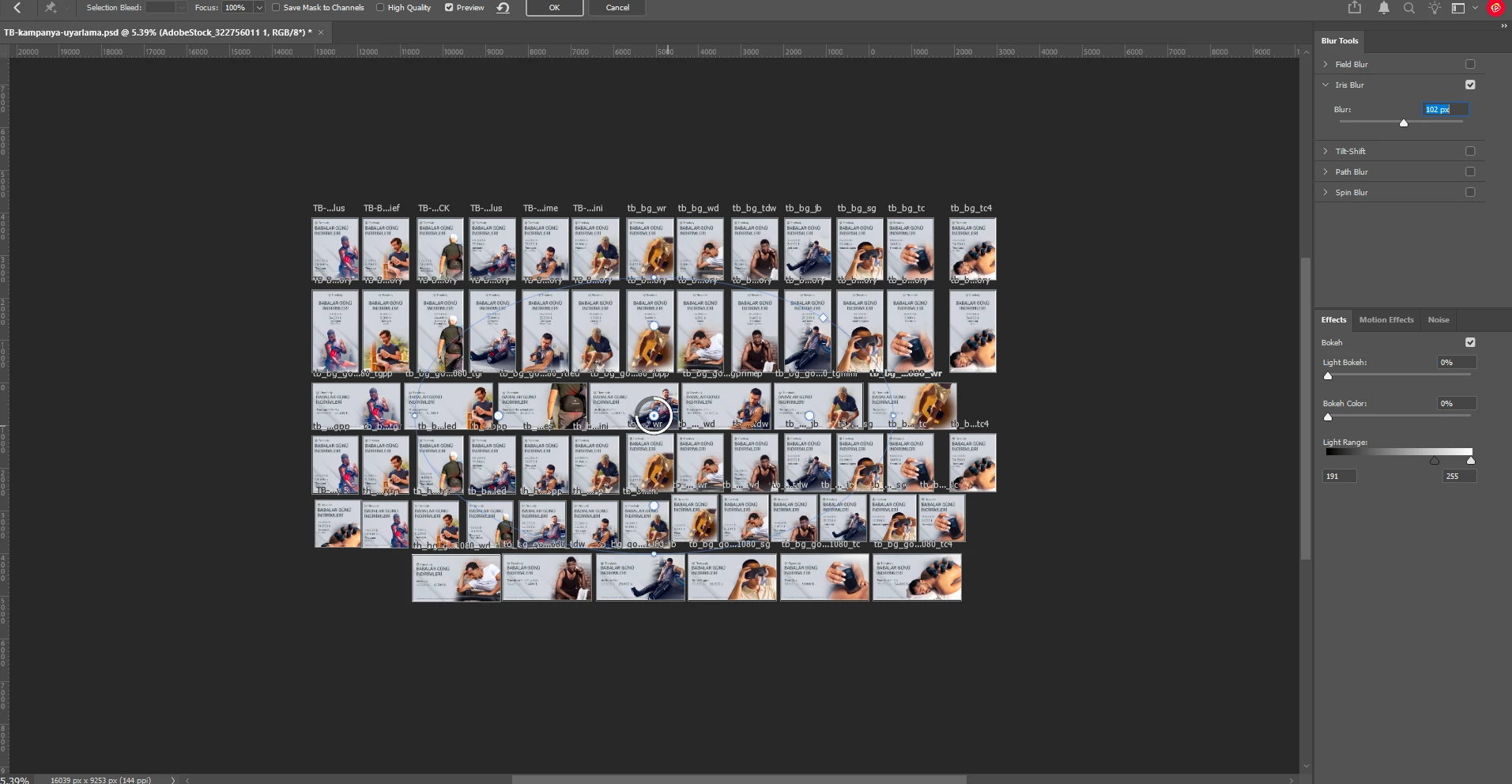
Blur gallery panel -
Artificial intelligence features are also seriously affected, and this poses a significant problem in their proper functioning.
-
Select Subject: Functions highly inconsistently and loses accuracy inside artboards. Same problem has occured with Object Selection Tool.
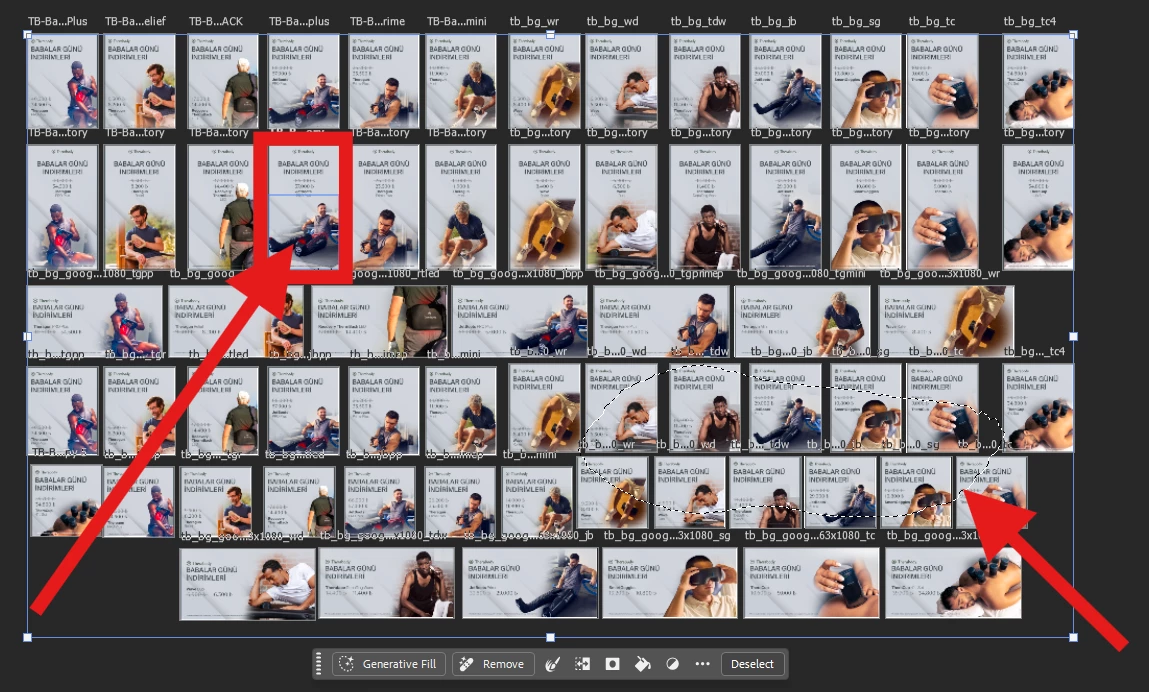
Left arrow pointing to applied layer for Select Subject feature.
Right arrow pointing the result. -
Generative Fill: When using Generative Fill near the edges of an artboard, the AI reads data from adjacent artboards. While Adobe models try to add unwanted white frames or stitch elements from neighboring artboards, partner models completely break and malfunction. Isolating the layer in a standard single-canvas file completely fixes this.
-
We urge the engineering team to completely overhaul and optimize the Artboards infrastructure so that they function as truly isolated layer environments rather than a single massive background canvas, ensuring full compatibility with modern Photoshop tools.
I have attached screenshots illustrating these issues. Please upvote if you are facing the same bottlenecks!
 AdChoices