


Participant
October 8, 2024

Making text follow a curved line but it disappears

  • October 8, 2024
  • 3 replies
  • 855 views

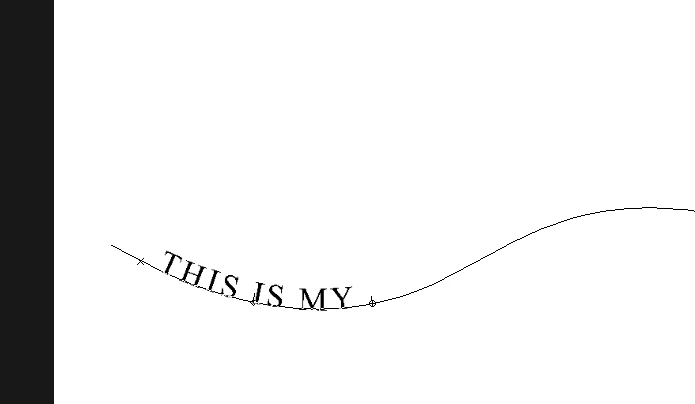
I am trying to make a text follow a curved path that I draw with the Curvature Pen tool, but when I try to move the text through the curve it starts to disappear in the path in some parts and finally I can't fit it in the center part so to say. In the picture below I wrote "THIS IS MY TEXT" as example, and when I tried to move the text through the line, the word TEXT was gone. 
3 replies

Bojan Živković11378569
Community Expert
Community Expert
October 9, 2024

davescm
Community Expert
Community Expert
October 8, 2024

With the text layer selected, use the path selection tool (black arrow) to move the text left, right and centre points to reveal and position your text. In you case the right point needs moving further along the path.


Dave

October 8, 2024

Hey @Armander 

The first time doing this requires a bit of attention. I would recommend watching Jesus Ramirez or reading the article on Adobe.

Jesus Ramirez shows you how to write in a circle. The idea follows the same concept of what you are looking to do. 
https://www.youtube.com/watch?v=IyrZUHRUsmE

You can also follow this step by step process as well found in Adobe 
https://helpx.adobe.com/photoshop/using/creating-type-effects.html

Cheers,
O. Nate