


Participant
September 23, 2024

Overlay Layer Mask not working

  • September 23, 2024
  • 3 replies
  • 310 views

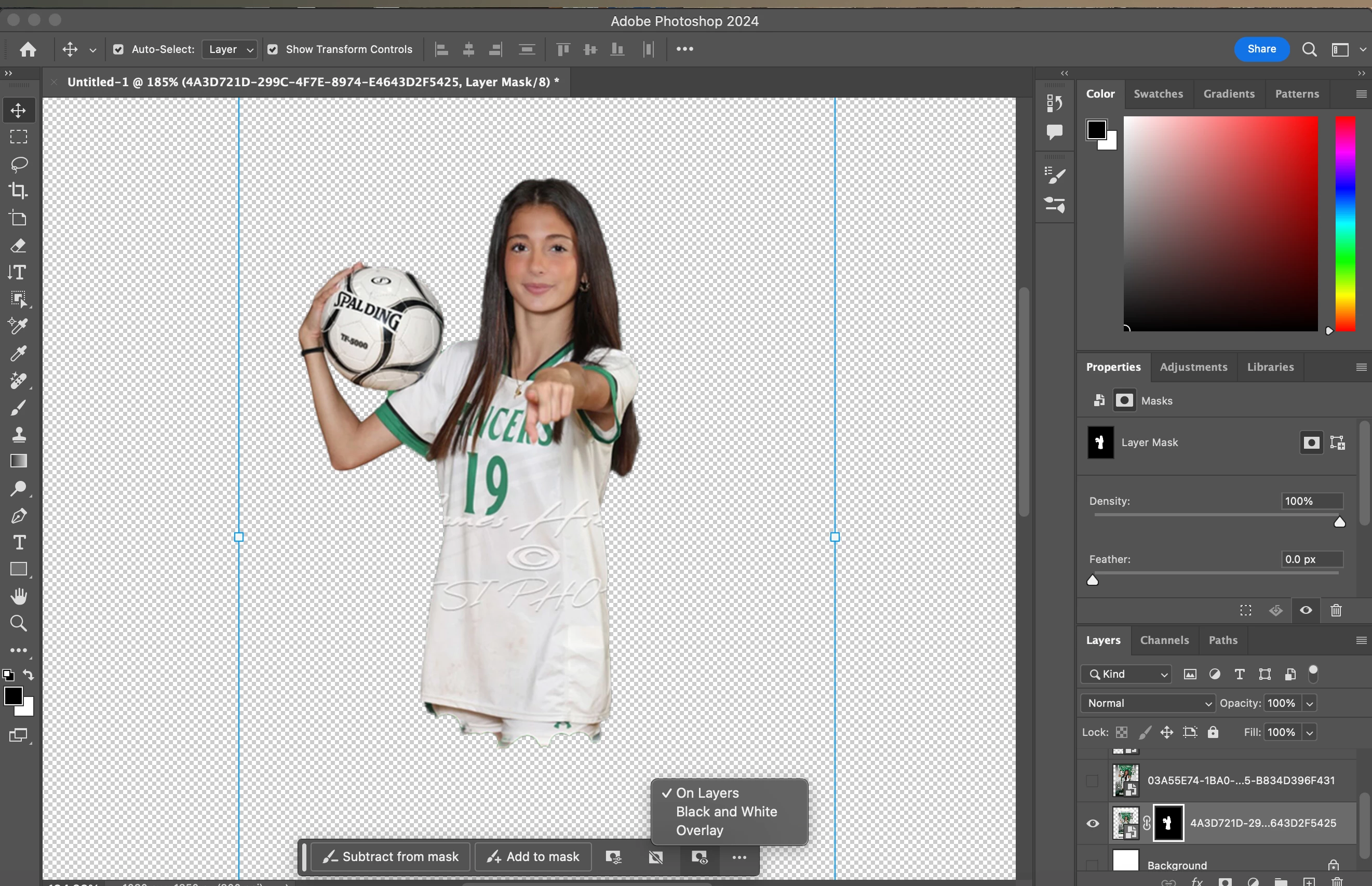
When I went to remove the background of something it removed more than I wanted to. I typically use the mask overlay so I can see where It needs to be restored or removed and this time the red color didn't show up so I was unable to see where I needed to remove. Is there any one who can help me with this issue on photoshop? Yous can also notice from the picture that is not allowing overlay to be selected. 
3 replies

Participant
October 1, 2024

No its not. I had images with different people on it with the same background that needed to be cut out. If you look closely the images have different names because they are different. 

Bojan Živković11378569
Community Expert
Community Expert
September 25, 2024

Are you searching for something similar to the screenshot below?

CMass
Legend
September 24, 2024

Hey @e39071659cna8


Thank you for reaching out and sharing a screenshot of your workspace. It looks like the masked layer is positioned beneath the full image. Try moving the masked layer above the full image and see if that resolves the issue. Let me know if that helps. 🙂 


^CM