


Participant
February 24, 2019

P: Accidentally or auto created infinite lights cause crash

  • February 24, 2019
  • 7 replies
  • 351 views

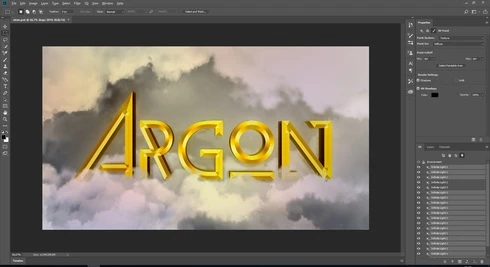
As You can see I have a lot of infinite lights. I don't know when they was created. When I try to render 3d layer, delete or disable visibility of lights program crashes without displaying errors. Addictionaly during opening project pops up an error about limit of lights. What can I do? Anyone can helps me solve this problem?
s
This topic has been closed for replies.

7 replies

Legend
November 15, 2019
This issue should be fixed in the current version, Photoshop 2020 v21.x or later. Let us know if you're still having trouble.
Argon39Author
Participant
February 25, 2019
Great thanks for You! Lov u ❤️
Dramenon
Inspiring
February 25, 2019
Thank you for reporting the issue.

This file was originally created on Adobe Photoshop CC (Windows) in 2018. It looks to be damaged 😞
However, I have created a new file by exporting the 3D Layer as an OBJ and creating a copy of your layers to a brand new document.
🙂

You may download the file here from my creative cloud folder:
https://adobe.ly/2SYIGj7


/end of line/
Argon39Author
Participant
February 24, 2019
Okay! Thank. I'm waiting
Legend
February 24, 2019
Thanks. The file worked for me to repro. Let have engineering take a look.
Argon39Author
Participant
February 24, 2019
Legend
February 24, 2019
How big is your file? Is it something you can post so we can help troubleshoot?