


Inspiring
October 11, 2016

P: Alt+delete shortcut expands layer around artboards

  • October 11, 2016
  • 2 replies
  • 177 views

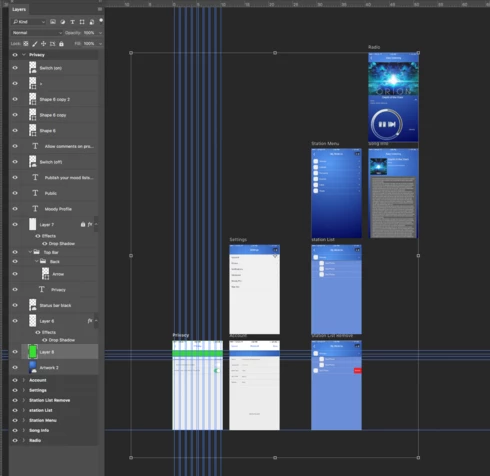
(This is in Photoshop CC only) using the alt+delete or cmd+delete to fill a layer on the second artboard or above causes that layer to expand to include all the other artboards. The color does not affect the other artboards but it is very frustrating to see such a large image outside the artboard and also when trying to align other objects. This image shows the bounding box, which should only encompass the bottom left artboard, extending out over all the others.
This topic has been closed for replies.

2 replies

Legend
October 17, 2016
Thanks. I've asked engineering to look into it.
Inspiring
October 12, 2016
Or convert layer effect "patern fill" into layer. 
And the most killing is selecting with "CTRL + Mouse drag area" in your artboard but every backgrounds in all artboards or anything overleaping is also selected.

You could prevent it with artboard "position lock" if artboard would be folder, but instead you can select oveleaping layer in locked artboard from non-locked artboard.