



P: Blend If functionality on Groups is broken / missing
As of Photoshop 21.x, attempting to use Blend If on a Group caused Photoshop to crash. A"fix" in 21.2.1 stopped the app crashing in this scenario, HOWEVER, the Blend If on a Group still doesn't work as it did prior to 21.x.
It may not crash, but the Blend If effect isn't functioning. Blend If on the Group, using the Underlying Layer slider, just toggles the effect of the group on and off. It doesn't apply a blend based on luminosity. It is just on or off, same as using the layer visibility eyeball. This is on Windows 10, to be clear.
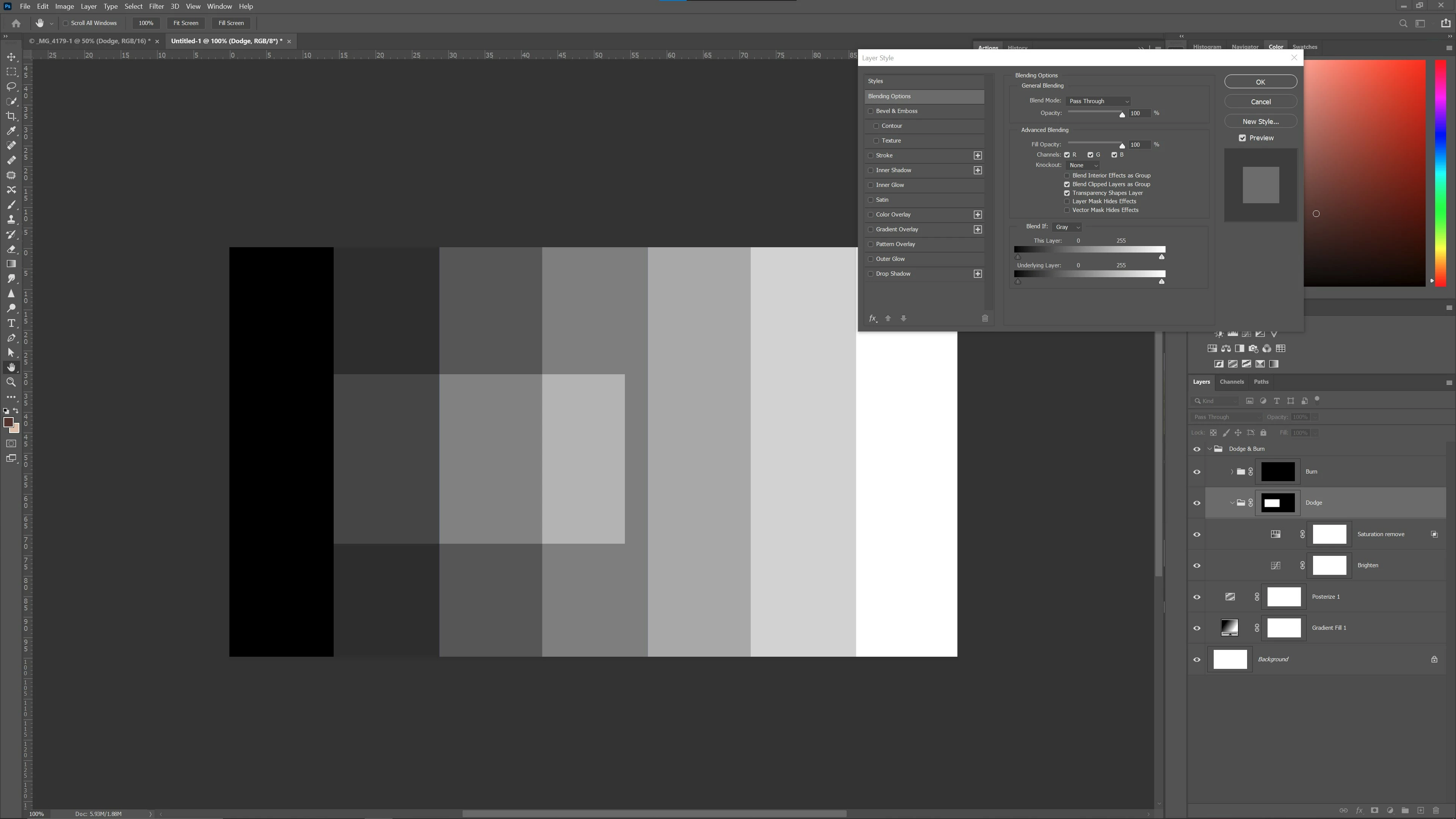
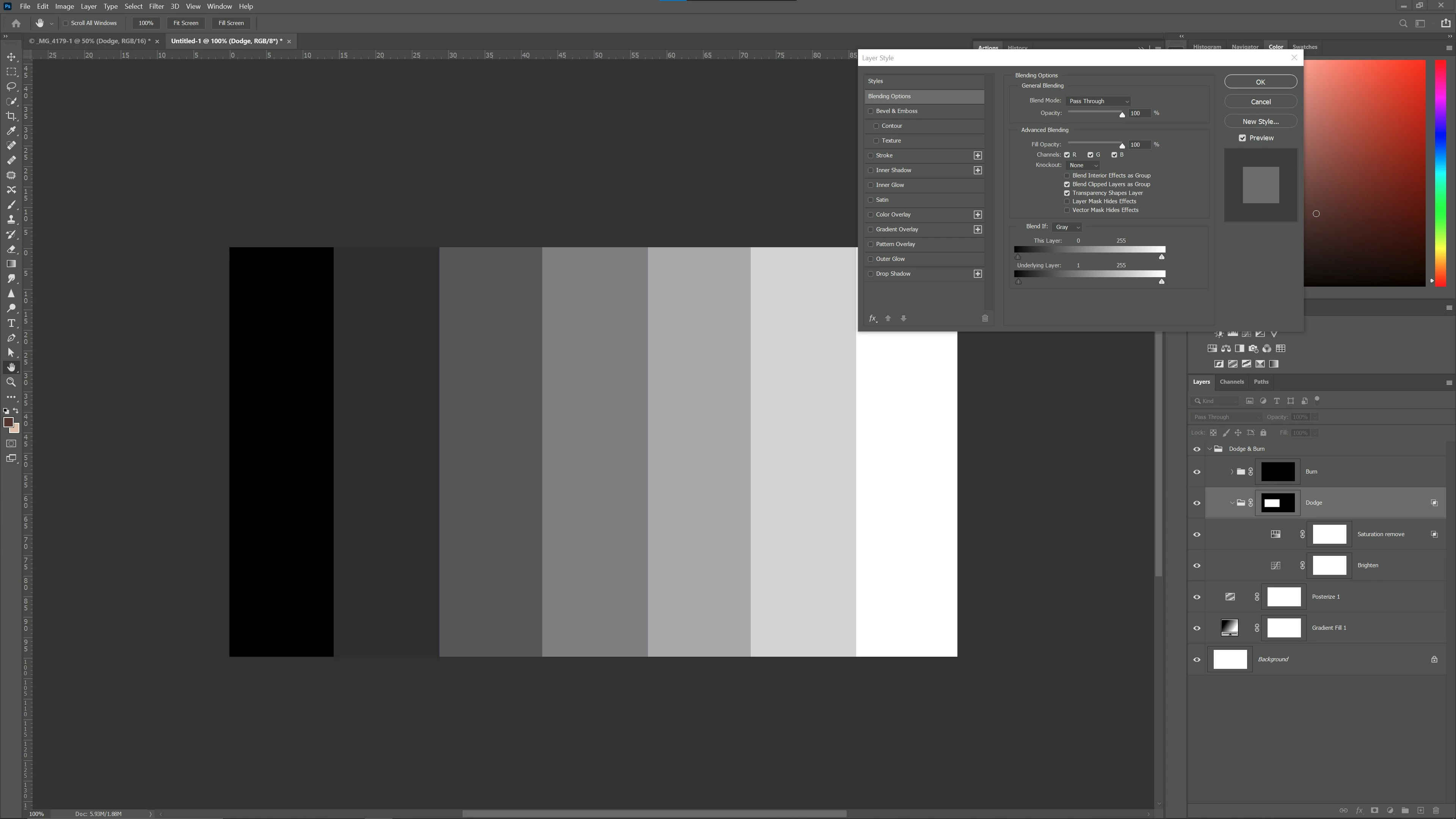
These pictures hopefully demonstrate. The "Dodge" group comprises a Curves layer with a simple luminosity midtone lift and a Hue/Sat layer with just -10 Saturation applied. Both have a blank mask but the Group has a negative mask, with painting on the Group mask to apply the combined effect.
Picture 1shows no blend and the dodge effect fully applied in the selected area, on the group mask. Pic 2 shows that by merely raising the Group Blend If Underlying Layer slider by 1 level, the effect totally vanishes whereas prior to 21.x the effect should apply across the luminosity gradient. Splitting the sliders to feather also has no impact on the fault. The effect just disappears as if the group had been hidden.
To repeat myself for sake of total clarity, the app no longer crashes but Blend If on a Group still doesn't do anything.
I am starting a new issue because of confusion on the existing thread and because I don't consider this fixed until it works again as expected.
 AdChoices