

Participating Frequently
August 3, 2023

P: Blending mode not working and apply changes delay
  • August 3, 2023
  • 7 replies
  • 771 views


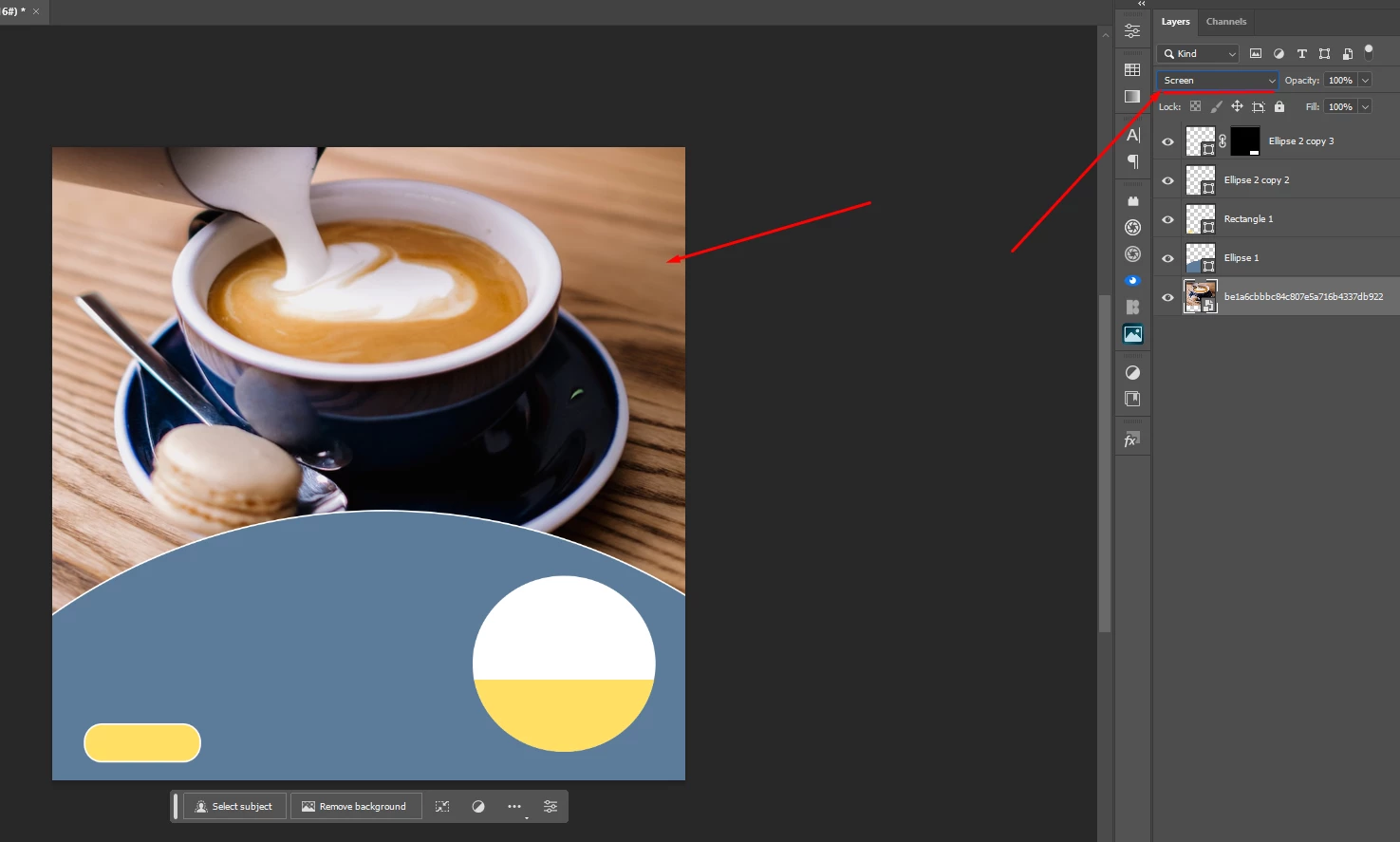
1- i have a problem that belnding mode not working even i scroll down and i tried most of common solution nothing works.
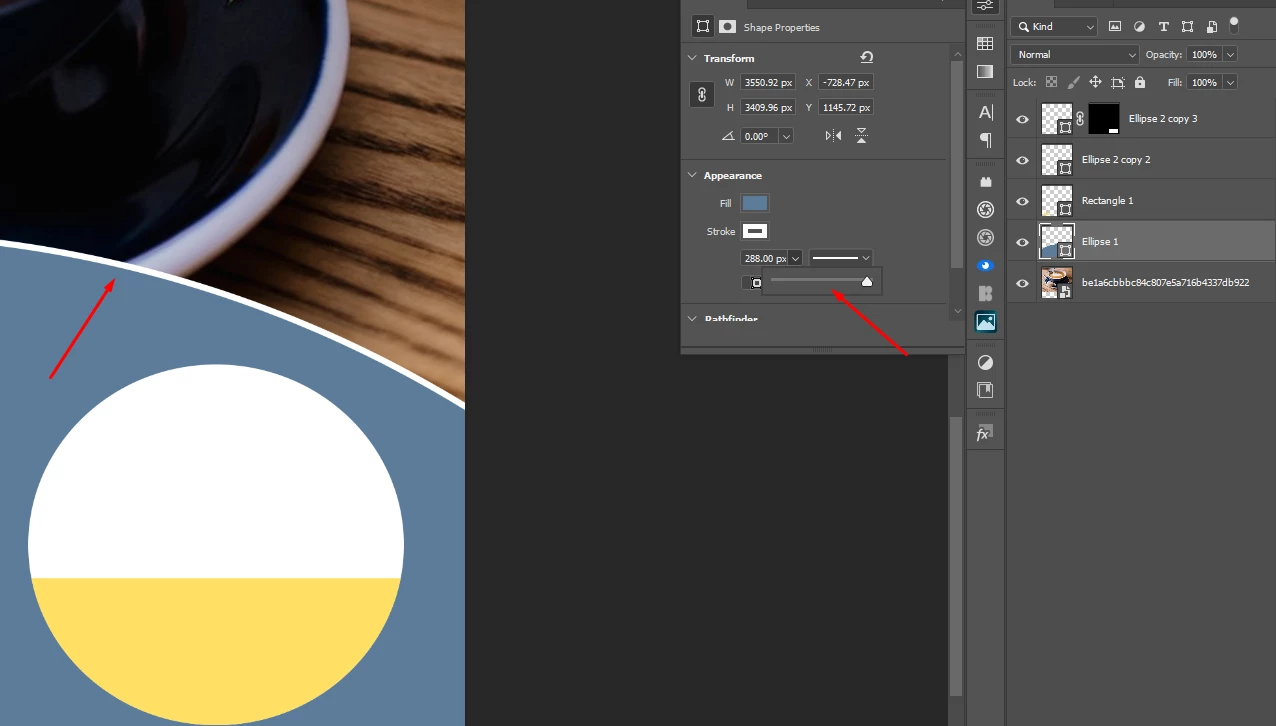
2- i have another problem which is : if i did any change it dont apply directly while if  released the hold of the click it works , like if i keep holding the bar it dont apply any changes and this thing happens in any change. (as u can see in the 2nd pic stroke is at the max amount but it didnt apply cus i was holding the left click while taking the screen shot).

This topic has been closed for replies.

7 replies

CShubert
Community Manager
Community Manager
August 7, 2023

Hi all, the team has started to look into this.


davescm
Community Expert
Community Expert
August 3, 2023

For the time being you will need to use the slider in the options bar , rather than the one in the properties panel.


Please supply the system info requested by Cory, it may help Adobe locate the bug in teh properties panel slider.


Dave

Participating Frequently
August 3, 2023

thx for helping but there is no way to make the changes apply without releasing the slider?

Participating Frequently
August 3, 2023

oh i got it but about the 2nd problem there is no way to make the changes apply directly when i release the slider?


CShubert
Community Manager
Community Manager
August 3, 2023

Thanks @davescm we see it as well... Again @Hamo_G4m3r please share your sysinfo.


Participating Frequently
August 3, 2023

where to share it?

davescm
Community Expert
Community Expert
August 3, 2023

Just click the copy button and paste it here.

Dave

davescm
Community Expert
Community Expert
August 3, 2023

1. Your screenshot shows the screen blending mode is applied to the bottom layer in the layer stack. The blending mode sets how the layer blends with the layer(s) beneath it. Since there are no layers below the bottom layer then it will have no effect.


2. @CShubert I can replicate that issue in the current version (24.7) when using the slider for stroke width in the properties panel. If I use the equivalent slider in the options bar at the top of the screen it works as expected with a live preview as the slider is moved.


Dave

CShubert
Community Manager
Community Manager
August 3, 2023

Hi @Hamo_G4m3r 

Let's make sure we're in a default state and there are no stale settings somewhere: 

Restore your preferences using this manual method:  

https://helpx.adobe.com/photoshop/using/preferences.html#Manually 

Does it work correctly? 

If that doesn't solve it, you can quit Photoshop and put the Settings folder back. 


It may help if we could see your Photoshop System Info. Launch Photoshop, and select Help >System Info...and copy/paste the text in a reply.