chrisknight15
Known Participant
March 5, 2022

P: Blocky edge in refine edge tool - M1 macOS
  • March 5, 2022
  • 22 replies
  • 2719 views


Hi Guys

Please tell me if I am missing something or if this is a bug in the new february update ?

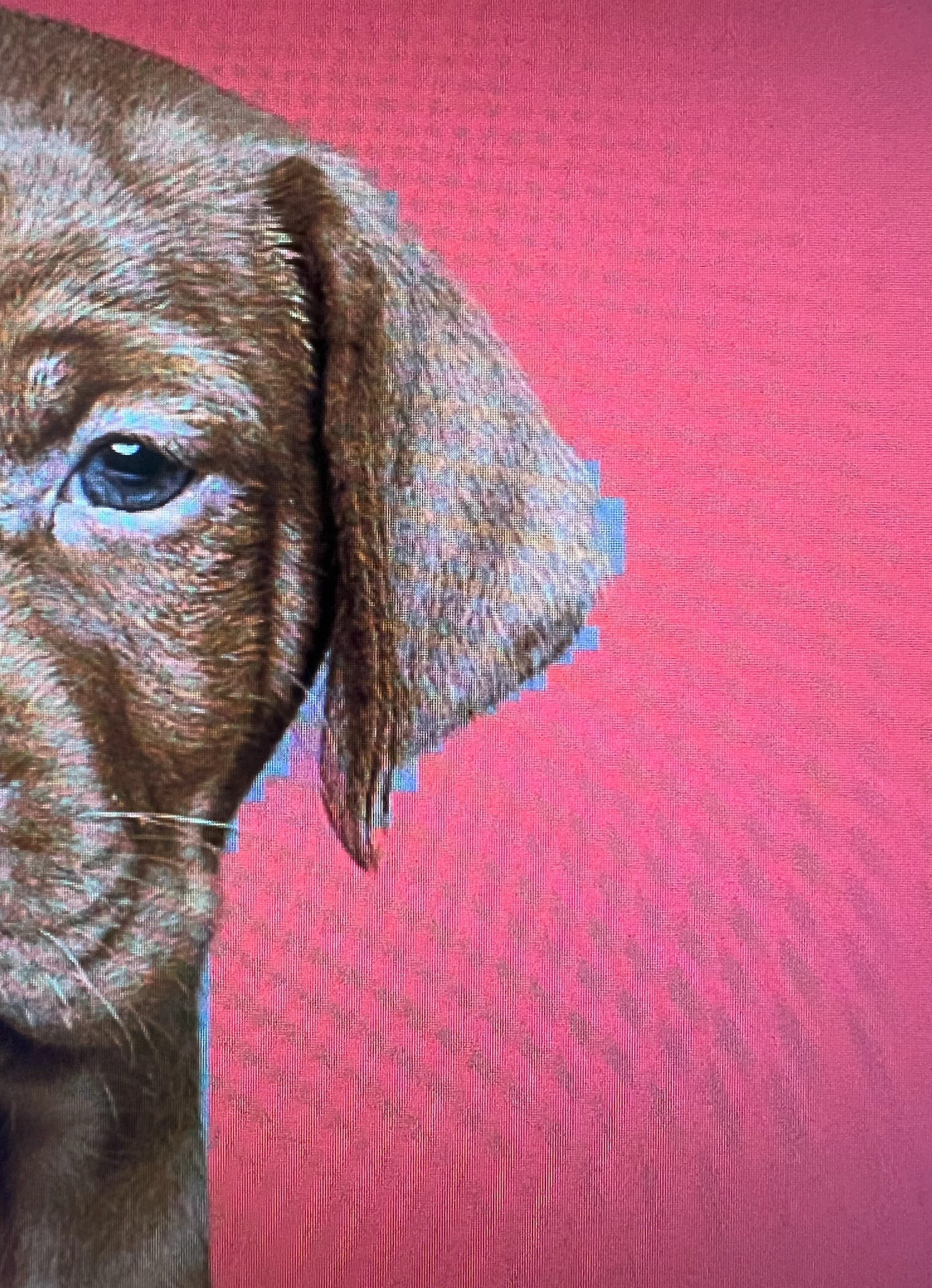
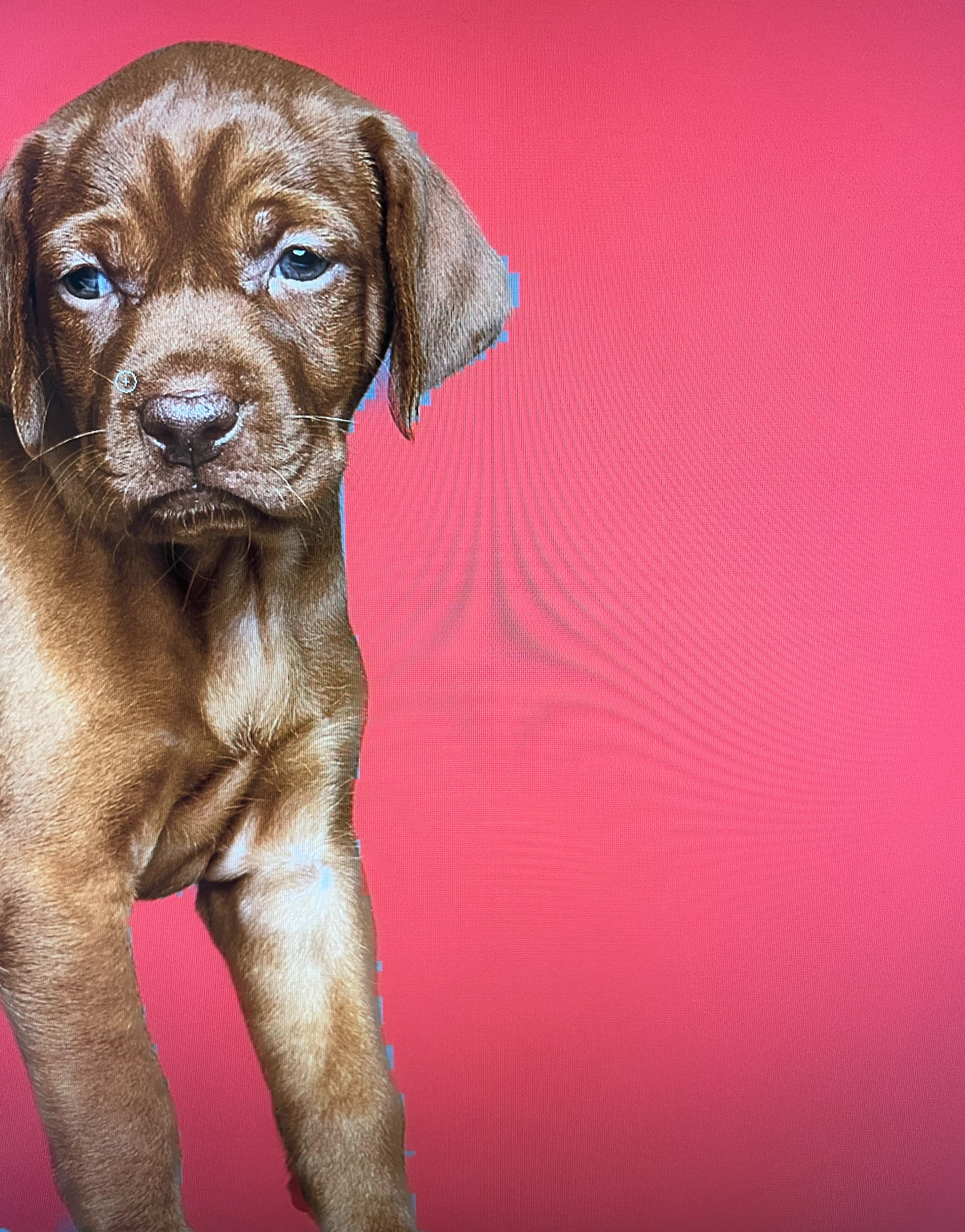
When using the refine edge tool I have started getting these square pixelated edges and this never used to happen. All of my settings are the same as i have always used. 

all sliders set to 0

object aware selected not color aware

decontaminate colours is not selected.

im using apple M1 Max with 64GBmemory 

Photoshop is current version and up to date as of today 8/3/22

22 replies

chrisknight15
Known Participant
July 4, 2023

Here we go again!

Why does photoshop do this?

Participating Frequently
January 31, 2023

Hi, thank you so much, my settings were actually set to quiker results and faster!
It didn't completely solve the problem but it's much better now.
I have a very busy week but if I find a moment I'll publish the screenshots and contact one of the team members you suggested.
Thanks

PECourtejoie
Community Expert
Community Expert
January 27, 2023

Hi @carolineb23036079 would it be possible to share some screenshots of what you are experiencing, and if allowed, to share the images for the team to replicate the issue ( here's how to create a public link: https://helpx.adobe.com/uk/creative-cloud/help/share.html ) you might want to contact a team member, such as Jeffrey Tranberry, or Himanshu by DM to share them the link and a link to this discussion.


In the latest versions, we have some new preferences that might influence selections, they are located in Edit(PC)/Photoshop(Mac)/Preferences/Image Processing. could you share your settings?

chrisknight15
Known Participant
January 27, 2023

Hi Caroline

I dont seem to be having issues anywhere as bad as when I originally posted my blocky images. I just opened the same puppy images and tried it again. You will see on my original examples that the edge looks like a set of stairs however when i did it today i only seemed to get one step on the whole image. 

As I am drawing round the subject I still get weird zig zag lines intersecting the edge im drawing on which i did before but that wasnt necessarily the problem. the problem was the set of stairs it left behind on the edge i was refining

Chris 

Participating Frequently
January 26, 2023

Hello,
I wanted to know if you found anything... I'm still having this issue on one of my computers and I have the 24.1.1 version of Photoshop... No matter the version of Photoshop the problem still happens.
It makes it almost impossible to refine hair selections even on a contrasted background.

Thank you

Jqqerry
Inspiring
April 22, 2022

sometime same issue for me. I have several computers. but funny thing is Sometimes that happens in Windows.

Adobe Employee
April 21, 2022

@chrisknight15 - Please let us know if you are still facing this issue with Photoshop 23.3.1 release. We are not able to reproduce this issue so we would need original image with which you are seeing the issue and also share exact version of macOS on your system. Thanks!

Participant
April 20, 2022

Using the Refine Edge Tool in Select and Mask dialog fails really badly.

I reset my preferences as another thread suggested. No change. Here's what the tool leaves behind when I use it.

My solution for the last 2 years is to stay with Adobe Photoshop 2020, so unless someone has a suggestion, I'm going to roll back again.

I know others have this problem, but I haven't seen any answers.

Thanks


Adobe Employee
March 15, 2022

Thanks @chrisknight15 for reporting the issue! We tried reproducing issue locally on M1 Max machine running latest update of MacOS Monterey but issue is not reproduicible. Please can you share the original image with which you are seeing the issue and also share exact version of macOS on your system. If any update is pending for the macOS we would request you to take same and try the scenerio again and share your findings. Thanks!

chrisknight15
Known Participant
March 10, 2022

Thank you. I did just re install the previous version before the latest and thought it had fixed it as it was fine for one image but then when I edited the next one it happened again.


I did see this post on the forum where someone had the same issue as me which said they fixed it by doing this:


"Resolved: Okay.... so I'm pretty sure i deleted the preferences when I unintsalled... but I just held command + option + shift while opening the app for us mac users to manually reset the Photoshop settings file and that fixed it. for the Windwos users out there it is: ctrl + alt + shift."


I tried this but unfortunately it didn't work for me