


Known Participant
October 23, 2017

P: Brush *resizing* lag with Brushes panel visible

  • October 23, 2017
  • 16 replies
  • 1170 views

This may be related to the healing brush lag, but I've noticed myself accommodating a lag in brush resizing that's taking almost twice as long as 2017 and is very jittery instead of smooth.  
Test was done on 3,000px x 3,000 canvas in both programs starting with a 1px brush and rapidly resizing to edge of canvas. Both installs have the same performance settings

2018
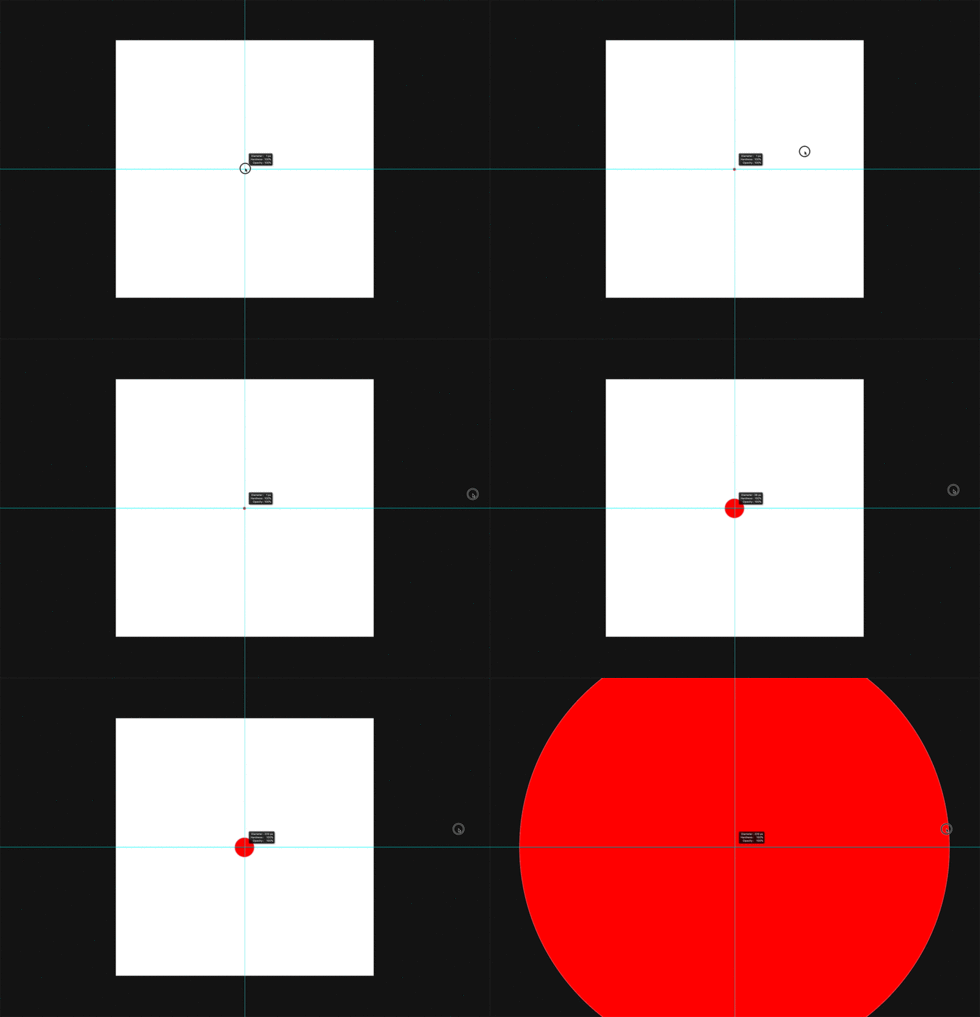
25 frames between start of drag and visual representation of final brush size
1 transition frame
15 frames before any size change in brush 

2017
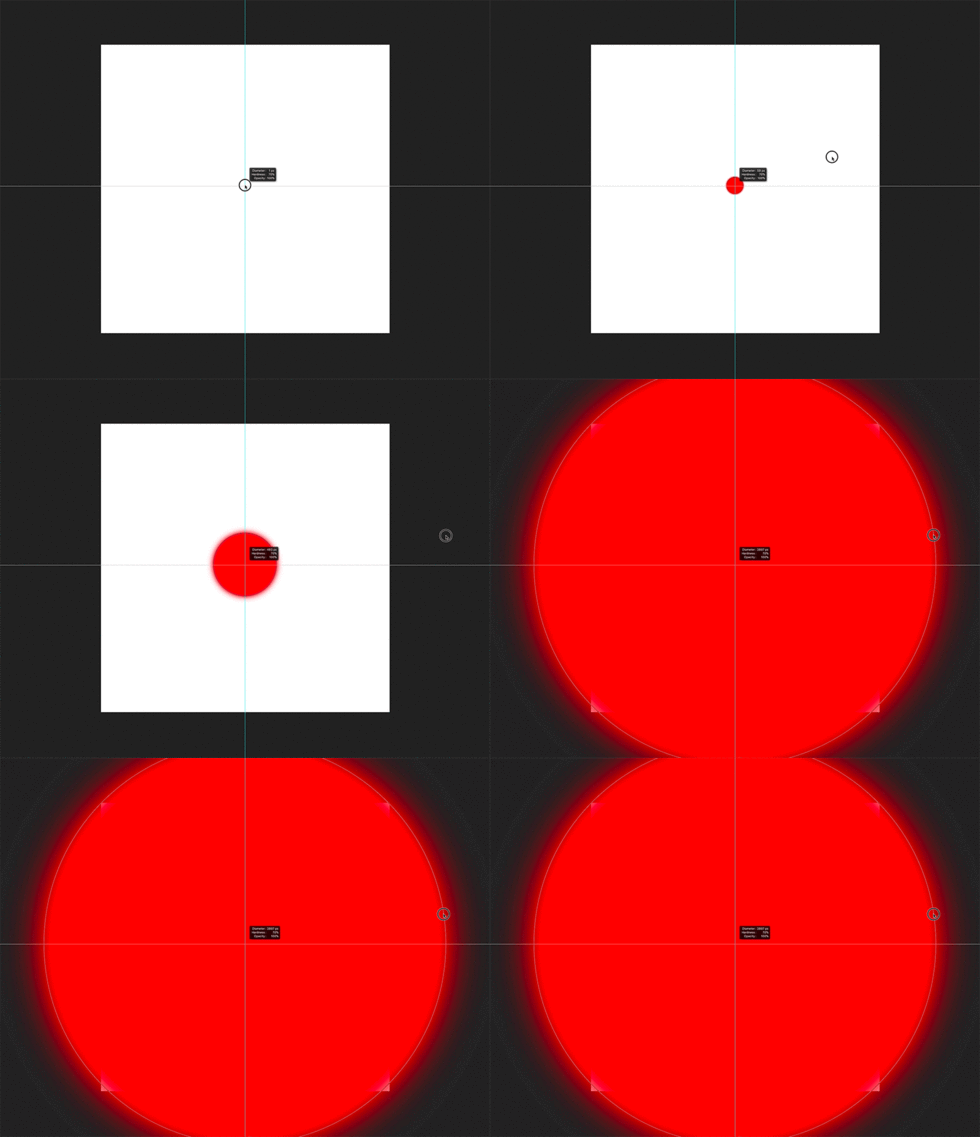
15 Frames between start of drag and visual representation of final brush size
4+ transition frames
5 Frames before size change in brush

This is really frustrating when frequently changing brush sizes.


MacBook Pro Late 2016 spec'd out 
Updated OS and PS

(Animations slowed down)

This topic has been closed for replies.

16 replies

Known Participant
October 24, 2017
2016 Macbook is a breeze on my end, don't have much lag on anything (other than this new brush glitch), and I'm running two big monitors from it.
A 5000px brush lags on every machine I've tried it on, though...
Known Participant
October 23, 2017
Thanks Mike
Earth Oliver
Legend
October 23, 2017
Cristen, i think you and i are on very similar machines... so try making a 5000px mixer on an 8000px canvas, then make a long circular stroke and see what happens.

And given Apple's history over the past 5 years, i have a feeling that all this waiting for new machines will be in vain. I'm 100% not interested in a $10,000 iMac and i have no faith that they can make a decent desktop for the pro market. A few of my retoucher friends have already transitioned to win10 and after 25+ years of Mac, i might soon have to do the same =(
Inspiring
October 23, 2017
I really wish Apple would hurry up and bring out their new iMac Pros and Mac Pros so I can stop blaming everything on my ancient computer. But I'm not seeing any difference between the 4 brushes that exist with the Mixer brush. They all resize a little bit jerkily, but nothing remarkable.

If I'm not on the true horizontal (vertical for hardness), then it's more of a problem, but hasn't it always been? At least back in the early days, I learned I'd better drag very straight across or I was likely to see problems.
Earth Oliver
Legend
October 23, 2017
Yes, i've logged a bug for this with the mixer brush... try switching to that and then attempt to make a stroke!

Not seeing the slowdown with the normal brush tho.
Adobe Employee
October 23, 2017
We are aware of this issue and are working to have this fixed and out to users ASAP.