


Participant
August 30, 2022

P: Camera Raw masks move with image cropping

  • August 30, 2022
  • 15 replies
  • 1621 views

I noticed, that when I use a camera raw filter with masks on a smart object, the masks in this filter move when the document is cropped in photoshop.


1. Version of the app

Adobe Photoshop Version: 23.5.0 20220809.r.669 0e07917 arm64


2. Platform an OS version

OS: Mac OS 12.4.0

Architecture: Apple M1 Max, HybridCPU(8:2)


3. Basic steps to reproduce the problem

  1.  create document with object
  2. add camera raw filter to the smart object
  3. add masks ins camera raw
  4. leave camera raw
  5. use crop tool to enlarge image
  6. edit camera raw filter
  7. masks should have moved. 


4. Expected result and actual result

Results can be seen in the images below. I would expect the filters to stay where I placed them


The first two images show the initial image without cropping. As you see the skymask in the second image ends exactly at the tees
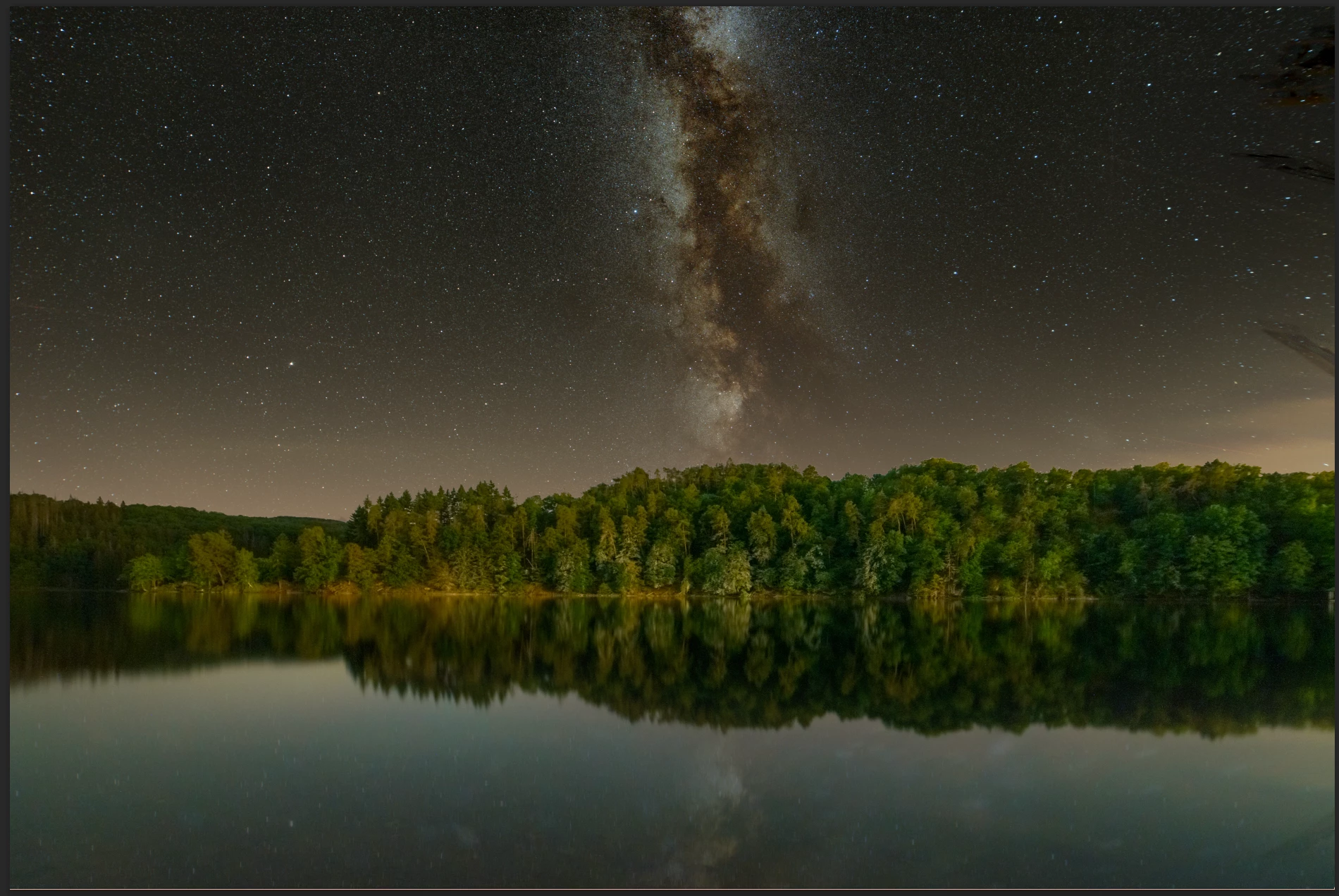
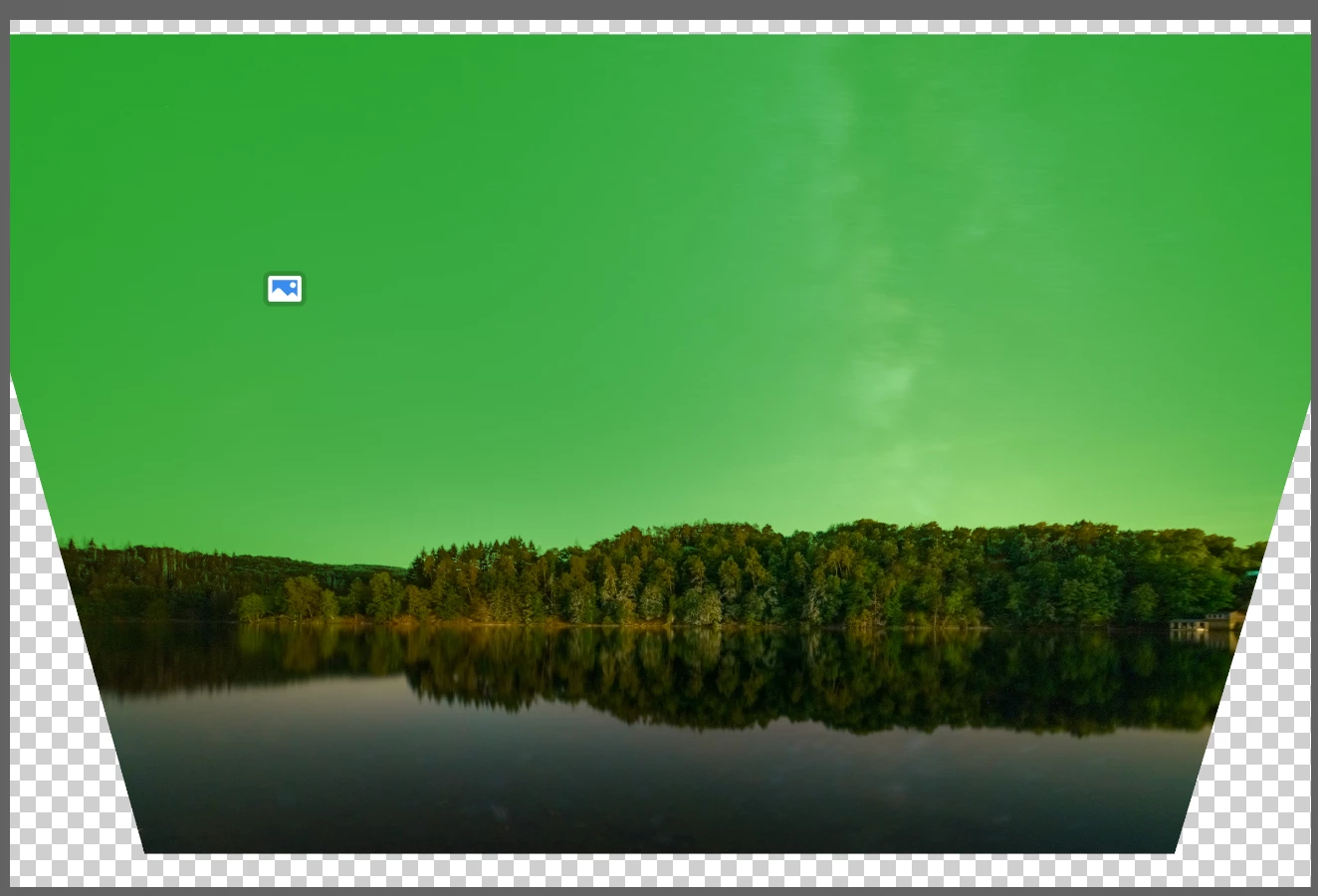
 The second two images show the document after cropping. The image is extended towards the sky to reveal more of the milky way. After cropping the skymask moved up and doesn't end exactly at the trees anymore.
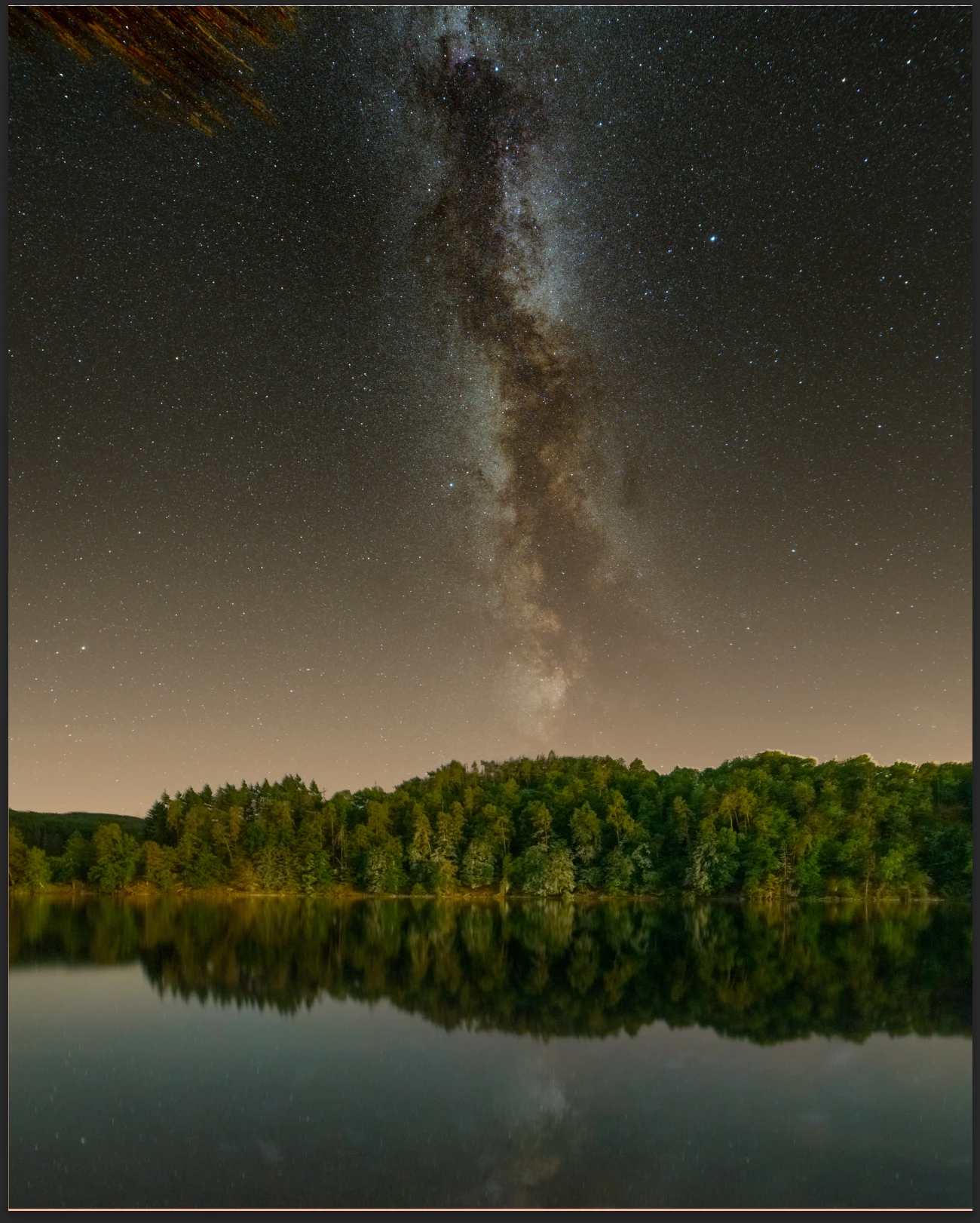
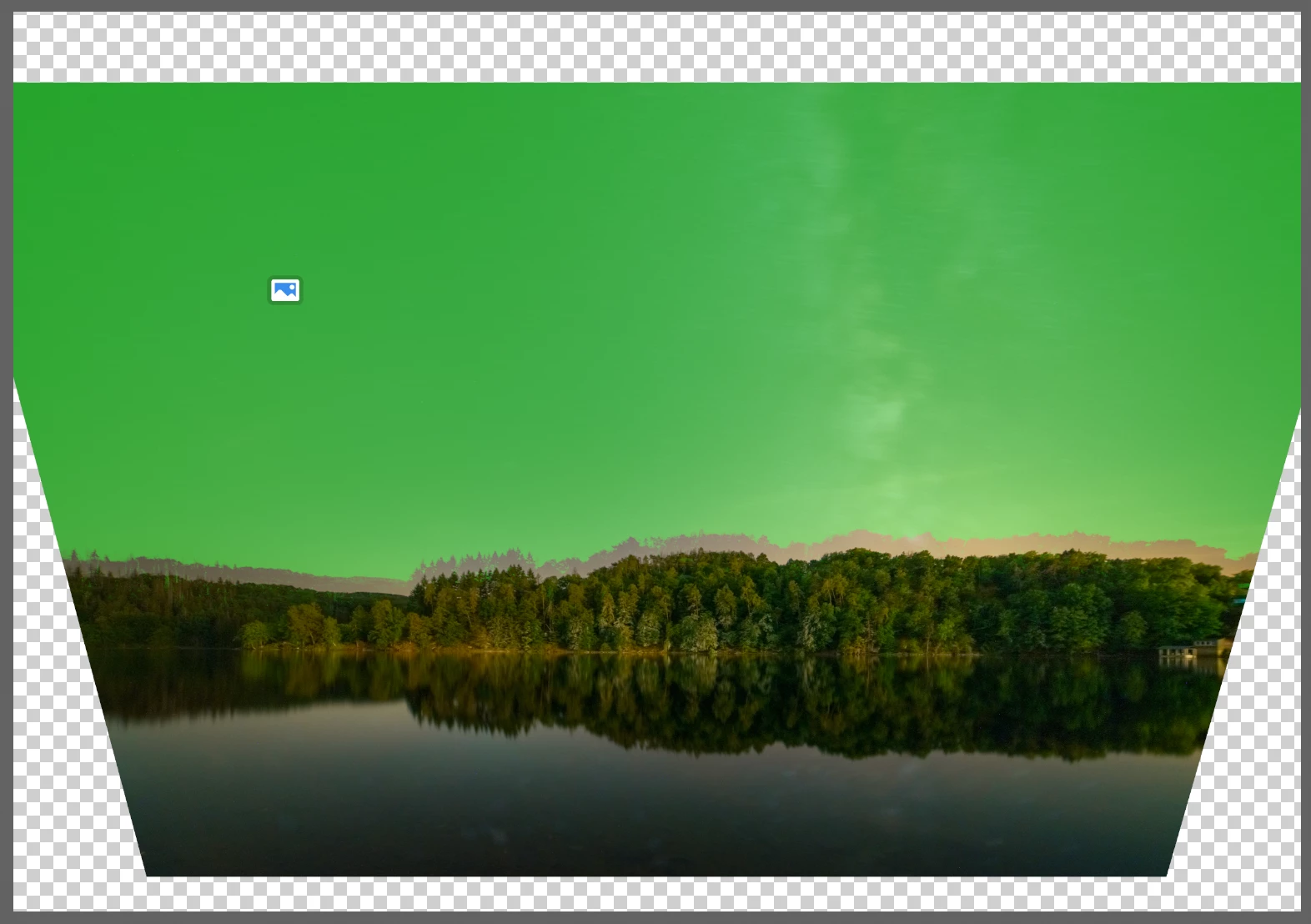
All masks in camera raw filter used on smart objects behave the same. I notices this movement also on a gradient filter layer in my layer stack.


Anyone knows if PS should behave like this? Or is it a setting?


Thank Matthias


15 replies

Participating Frequently
November 8, 2023

@CShubert, PLEASE See my post in this thread. Here's what's happening - - - In Photoshop on a Smart Object layer I use the Camera Raw filter and create various masks. Then I exit out of the Camera Raw Filter. If I crop the image, the masks created within the Camera Raw filter stay in the position of the uncropped image version instead of adapting to the cropping so then they're useless. It's very frustrating to have to create masks all over again on the cropped version of the image.


I don't want to crop an image at the outset... I explore cropping possibilities only at the end of of image editing. SO - Is there a way to have the Camera Raw masks on the Smart Object layer transition correctly to the cropped version of the image? Or to apply some sort of "resize" to the Camera Raw layer that correlates to the cropped version?? Please help...

Participating Frequently
August 19, 2023

So what is the solution? I landed here because I searching online to solve the same problem. I did a bunch of intricate masks in Photoshop (hours of work) and then noticed, after cropping, that the masks don't adjust in position and / or size in relation to the crop. Is there a way that I can move the masks so I can use them somewhat and not have to create all the masks from scratch?! Please help.

PECourtejoie
Community Expert
Community Expert
December 22, 2022

hello, to confirm, is it on PS 24.1 and which version of Camera Raw, @Jose Maria276725951ydu  ?

Participant
December 22, 2022

I have the same problem. Would be great to have this solved! 

CShubert
Community Manager
Community Manager
August 30, 2022

Thank you @MaD25883099 for the excellent STR and images, we can confirm this and will pass on to the team for review.