ReneDamkot
Inspiring
November 11, 2020

P: Can't copy a path in an action

  • November 11, 2020
  • 14 replies
  • 1101 views

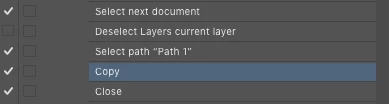
I use an action in my workflow to copy a path from a jpg and paste it into a tiff. Used to work flawlessly from PS CS6 up to and including the previous version of PS CC 2020.

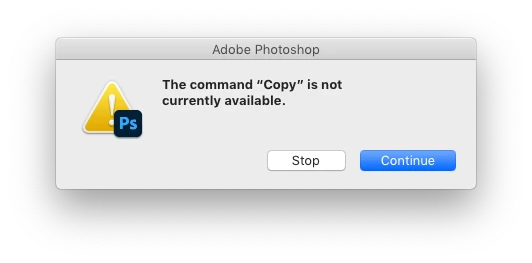
Now I get this:

The layers palette and the part of the action:
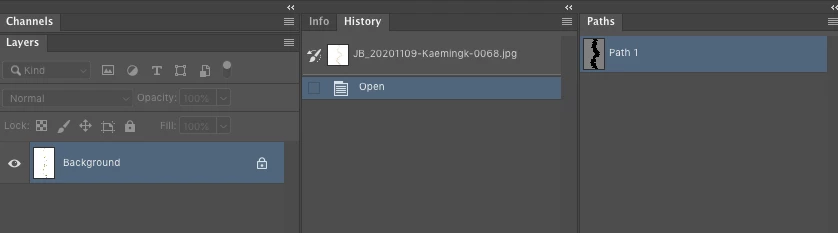


Manually it won't work either, *unless* I first select the Path Selection Tool.


Also, I see that if I use 'Open files into Photoshop layers' from Bridge, the default filename is "Untitled-1" again. A while back (PS CC 2019?) it got changed to "Untitled1" from that. 
Not sure what is preferred, but it would be nice if you make up your mind, so I don't have to keep changing my actions that rely on the exact filename…
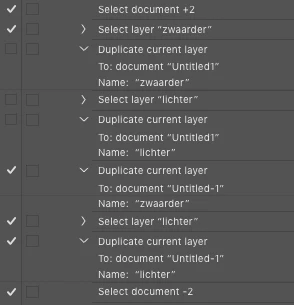

In short: *please* stop breaking what didn't need fixing in the first place…


MacPro, OSX 10.14.6

This topic has been closed for replies.

14 replies

Legend
November 11, 2020

I'm seeing a different issue where the path I have isn't copied and pasted in 2021, but I don't get an error.

Rene, can you send me an action that reproduces the error?

c.pfaffenbichler
Community Expert
Community Expert
November 11, 2020

I suspect the Tool-selection within the Action could be handled with a short Script but apparently my previous test was sloppy as I can now reproduce the issue – with the Path Selection Tool, the Pen Tool, the Move Tool, … selected an Action fails at the path-copying step. 

ReneDamkot
Inspiring
November 11, 2020

Haven't tested, since I cannot let the action select the tool (unlike for example the brush tool, that can be set from within an action), so it would require me to add a stop and manually set the right tool every time before I run the rest of the action.

Not exactly a viable workflow.

For now I'm back to using PS CS 2019.


Edit: Tested it: even with Path Selection Tool active, the action won't copy. Manual copy does work then.

c.pfaffenbichler
Community Expert
Community Expert
November 11, 2020

Manually it won't work either, *unless* I first select the Path Selection Tool.

So does is work in the Action when a meaningful Tool is selected?