Participating Frequently
April 14, 2021

P: Can't detect GPU

  • April 14, 2021
  • 156 replies
  • 8535 views

Recently I just did an update of Photoshop to V22.3.1

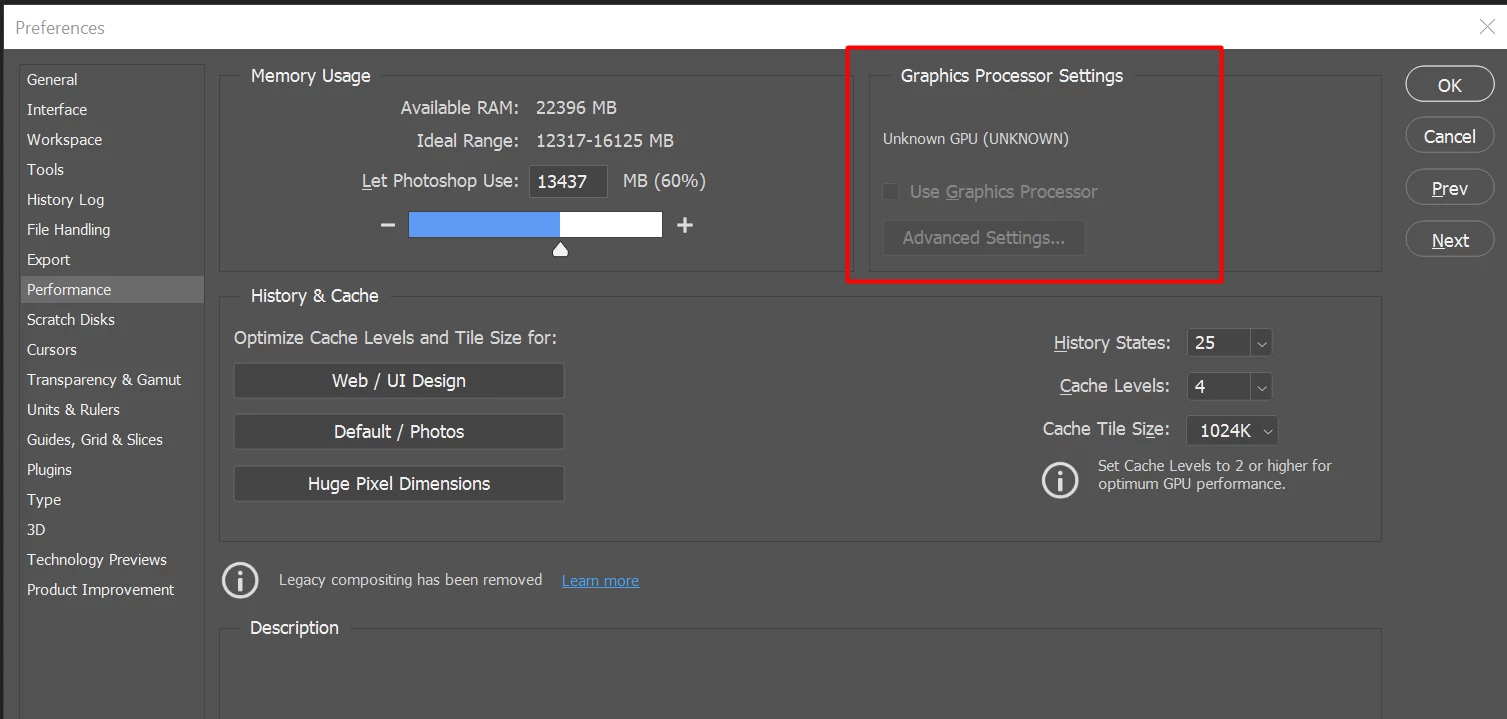
After I launched PS, and then go to the performance dialog box, then noticed that it can't detect my GPU GTX1050i.

This was working fine with the previous version of PS. I suspect that the latest update had something to with this problem.

Thank you

BR,

FS Wong

This topic has been closed for replies.

156 replies

Mark C. Dahm
Community Manager
Community Manager
June 8, 2021

*s4nari , what does your System Info say (from the Photoshop Help menu)?

Inspiring
June 7, 2021

22.4 doesn't solve the issue for me at all - still no GPU detection - still not able to have scrubby zoom. Much sad.

Inspiring
June 7, 2021

Same issue occurring on a laptop running a GTX 1050. This is really hurting my productivity and experience with PS - Any update would be appreciated.

Participant
May 28, 2021

It worked for me once. I thought it was a miracle and was positively giddy.... I didn't have much time to work that day, though (about a week ago), and just opened Photoshop again—it's back to NOT seeing my GPU.

Inspiring
May 15, 2021

I've got PS 22.4 to work on my iMac by upgrading the OS from Catalina to Big Sur, which I've been putting off for months. Hope this helps someone.

GPU is:

AMD Radeon R9 M395 2 GB

Inspiring
May 14, 2021

Quadro P4000 dont show up in PS 22.31 and 22.4
rollback to 22.3 works
(updated drivers and windows)

Inspiring
May 14, 2021

Same Here. 22.4 has not fixed it and it still crashes as i try to open it.

No longer mentions the GPU Sniffer though, but says this instead.

System Integrity Protection: enabled

Crashed Thread:        11

Exception Type:        EXC_BAD_ACCESS (SIGSEGV)
Exception Codes:       KERN_INVALID_ADDRESS at 0x00000000000004e0
Exception Note:        EXC_CORPSE_NOTIFY

Termination Signal:    Segmentation fault: 11
Termination Reason:    Namespace SIGNAL, Code 0xb
Terminating Process:   exc handler [1326]

BobWongAuthor
Participating Frequently
May 14, 2021

Yes! My friend and I too able to get it to work!

I thank you Adobe to create a mess and able to resolve it promptly.

BobWongAuthor
Participating Frequently
May 14, 2021

*runswithsizzers

Suggest you open a new post to state your problems to see how many users had the same problem. Thank-you 

Inspiring
May 14, 2021

No help for me. Just updated from 22.3.1 to 22.4 - Photoshop still crashes as soon as I try to open it.