Known Participant
April 14, 2016

P: Can't edit with Quick Mask when mask disabled

  • April 14, 2016
  • 6 replies
  • 462 views

This started a couple versions ago, shame on me for not reporting it sooner.

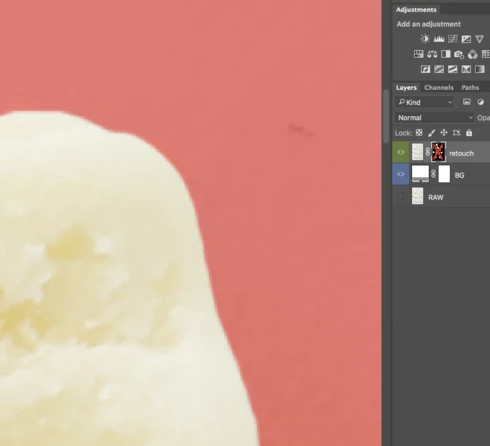
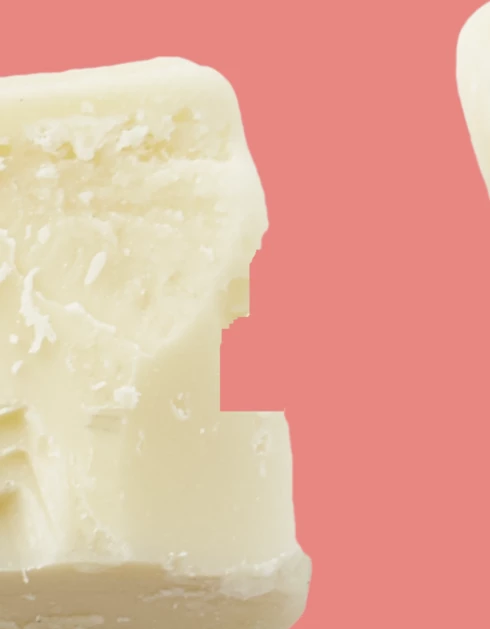
Previously I could edit a mask in quick mask mode if that mask was disabled. This allowed me to see the original data beneath the red overlay for edge refinements. When I do this now, it does not register any brush marks at all, and some times will give a glitch, half-affected area where my brush was that doesn't in turn edit the actual mask until I turn quick mask off.

Would love some help problem solving this or having the bug acknowledged! 
Thanks

This topic has been closed for replies.

6 replies

Known Participant
November 4, 2016
This issue has been solved in CC 2017. Thanks team!
Known Participant
July 13, 2016
Any update on possible solves for this?

Thanks!
Known Participant
May 5, 2016
Hey guys, sorry, went on a trip as soon as I published this. 
I have two computers doing this, one is a late 2013 Macbook Pro, the other is a late 2013 Mac Pro (trashcan).
I'll get the macbook pro info later today.
Participating Frequently
April 19, 2016
Thanks for the update, I can reproduce this.
Earth Oliver
Legend
April 19, 2016
Hi Eric, i've been encountering this issue as well. I think it might be provoked if you have the Feather Property added to the mask when painting.

My system is MacOS X.10.5 with an Nvidia780
Participating Frequently
April 15, 2016
Hi Steve,

I could not reproduce this.  I disable the mask, press \ to show mask as a rubylith, then paint on the mask without issue.  I've tried a number of permutations of these steps and have not run into this (on Mac or Windows).

Do you have specific steps to reproduce?  

Can you try disabling the GPU in preferences (under performance)?

Can you reproduce on other systems (if available)?

Might need your system info.

Thanks,
Eric