


podycust
Participant
March 10, 2021

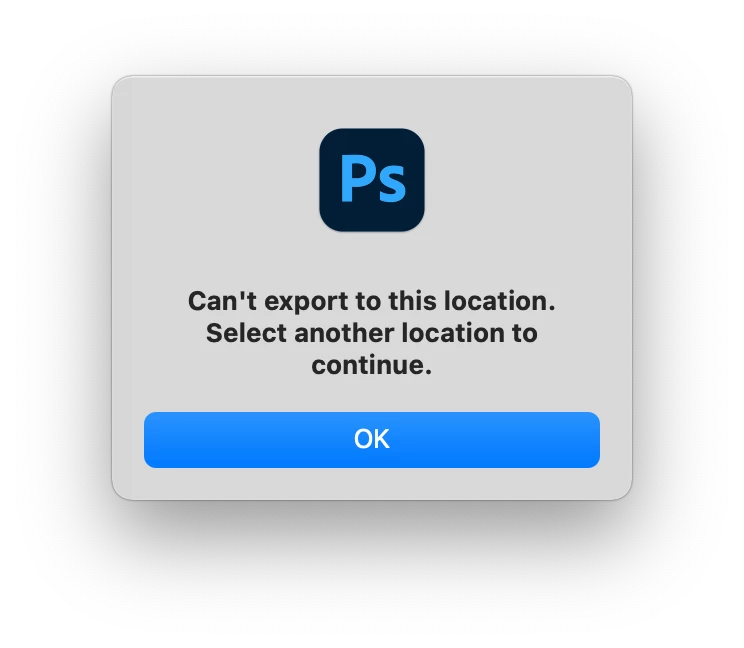
P: Can't export to this location while using Export As to a folder with special characters

  • March 10, 2021
  • 20 replies
  • 17502 views

As the title says photoshop refuses to export to certain folders for no apparent reason with the attached screenshot.


it appears has problem with exporting to any folder that's more that about 3 levels deep - for example /users/me/Downloads works but /users/me/download/test doesn't 


this has only started happening since updating today to 22.3. 


if I run photoshop under Rosetta it works fine export to locations that before apparently photoshop was unable to export to previously 


I've allowed photoshop full disk access but that doesn't solve the issue when running photoshop nativity 
{Moderator note: Edited the thread title}
This topic has been closed for replies.

20 replies

Participant
October 18, 2021

I have noticed that if you have "#" anywhere in the photoshop file name it will not export. I removed "#" from my photoshop file name and it worked. Hope this helps.

Participant
October 14, 2021

I solved this problem by enabling " use legacy "export as" " in prefrences panel.


edit > prefrences > use legacy "export as"

arielt92573529
Participant
March 21, 2021

Thank you for the prompt acknowledgement! Thanks for the tips! I didn't know I could check the Open Using Rosetta box. I thought I had to redownload the Intel version.

Mohit Goyal
Community Manager
Community Manager
March 14, 2021

Hi all,

We're sorry for the export issue. We have acknowledged this problem and working on it. In the meanwhile, you can try the below workarounds for now:

Use Save As to export

Use Export As using Rosetta‌‌ (https://support.apple.com/en-us/HT211861)


Thanks,

Mohit

arielt92573529
Participant
March 14, 2021

It's the same for me here also. 🙂

arielt92573529
Participant
March 14, 2021

Thanks! Just wondering where to submit a bug report and the Adobe pages led me here. So this is where it is hahah.

Participant
March 13, 2021

And I will wait using it on the M1 Macbook Air until these reported bugs are fixed. Ruins much time.

Participant
March 13, 2021

Have tried it just out of curiosity after reading your post with the newly installed Windows10-latest version on the PC, and here it works. Did not work with the Windows version two days ago. 22.3 seems to be very sensitive.

arielt92573529
Participant
March 13, 2021

Dear Adobe,

Photoshop 22.3 is really nice and quick. However, today I've discovered after finishing my artwork, that Quick Export As PNG is no longer working like it did in 22.2. I tried switching the different options on and off and it still doesn't work. If I set the option to choose the location where it exports to under "Preferences", it prompts me with this message:

No worries, however, I can still export normally via the export panel. Whoops Export Panel is also broken here, can't export anything. No worries, I've just saved it as a .psd for now. Just wanted to let the people at Adobe know. 🙂
Thanks!
Ariel
podycust
podycustAuthor
Participant
March 11, 2021

after further testing its only paths that include a # at start of the folder that you exporting to cause that error message to be displayed and folders that contain an # somewhere in them cause weird behaviour.

In that cause photoshop appears to export to the folder you've selected but it just exports to the folder above and saves two files both with the folder name before the hash (one in the format you've selected and one extension less 0 byte file) see attach video

<iframe src="https://www.youtube.com/embed/o-66-XcEknQ" style="max-width: 100%; max-height: 100%;" width="640px"></iframe>