


Inspiring
February 14, 2014

P: Can't save because of Program error.

  • February 14, 2014
  • 5 replies
  • 423 views

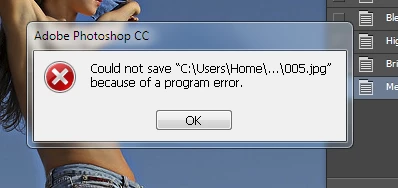
When trying to save a processed image to file from Photoshop CC, I receive the following message: Could not save C\users\home\.....\005.jpg because of program error. How does this situation get resolved? I have no plug-ins. Am using Windows 7 Ultimate, i3 Intel processor, 16G G Skill RAM, more than adequate for the program.
This topic has been closed for replies.

5 replies

Legend
February 4, 2015
Fixed in Photoshop CC (14.2.1) or later.
Legend
February 14, 2014
Yup. I will be fixed in an update that will go out very soon. Thanks for your patience.
Inspiring
February 14, 2014
I found and disabled the Generator. I tried to save a photo and it worked fine this time. I hope this is a permanent solution. I thank both of you for your time.
Inspiring
February 14, 2014
Try turning off Generator in Photoshop's preferences (under the Plugins panel).
Known Participant
February 14, 2014
If you've got a lot of layers, try turning some of them into smart objects. It may take some trial and error before you've found the offending layer.

Not a fix, but if you're still stuck unable to save your file, it might save your butt for the moment. It's worked for me when I've had that problem.