


Inspiring
August 25, 2018

P: Can't set a default thumbnail size in the Animation Panel Options window

  • August 25, 2018
  • 3 replies
  • 262 views

I have to reset this every single time I open photoshop. It's the default thumbnail size for the Timeline Frames.
https://i.imgur.com/hNORIgr.png
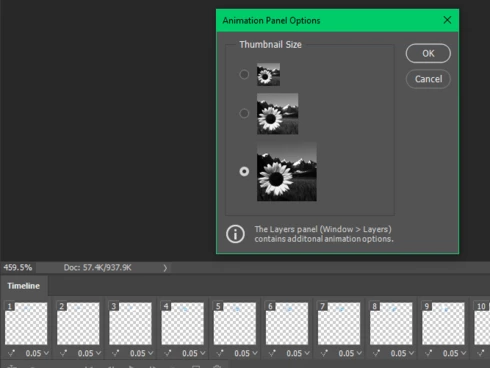
Please let users set a default for this somehow!!!

3 replies

vinceb60279068
Known Participant
December 10, 2020

Resurrecting this as there appears to still be no fix for this - also another issue related to this is the palette itself when first clicked on seems to show really big thumbnails then almost instantly it shrinks down to the tiny size.  I'm not sure if there is something else at play here but I'd really like the ability to have a custom thumbnail size in this palette eg a slider to control a default size within the panel options dialog, this would be way better than a default fixed size.  

The tiny icon size on my 4K screen is absolutely chronic - I don't need to readjust the whole interface just this palette icon size would be good.

Legend
March 27, 2019
Thanks. I've asked engineering to take a look.
vinceb60279068
Known Participant
March 27, 2019
Agreed mine does exactly the same