Known Participant
November 15, 2012

P: CS6 - 90° Image rotation sometimes causes layers to shift by a pixel

  • November 15, 2012
  • 4 replies
  • 386 views

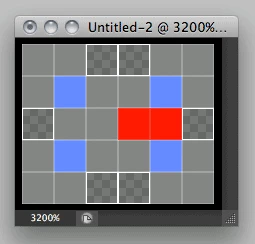
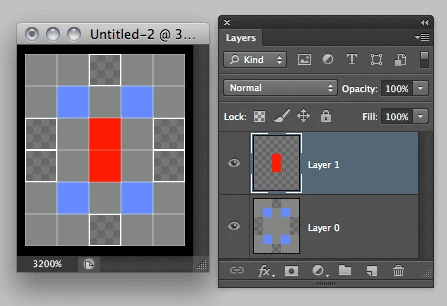
Layers shift by a pixel when using Image->Image Rotation-> 90° CW when the following two conditions are met:
1) Canvas size is an even number of pixels in one dimension and odd in the other.
2) Layer is not touching the top or right edge with the odd pixel dimension.


This topic has been closed for replies.

4 replies

Adobe Employee
November 21, 2012
Hi David,

I can reproduce this. I'll go ahead and log it in our bug database.
Inspiring
November 19, 2012
The preference appplies to bitmaps when transformed.

Ok, if that happened in CS5, then it's something different and we'll have to investigate.
Yelnats1Author
Known Participant
November 19, 2012
I don't have snap to pixel enabled. And these are bitmaps. And the same thing happens in CS5.

The issue is that someone does some cloning on a new layer on an image, then later rotates the whole image by 90CW or CCW, and the cloning layer becomes misaligned.

It does the same thing regardless of the snap to pixel setting.

I understand why this happens if I'm just rotating a subset of the layers, but it shouldn't behave this way when rotating the whole image/document.
Inspiring
November 19, 2012
...and you have the snap to pixel option on in preferences -- because without that option, they'd move to half pixel boundaries.