


Inspiring
November 22, 2016

P: Displacement Bug (Could Not Complete Request Because of Disc Error)

  • November 22, 2016
  • 23 replies
  • 1382 views

Photoshop CC 2017 -Displacement Effects can neither be applied nor modified.
This will result in the following error screen, no change can be made.
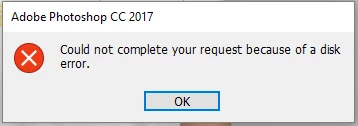


I have changed the physical disc out, yet the bug still persists. CC 2015.5 did not yet show it.

I have some error logs, if anybody is interested.

This topic has been closed for replies.

23 replies

TheOldBen
Participating Frequently
December 2, 2016
Any update on this? 
I have managed to rebuild some files and they work now, but I am also sitting on a stack of about 50 others that don't. And I really need them.
Inspiring
November 29, 2016
I get the same error (related to displace filter) and discovered something that I think is a bug.If the script I'm running invokes a file from the outside (even if the dialog needs to be opened), and Photoshop can not find this file, I get the following error and need to close and open Photoshop.

"Could not complete the Displacement command because of a disk error"
oitent
Participating Frequently
November 23, 2016
Also, I just noticed a minor bug as well.
When clicking on the "expand arrow" of a folder on the layers panel, instead of doing just that (expanding), its now selecting the folder first. So now we have to give it 2 clicks to expand a folder that wasn't previously selected to view its content layers.
oitent
Participating Frequently
November 23, 2016
I have the same issue as Benjamin. Weirdly enough, I get the error message, but the Smart Object still updates and displaces. I checked between both latest versions of Photoshop and they look exactly the same. If you think the files will help understand the bug, im happy to link them to you.
Thanks for taking the time.
oitent
Participating Frequently
November 23, 2016
Same here!
TheOldBen
Participating Frequently
November 23, 2016
Thank you for taking the time to look into it! I am looking forward to seeing my logos all stretched out over shirts again. Let me know if I can be of further assistance.
Participating Frequently
November 22, 2016
Yeah, you should be able to update the displacement map. I can reproduce this issue with the file you linked, thanks. I could not reproduce with my test files, or a file I created that is similar in structure to the one you posted. However, this looks similar to an issue that has been reported already - I'll update with this case and test file.

Thanks for reporting this!

Eric
TheOldBen
Participating Frequently
November 22, 2016
I did not create those files, so I cannot speak to whether they are or are not, however, there must be an option to change the displacement file that is used and in my scenario, that is not possible. At all.
Any suggestions?
Participating Frequently
November 22, 2016
Are the original displacement files in the same location when the filter was applied to the smart object? If they are not, that would result in an error.
TheOldBen
Participating Frequently
November 22, 2016
Here is the link to the file. I have created a new smart object BEFORE I tried to edit one of those already in there. Lo and behold THAT works.

If however, you click to edit one of those already in there all subsequent attempts throw that error, no matter what object you try to apply them to.

https://www.dropbox.com/s/eyoa2ytzu0lnq3f/displacement_diagnose.zip?dl=0