Inspiring
October 15, 2018
Released

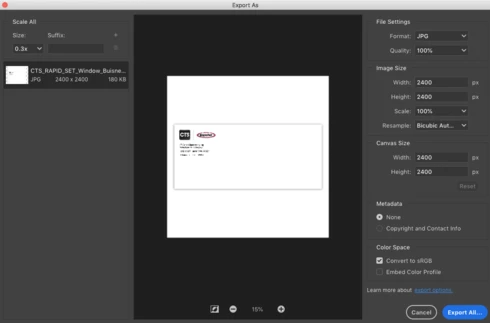
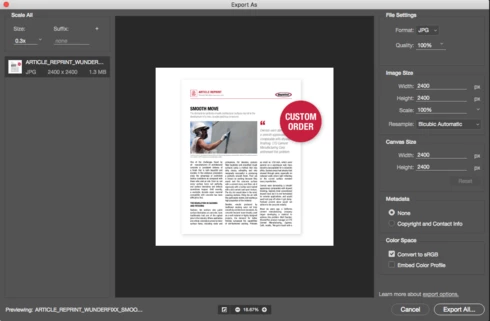
P: Export As feature adds the suffix to the file name even though it was deleted

The new Photoshop 2019 "Export As" adds the suffix to the file name even though it has been deleted. The 2018 version would have a grayed out "none" in the Suffix box when I deleted it and then export the file name as it was.
This topic is closed to new replies. Start a new post to keep the conversation going.

6 replies

kind_coder15D5
Participating Frequently
December 23, 2020

That did it, thanks a bunch!

Translate
Legend
December 23, 2020

Ah. I see a note in the issue. They fixed in in the UXP version of Export As. Go to Preferences > Technology Previews... and check "Enable optimized Export As"

Translate
kind_coder15D5
Participating Frequently
December 23, 2020

I'm on 22.1.0, not sure about everyone else but it's still not working here. I can change the pre-populated scale suffix to another string, but if I try and make any scale besides 1x blank it automatically repopulates the field when I click out. FWIW I'm usually working at 2x, so my 1x assets are "@2x", and my 0.5x assets are blank (or, "@1x") depending on where the assets are being used.

Translate
Legend
December 23, 2020

This should be possible in 22.1 or later.

Translate
kind_coder15D5
Participating Frequently
September 2, 2020
Bump, please!
Having to manually batch-correct asset names after every export is a nuisance.
Translate
Inspiring
December 3, 2019
I'm having a similar experience.

For "Export As", when exporting multiple "Scale All" sizes, I want the half-size image to have NO SUFFIX, but Photoshop automatically adds a suffix that I can't remove. This is not the desired behavior, is it possible to change this?

Image
Translate