


Wabber_HM
Inspiring
August 17, 2021

P: Export As pixel art using nearest neighbor causing blurry image

  • August 17, 2021
  • 14 replies
  • 9798 views

I just updated to v22.5 of Photoshop and I've noticed the new "Export As" dialog is now the default (it says v5.5.5) and I've noticed quite a few regressions in the user experience compared to the previous version.
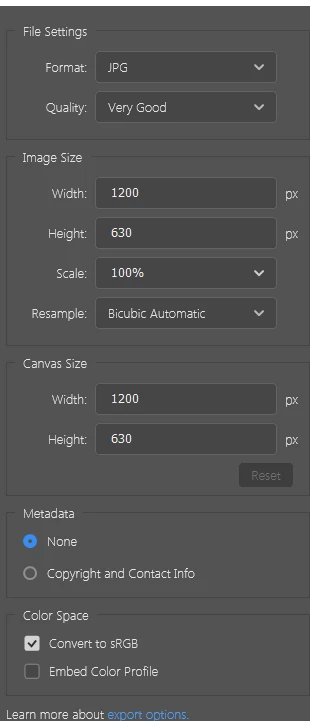
 
First, the font is far too thin. I am on Windows 10, my monitor is 2560x1440 and I'm not using any scaling, so this does not look great for the most part.
 
Keyboard shortcuts have stopped working. Before, pressing Enter upon first opening the window would do the same thing as clicking the Export button below.
 
Pressing Ctrl+ to zoom in and out used to work as well. Now, zooming is only possible with the small plus and minus buttons.
I was wrong about this one, but it would still be nice to be able to zoom in with keys if the image area is in focus.
 
When selecting multiple images, the previews appear too sharp and there's visible sharpening noise around finer details that weren't there before.
 
It also looks like exporting SVG isn't possible anymore. This will significantly reduce the efficiency of exporting assets from PSD files compared to before. There seems to be an option to copy as SVG from the layer itself (which helps to get it back in Illustrator, which is great), but I have to just paste this into a text file and save it manually to hand it off to a developer, why not just add it back to Export As to save me the step?
 
"Nearest Neighbor" scaling is incorrect and its results instead match the "Bicubic" option, which makes it completely unsuitable for pixel-precise work.
 
I understand for now I can revert to the legacy "Export As" dialog in the Preferences, but I would like to see these issues addressed before the legacy option is removed. As it is right now, it's quite a step down from before, unfortunately.
This topic has been closed for replies.

14 replies

BrettN
Community Manager
Community Manager
November 12, 2021

I know some recent changes happened with the Adobe Blogs site which involved removal of some content. I'm not familiar with what was at the link you point out, so I couldn't say what we currently don't have access to. Did it include information which was not in the Helpx article that linked to it? If so, we should get that in there. But my understanding is the blog would have given essentially the same info but in a more personable and example driven manner rather than a broad and general approach. I'll check to see if there is an archive of the info and see what we can do to get anything which it may have had as extra put into the help doc (probably a good idea to get rid of the dead link while where at it). 

PECourtejoie
Community Expert
Community Expert
November 11, 2021

@Brett N 

On that page, the following link: https://blog.adobe.com/samartha/2013/09/a-closer-look-at-the-photoshop-generator-syntax with the syntax is not online anymore. I do not understand why it was not an HelpX page.

Mohit Goyal
Community Manager
Community Manager
November 10, 2021

Hi all,  


We're happy to announce the release of Photoshop 23.0.1. This update includes the fix for this issue. To see the list of all fixed issues, click here


To update Photoshop to 23.0.1, click "Update" in the Creative Cloud desktop app next to Photoshop. More detailed instructions for updating  


Let us know if the update resolves the problem for those affected and share your feedback with us.  


Thanks,

Mohit

Participant
November 4, 2021

Hi Jeffrey, this workaround doesn't seem to be available. can you give any advice?

Photoshop Version 23.0


Ma�lHTB
Participant
October 21, 2021

Same problem here, is there any update?

Filip Z.
Participating Frequently
October 6, 2021

Hello

I also suffer from the update messing with my pixelart workflow and await a patch resolving this issue. I hope we'll get some update soon.

BillyKatz
Participant
September 30, 2021

@J453 thanks for investigating.  The issue still occurs in Photoshop v 22.5.1

BillyKatz
Participant
September 30, 2021

I would like to +1 this issue with exporting not respecting my Nearest Neighbor setting.  I basically only use Photoshop for Pixelart and the lack of exporting 1x, 2x and 3x images is slowing down my work process.  This was happening on v 22.4, im updating to 22.5.1 to see if that fixes it


Participant
September 9, 2021

@J453 Are there any updates or work arounds on the scaling issue for Nearest Neighbor? Thanks!

Legend
September 1, 2021

Thanks for reporting. Engineering is investigating this issue.


Workaround: Go to Preferences > Export... and check "Use Legacy Export As"