


Inspiring
October 29, 2015

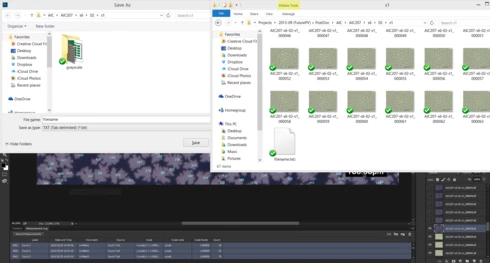
P: Exporting Measurement Log in tab limited format creates a file with extension ".txt)"

  • October 29, 2015
  • 6 replies
  • 583 views

1. Make a measurement (ex: count particles on an image)
2. On the Measurement Log panel select the data rows
3. Right click - export
4. Type any filename, keep extension to default "TXT (Tab delimited) (.txt)"
5. Photoshop creates a file named "filename.txt)"
This topic has been closed for replies.

6 replies

Legend
November 27, 2021

Fixed in current release.

Known Participant
April 25, 2016


Exporting measurements from Photoshop using the ruler tool, the file extension has a right parenthesis appended to the extension. The file must be renamed in order to import it into Excel as a text data file. ".TXT)" should be ".TXT"
Inspiring
April 25, 2016


When saving counts as the default text file format, it adds an extension ".txt(" with the parenthesis. Please remove. Specifically, when typing in to name the file, .jpg filenames come up, if I select the image (just counted that I'm saving the count .txt file from) then delete the .jpg extension and save it as .txt extension, it adds "(" at the end so I have to go through and delete them manually in order for it to be read as a text file.
Known Participant
April 25, 2016
I have the same problem in the identical environment. This has been a problem for several versions.
Inspiring
October 30, 2015
Win 8.1pro with latest updates + Photoshop CC2015 with latest updates.
Legend
October 29, 2015
Can you confirm what version of Windows you're seeing this on?