



P: Freezing on Catalina 10.15.4 on MacPro2019
Last Days i've got a MacPro 2019 with a Vega Pro II Duo, 48GB Ram, 1TB SSD and os 10.15.4. as my new main Workstation. But then Problems came up with Adobe Photoshop.
I have the following problem, which is either due to Photoshop or Catalina. Anyway, after about an hour of working on a picture (16bit mode RGB) in Photoshop with the path tool, Photoshop suddenly slows down and then there is only a beach ball and in the activity manager you can see that Photoshop does not react anymore. Why? Also the transforamtion tool ist very slow. Did a check on my old workstation (MacPro2010,PS2018) with the same PSD, much faster. Videos in the link below.
Today I have completely rebuilt MacOs, formatted them with the correct erasing and then reinstalled them. No plugins or other additional software installed. Just to make sure that nothing shoots crosswise. And here were are again. After an hour of working Photshop freezes and i have to force quit.
Please check the Adobe quality assurance to see what the problem is with GPU Acceleration.
Unfortunately I cannot install Mojave on this machine (just Catalina supported) to test if it does not appear there. If someone has similar problems with the path tool or transformation tool it would be nice to post here. Unfortunately not many people seem to have such a problem. So it might be because of my configuration? Or all People still on Mojave, because Catalina is not as good. I also did an Apple hardware test ("D" at startup) and everything was fine. Also i had no problems in other apps like Final Cut, Cinema 4D S22 or Substance before the clean install. All Apps with "heavy" Metal and GPU support. Working as expeced, just Photoshop doesn't.
My video collection with the Photoshop problems can be found here:
https://shared-assets.adobe.com/link/d7cf2838-e4e8-433b-62cf-4793c5df6dc9
Was trying to shut off GPU... No GPU - No Freezing BUT:
Unfortunately, I can't do serious work like this without GPU acceleration. So my conclusion is the software still has real problems on the system Catalina. I ask you to solve the problem with the graphic interface with an update. How can I place point if I can't see the image? 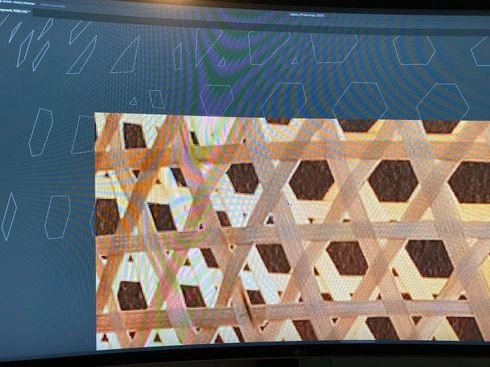
You are Marketleader... Please please have a look into the development.
I have also seen some older forum entries. They are already 5 months old and still the 2020 version does not work properly. What is going on there? This really makes me think and it seems to be a bigger problem. So I will have to continue working with my old computer.
all the best, Thomas
 AdChoices