


August 19, 2015

P: Generator JPEGs very poor quality

  • August 19, 2015
  • 25 replies
  • 813 views

Photoshop CC 2015 - I'm using Generate to export .jpgs and have noticed the quality settings result is hugely different outputs from the Save for Web dialogue generated files.

Here's an example where the Save for Web (legacy) dialogue exports a decent looking 12KB jpg at 11%.
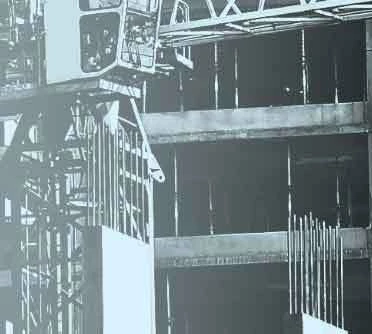


Even at 1% .jpg quality, the 10KB output isn't too bad.
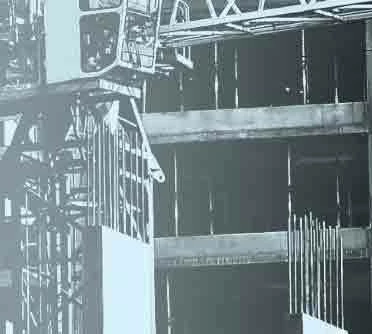


The same area exported via Generate at 11% (generate-11-percent.jpg11%) is 6KB and revolting.
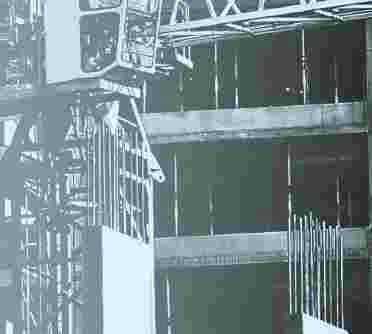


Why aren't the results comparable?

Any help greatly appreciated.

This topic has been closed for replies.

25 replies

Inspiring
February 17, 2016
Generator will remain useless until it is properly Colour Managed and the lets the user embed Colour Profiles, and full EXIF too, when they wish to.
chad.rolfs
Participating Frequently
February 16, 2016
Thanks Jim for sharing the github issue.  We are indeed working on it.  One of the main factors is that S4W and Generator use different libraries and tables.  We are working on addressing that in Generator so it yields the same qualitative and quantitative results.
Inspiring
February 16, 2016
Yeah, agreed.

I wish there we better, more formal communications channels with Adobe. Strange mashup of community input and staff members from multiple teams commenting on 3rd party websites.

Don't know who to believe, nor how to communicate with the right people.
February 15, 2016
When it comes shortly after a statement confirming it was already fixed... limits the value 🙂
Inspiring
February 15, 2016
That is somewhat reassuring!
Inspiring
February 15, 2016
Yeah, it's not great isn't it. That's just one of many problems with the output quality.

They are still working on it apparently, but it's quite difficult to get some firm answers.

See the latest reply to this though:

https://github.com/adobe-photoshop/generator-assets/issues/348
Inspiring
February 15, 2016
I've just hit this issue also.

Was aiming to use the feature to speed up the image export process but the lack of sRGB export has killed the vibrancy of my images.

Left image is exported using File > Generate > Image Assets.
RHS Image is the PSD file.


Has there been any progress or solutions found?
January 26, 2016
Without sRGB, which I think Generate still fails to export, you'll never get web ready outputs. Otherwise, your github post seems to mirror the problems identified above. No fix yet, apparently.
Inspiring
January 26, 2016
I've tested this extensively on many different files, and as detailed in my Github post, I'm not just comparing the default quality — many different compression and output settings — attempting to get the same results, without success.

(Please also take a look at the file sizes when you are testing too — there are significant differences when aiming for the same quality of final output. This is an issue for production web environments, a few KB here and there on every single file has a significant cost at scale.)

That's all I'm after, the same quality of output in Generator as what it is replacing. So far that's not possible.
Earth Oliver
Legend
January 25, 2016
Did a little testing this morning and i think the issue you're having is with the default generator compression. Have you tried setting a custom compression suffix?

Comparing a jpg with 90% quality vs the default generator isn't a fair comparison...

https://helpx.adobe.com/photoshop/usi...