


Needs More Info
P: Gradient color picker dialog applies color when pressing "Cancel" for shapes
I found a bug where a color change is being applied to a gradient, even when the user clicks cancel.
To reproduce:
- Create a new document
- Create a shape layer (like a rectangle)
- In the shape properties on the top left, change the fill to gradient
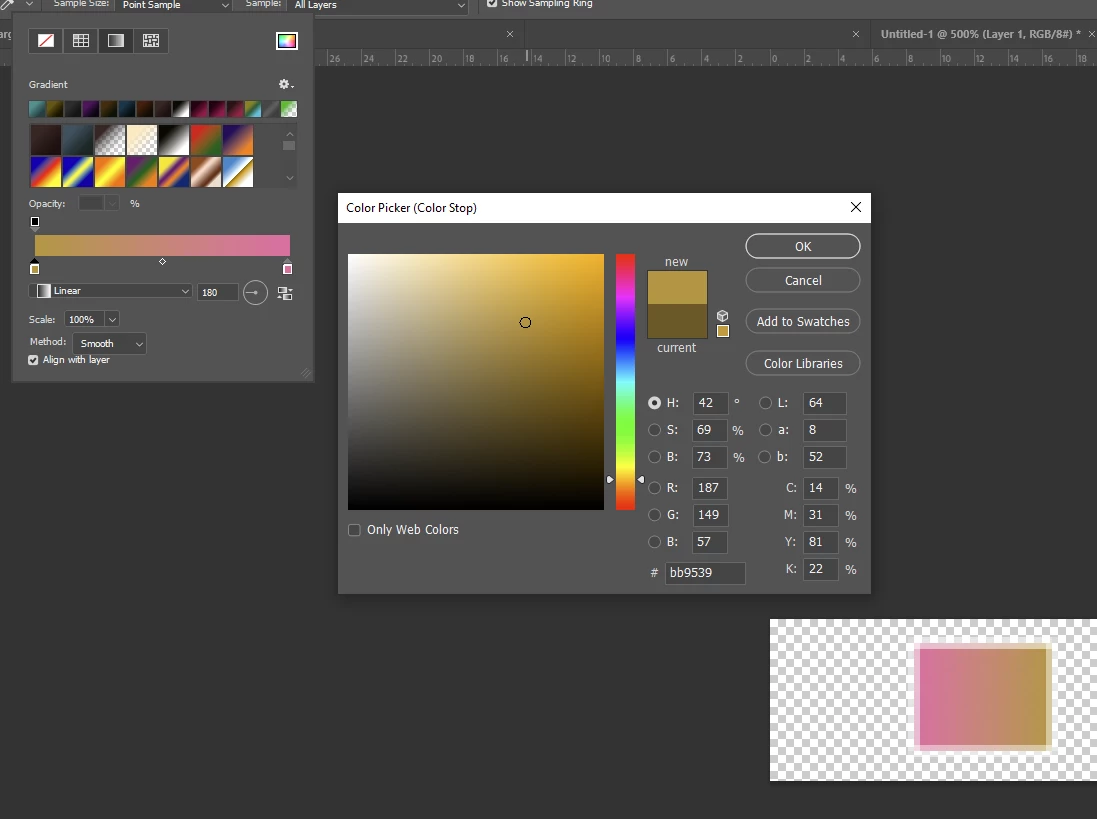
- edit the gradient by changing one of the colors, but keep the color picker dialog open
- the preview of the gradient on the shape changes as expected
- when you click "Cancel" on the color picker, the new color is applied to the gradient anyway
I would except that clicking "Cancel" in this dialog reverts to the previously used color. Here's a screenshot of the dialog:
Using Windows 10, PS 26.7
 AdChoices