


Inspiring
February 21, 2020

P: I can't open on my iMac running Catalina 10.15.3

  • February 21, 2020
  • 25 replies
  • 511 views

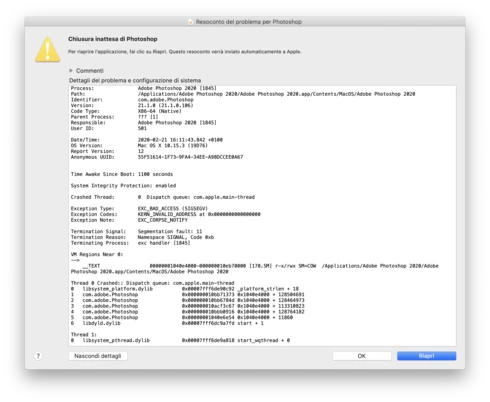
Yesterday I installed the most recent version of macOS Catalina (10.15.3), I was using the 10.15.2 I guess (or the previous of the one I installed). Since yesterday I can't open Photoshop 2020. As soon as I click on the icon the window of "unexpected quit" appears as you can see in the image (It's in Italian). I've tried to uninstall and install again the app and tried to install an old version of Photoshop (I'm currently using the 21.1) but nothing changes. Have anyone experienced the same? How do I solve this huge problem? I wanted to run the app through the terminal, maybe that could help, but I don't know how to.
This topic has been closed for replies.

25 replies

Inspiring
February 21, 2020
Yes ... I was with Mojave since yesterday. 
Inspiring
February 21, 2020
Did you have this problem as soon as you upgraded to 10.15.3? 
Inspiring
February 21, 2020
I have a mac book pro & Catalina 10.15.3 Photoshop CC (21.1.0) crashes as soon as i try to do something. 
Inspiring
February 21, 2020
I've submitted a crash report. Which preferences? And I just launch the app, I tried to open a file too but still the same. 
Legend
February 21, 2020
If you haven't done so already, please submit all Crash Reports along with your email address: https://helpx.adobe.com/photoshop/kb/submit-crash-reports.html The view of the crash log provided doesn't provide as good of debugging information as when it's submitted through the system.

Have you tried restoring your preferences? When launching Photoshop are you opening a file while launching? Or just launching the application?