



P: Issue with Canvas Size Unit Synchronization with Ruler Preferences in v27.x
Technical Bug Report for Adobe Photoshop 2026
Subject: Issue with Canvas Size Unit Synchronization with Ruler Preferences
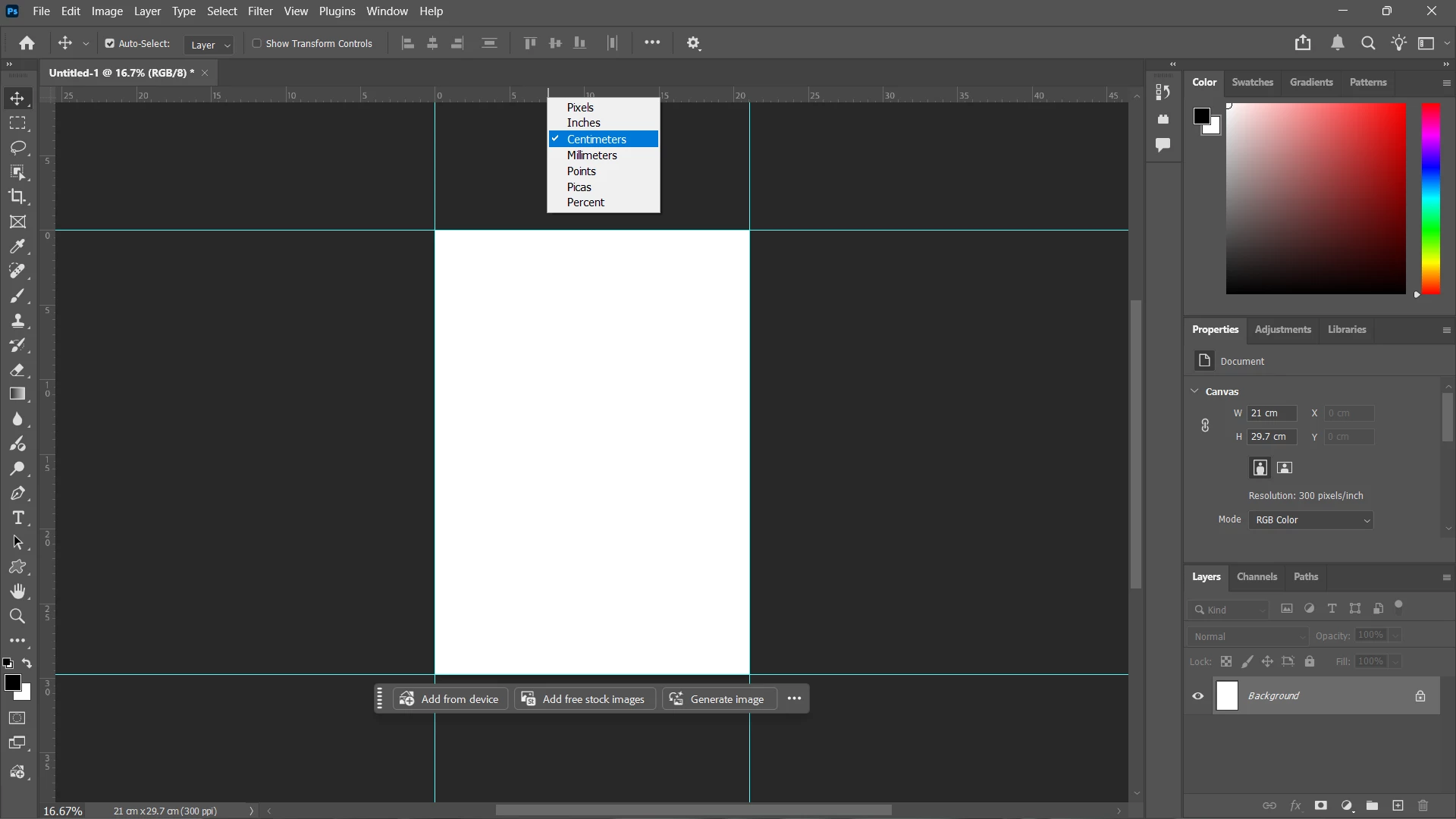
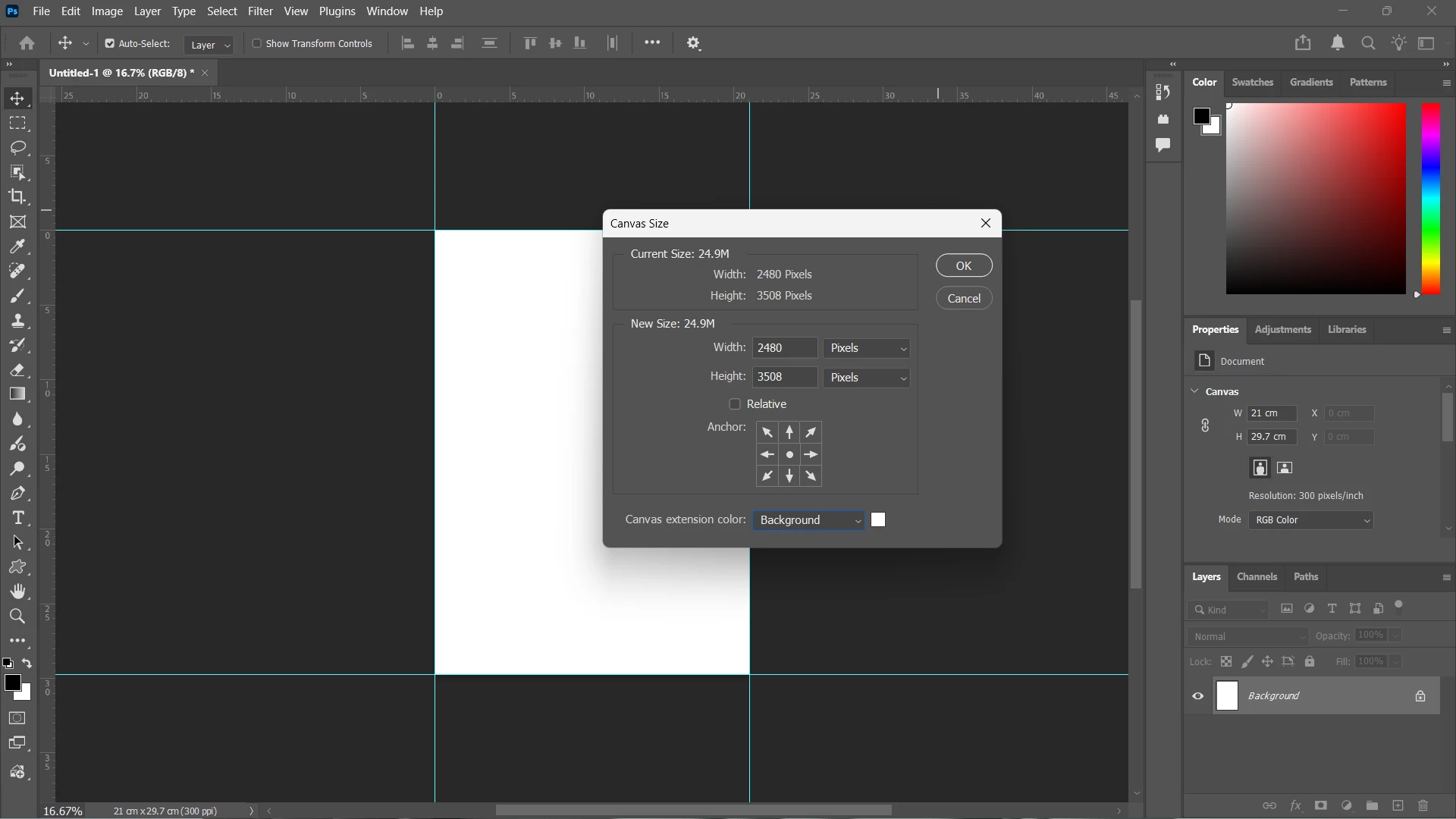
Description: After the latest Photoshop 2026 update, there is a persistent issue where the Canvas Size dialog box does not automatically synchronize with the active Ruler Units. Previously, changing the Ruler units (e.g., from Pixels to Inches) would reflect as the default unit when opening the Canvas Size window. Currently, it requires manual adjustment every time, which disrupts the workflow.
Steps to Reproduce:
-
Set the Ruler units to 'Pixels' or 'Inches' by right-clicking the Ruler or via Preferences.
-
Navigate to Image > Canvas Size.
-
Observe that the unit in the Canvas Size dialog does not match the active Ruler unit (it often defaults to a previously used unit or a fixed standard).
Expected Behavior: The Canvas Size dialog should automatically detect and match the primary Ruler unit set by the user to ensure consistency in measurement and calculation.
Environment:
-
Software: Adobe Photoshop 2026 (v27.x)
-
System: Windows / macOS
 AdChoices