


Inspiring
November 18, 2011

P: It's hard to rollover the UI to reveal hidden sidebars with mouse

  • November 18, 2011
  • 6 replies
  • 426 views

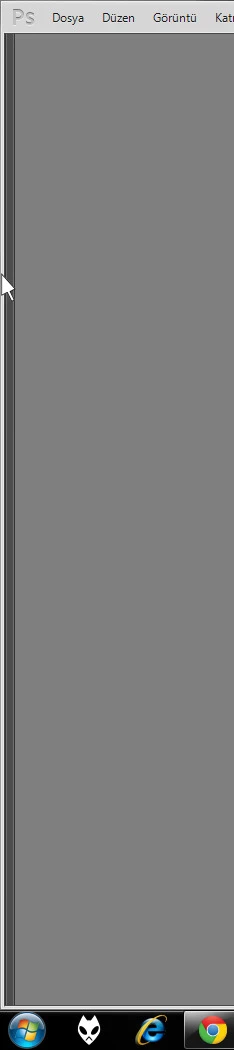
In CS3, that feature was working like a charm but in CS4 and CS5 it became a pain. I used to work with hidden sidebars and in CS3 i could use it very often. But in CS5, I have to use tab or shift+tab shortcut key to show and hide them.

Here is an example. I put the mouse leftmost of the screen as a reflex. But it can't get the black transparent band to show to toolbar.

Note: It's same in Adobe Illustrator, too.
This topic has been closed for replies.

6 replies

Legend
April 20, 2012
Great. Thanks.
Inspiring
April 20, 2012
It works perfect right now. Thank you so much.
Legend
April 19, 2012
This should be fixed in Photoshop CS6. Let me know if you're still having issues with the rollover hit area.
Inspiring
November 18, 2011
it's hard to get the gray area. when i move the mouse fast to the left it goes to leftmost even if i don't want.
November 18, 2011
For me in cs5 i have to put the mouse pointer on dark gray area. If i go all the way to left like in cs3 the panels won't show and even when you get it right, it's not as fast as cs3 was because cs5 takes a split second (seems like a lot longer) where as cs3 seemed to show the panels instantly.

Inspiring
November 18, 2011
I noticed that it works when I hit F key. But this is another problem because it overlays to taskbar. So I don't want to use it that way.