


Earth Oliver
Legend
May 15, 2018

P: Jaggy Select Subject Edges

  • May 15, 2018
  • 10 replies
  • 423 views

Using Select Subject is creating unusable edges... is this intended?

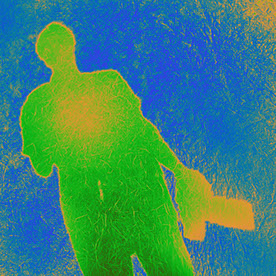
No matter what the subject is or if auto-enhance is on/off, this is what the edges look like:



for some reason, Select Subject is working at a very low resolution.

This topic has been closed for replies.

10 replies

Legend
November 15, 2019
This issue should be fixed in the current version, Photoshop 2020 v21.x or later. Let us know if you're still having trouble.
Adobe Employee
May 16, 2018
There are two "me too" clicks on this Feedback subject.
If you are experiencing this issue with Select Subject, please:
  • •Post your system info (Photoshop: Help > System Info... [Copy])
  • •Turn GPU off (Photoshop: Preferences > Performance... uncheck "Use Graphics Processor"), reopen the image file and try Select Subject again. (Don;t forget to turn it back on later 😆 )
Please reply with your system info and with the results of GPU off made a difference.Thank you,Meredith
Inspiring
May 16, 2018
> i tracked it down to an issue with the GPU>

Ouch. I hope it's a bug and not your video card becoming unsupported. I dread the day that happens here if it's earlier than Apple releases another model or two to give me a choice in new computers. As it is, I got the message from Nvidia to upgrade my driver, did so, and now every launch I get the same screen saying I'm to update—but also saying no newer driver is available. If I didn't love what I can do with computers, I'd hate them.<G>
Earth Oliver
Legend
May 16, 2018
Hey Cristen, i tracked it down to an issue with the GPU. When active, i get those nasty edges, but once i deactivate the pref, the issue goes away.
Earth Oliver
Legend
May 16, 2018
Tang, this issue isn't about the magic wand or quick select, i'm pointing out a problem with the Select Subject tool in the options bar.
Participating Frequently
May 16, 2018
Using the majic wand tool, not the quick selection, you will see on the options bar to set tolerance...
Inspiring
May 16, 2018
There are no tolerances for Select Subject. So I'm not sure what TangCanada is referring to.

That said — I'm not seeing aliasing in the Release version. Granted, it still isn't terrific, but it's not aliased like that. I do still need to go into S&M to torture myself with refining the edges, but I'm most certainly not starting out at that horrible a level. I'd upload a JPEG screenshot, but the site says it can't process it. It's only 25KB at ~600x600 pixels. Hey ho. Just take my word for it. <g> It's not aliased, even at 200 percent.

Participating Frequently
May 16, 2018
See menu options at top ... tolerance is set too low.
baadtaste
Participating Frequently
May 15, 2018
A workaround could be to use >Select >modify >smooth - before masking or deleting background.
Adobe Employee
May 15, 2018
We're not able to reproduce that in-house on 19.1.4 or older released builds.
I noticed you're in the Prerelease program.
Is there a chance you've launched an experimental build?Thanks,Meredith