
Released
P: Layer Style - Outer Glow started acting strangely after Adobe CC 2017 upgrade
Hi,
Following the upgrade from Adobe Photoshop CC 2015 to Adobe Photoshop CC 2017, Outer Glow as Layer Style started acting strangely. Outer Glow effects applied in Photoshop 2015 are perfectly normal and are displayed as intended. But when the same file is opened in v2017, the outer glows appears highly jittery. In the original setting the jitter value is 41, the problem becomes less apparent when the jitter value is reduced down to 0 in CC 2017.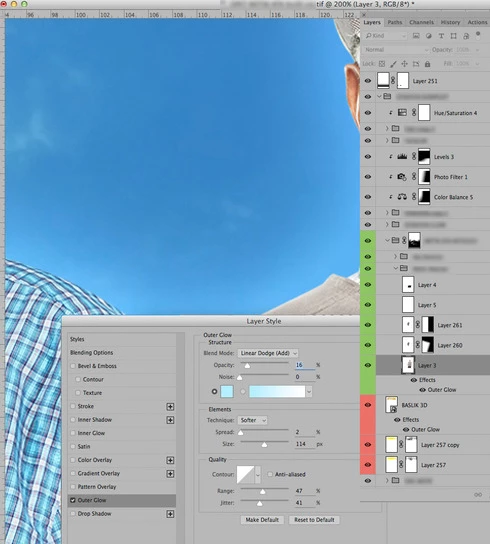
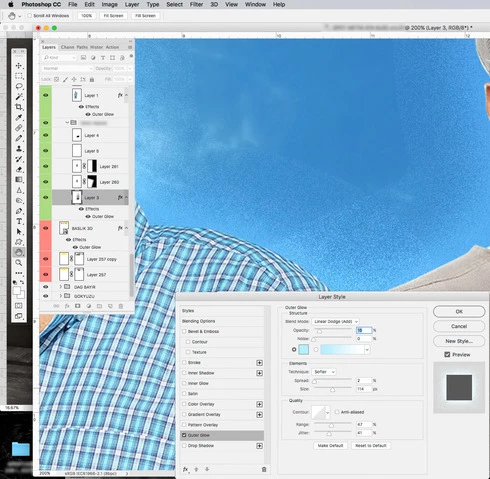
The upper image is the appearance in Photoshop CC 2015. The lower image is the screenshot of the same file as it appears in Photoshop CC 2017.0.0? When I opened the same file in CC 2017.1.1 I still see the same artefacts. Is this a bug?
Refik Telhan


 AdChoices