


Released
P: Missing "&" in Layers panel -> New Adjustment Layer -> Black (&) White
Just an itty-bitty bug.To reproduce: In the Layers panel, under the New Adjustment Layer menu (circle with a slash), the "Black White" menu option is missing the ampersand (&) (i.e. it should be "Black & White").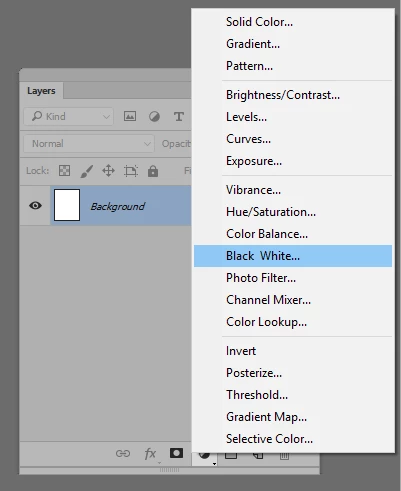 To fix: Add another ampersand beside it. This is almost certainly because the ampersand was not escaped, since Windows detects ampersands as access keys.
 AdChoices