Inspiring
March 10, 2022

P: Mixer Brush Not Working Corrrectly?

  • March 10, 2022
  • 53 replies
  • 14692 views

Hello, 


When I try to paint with a clean brush instead of picking up the colour from the base layer, it's selecting the foreground colour even though I've deselected it. 

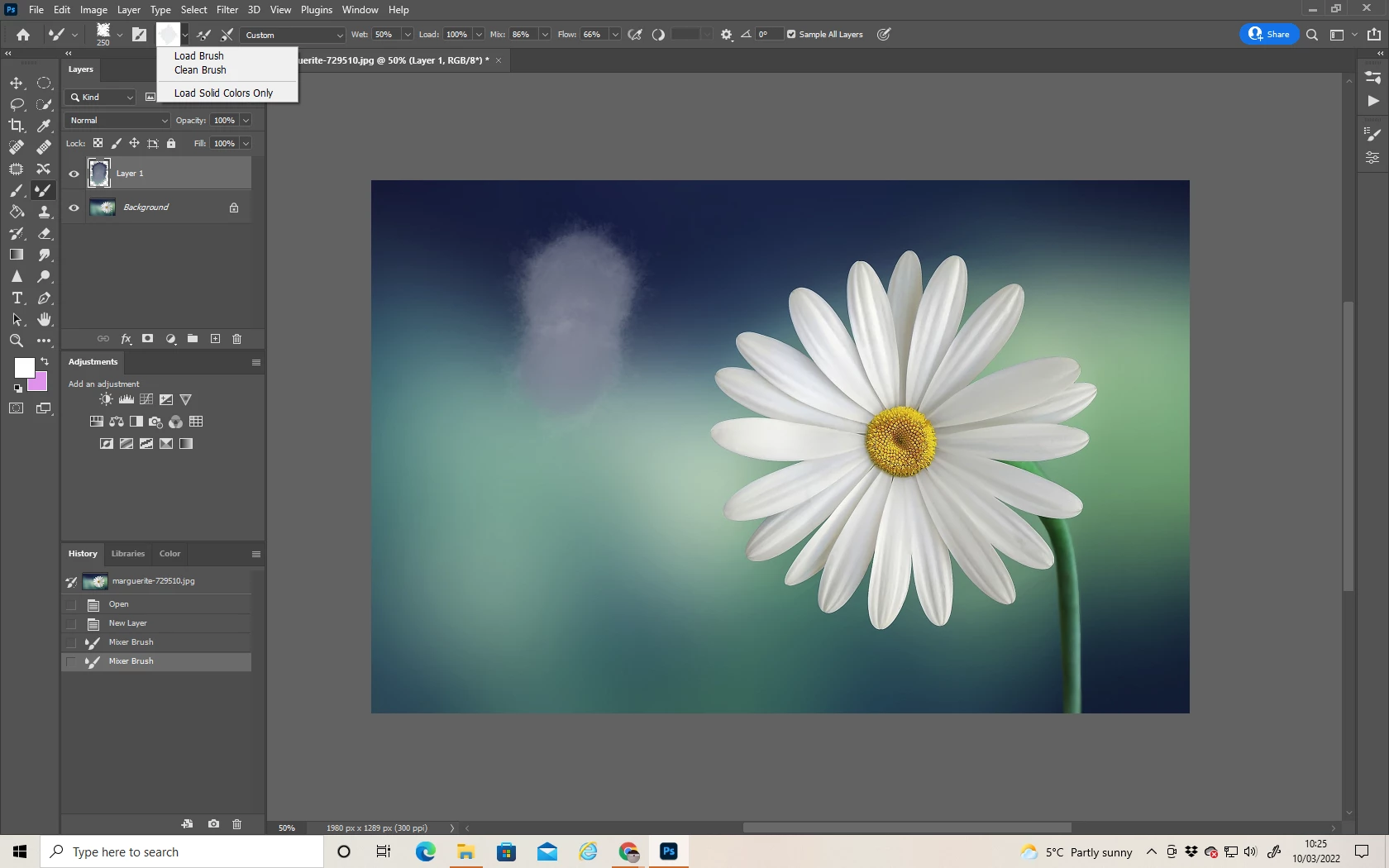
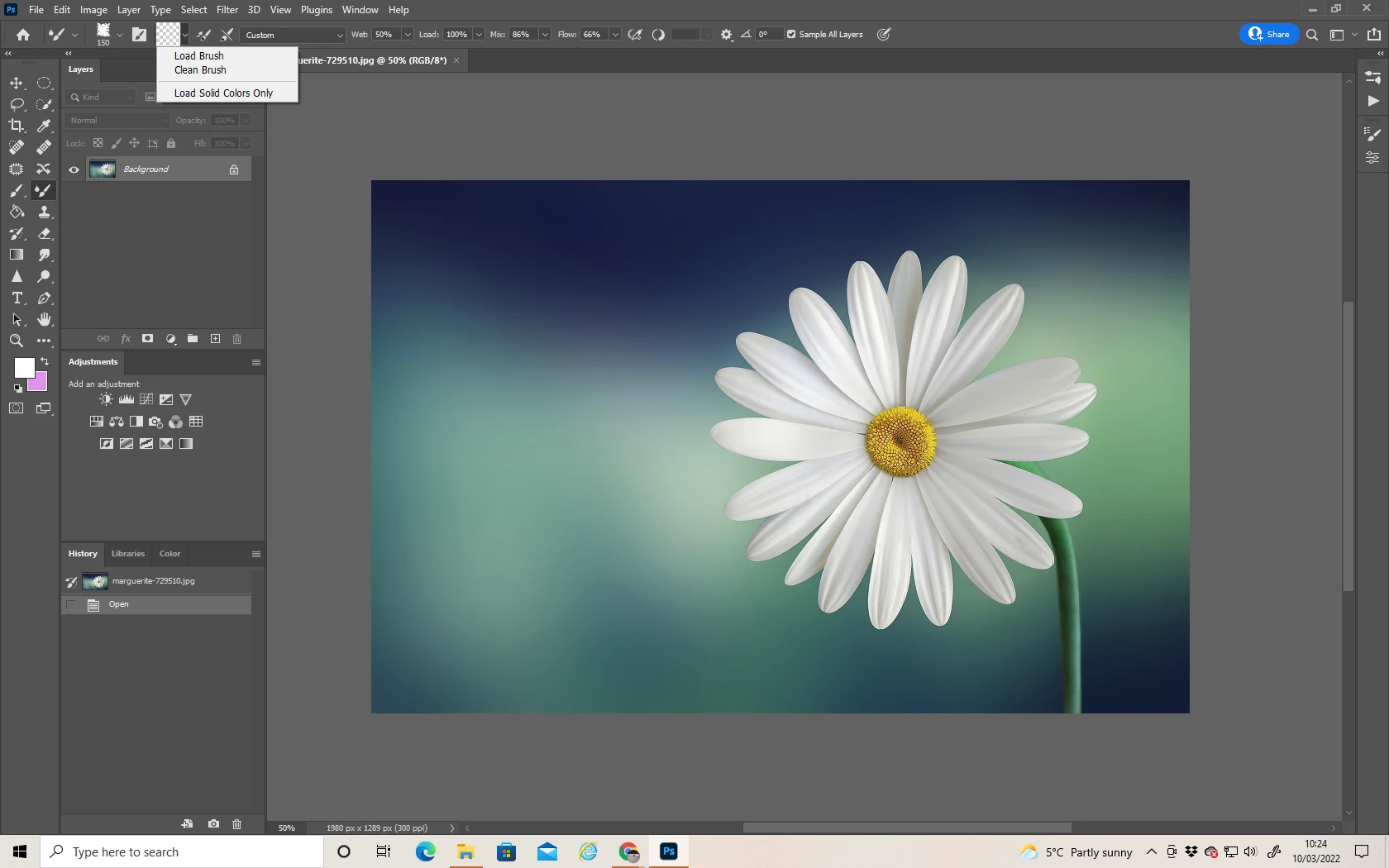
Below you can see:

Image 1) I've a base layer.  An empty layer to paint on.  "Load Solid Colours Only" deselected. 

Image 2) It should sample from the base layer and allow me to paint with only those colours, but instead it's automatically using the foreground colour. 


Anyone else experiencing this bug and found how to fix it?


53 replies

Participant
September 9, 2023

Any fix on this? I have the 24.7.0 version. 

Participant
January 10, 2023

Same here

Participating Frequently
December 28, 2022

when will you guys fix that?

yaroslavu5897283
Participant
November 24, 2022

Com on guys! New update and again the same problem! How?  It's the main instrument, how could you screw it up? You are forcing us to use the old 23 version.... 2 years old version!

Chad Rolfs
Adobe Employee
Adobe Employee
November 9, 2022

@yaroslavu5897283 working on it...

yaroslavu5897283
Participant
November 9, 2022

Please fix this problem((((

Chad Rolfs
Adobe Employee
Adobe Employee
October 20, 2022

@Jqqerry I'm not sure I follow.  Any chance you could attach a video illustrating your mixer brush settings and the issue you're talking about?   That'd be really helpful to understand what's going on and also so we can reproduce (and fix).

Jqqerry
Inspiring
October 19, 2022

@Chad Rolfs  To be exact, when the sampling mode of the mixer brush is set to current, black or white is loaded, but it does not actually affect the image. However, if it is set to all sample, the first stroke will be affected unconditionally. So you have to cancel the work after stroke and brush again. at every stroke.

It's strange to have to press every stroke of cancellation of work very inefficiently. And I don't know if it's a bug since 2018, but I haven't experienced it before at least 2022 (23.0).

Chad Rolfs
Adobe Employee
Adobe Employee
October 19, 2022

@Jqqerry We'll be working on a fix for this long standing issue soon.  It has just been prioritized and assigned to a Dev to work on.  

Jqqerry
Inspiring
October 19, 2022

@Chad Rolfs Then it's not going to be fixed? Essentially, when you use a mixer brush, you have no choice but to adjust the size of the brush.