


Known Participant
March 2, 2022

P: Move Tool + Ctrl key + Smart Guides = Slow and laggy

  • March 2, 2022
  • 17 replies
  • 8572 views

移动工具 + Ctrl键 + 智能参考线 = 卡顿

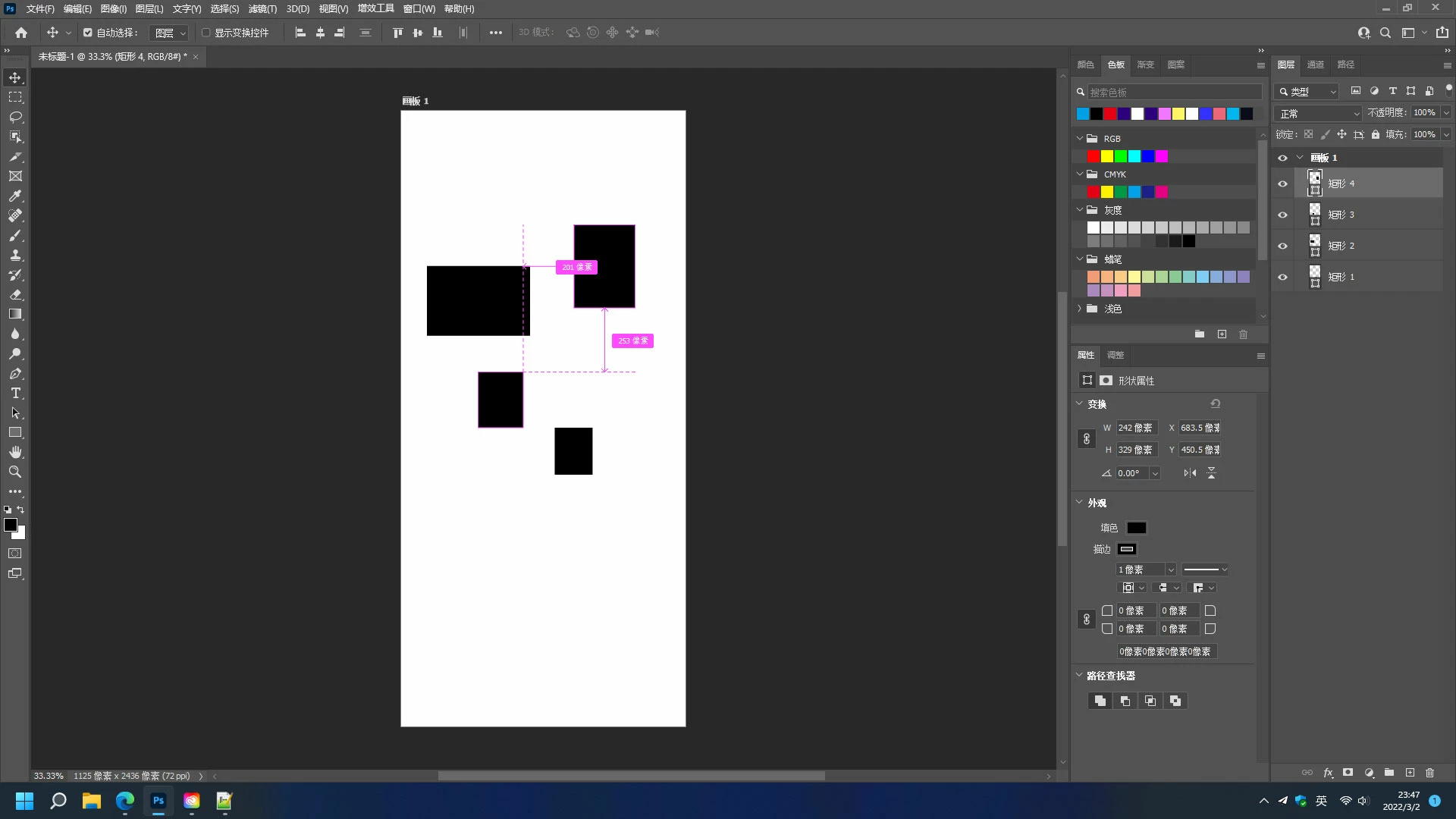
例如新建一个画布,画几个矩形,选择移动工具然后按住Ctrl键再用鼠标指向这些矩形,当智能参考线显示时整个Photoshop都变得卡顿,这个问题从Photoshop 2020开始出现,直到最新的 Photoshop 2022 V23.2.1也没有修复,能不能修复一下啊Adobe?


Google translate:

Move Tool + Ctrl + Smart Guides = Slow and laggy. For example, create a new canvas, draw a few rectangles, select the Move Tool and then hold down the Ctrl key and point to these rectangles with the mouse. When the Smart Guides are displayed, the whole Photoshop becomes laggy. this problem has appeared since Photoshop 2020, and it has not been fixed until the latest Photoshop 2022 V23.2.1. Could you please fix it, Adobe ?!
17 replies

Legend
April 18, 2022

It may help if we could see your Photoshop System Info. Launch Photoshop, and select Help >System Info...and copy/paste the text in a reply.

-:Nick:-Author
Known Participant
April 18, 2022

目前唯一能解决该问题的方法就是关闭“智能参考线”或者使用Photoshop 2019及以前的版本。
For now, the only way to fix the problem is to turn off Smart Guides or use Photoshop 2019 and previous versions.

-:Nick:-Author
Known Participant
April 18, 2022

Hi nikunj.m,我在不同的Windows电脑上测试了Photoshop 23.3,这个问题根本没有修复。

Hi nikunj.m, I tested Photoshop 23.3 on a different Windows computer and the problem was not fixed at all.

nikunj.m
Legend
April 12, 2022

Hi all,


We're happy to announce the April 2022 release of Photoshop 23.3. This update includes the fix for this issue.


To update Photoshop to 23.3, click "Update" in the Creative Cloud desktop app next to Photoshop. More detailed instructions for updating


Let us know if the update resolves the problem for those affected and share your feedback with us.


Thanks,

Nikunj


-:Nick:-Author
Known Participant
March 18, 2022

这个问题在Photoshop 23.2.2中依然未修复,请快点修复吧,这问题严重影响使用体验。
This problem is still not fixed in Photoshop 23.2.2. Please fix it quickly, this problem seriously affects the user experience.

-:Nick:-Author
Known Participant
March 3, 2022

OK, Cool!!

chad.rolfs
Participating Frequently
March 2, 2022

We just fixed a bug where using Ctlr keyboard shortcut key to move a layer on canvas will stick.  This bug will be in an upcoming update.  Thank you!