Inspiring
October 29, 2021

P: New Export As gives bad results for PNG (8-bit) Smaller Size

  • October 29, 2021
  • 19 replies
  • 10306 views

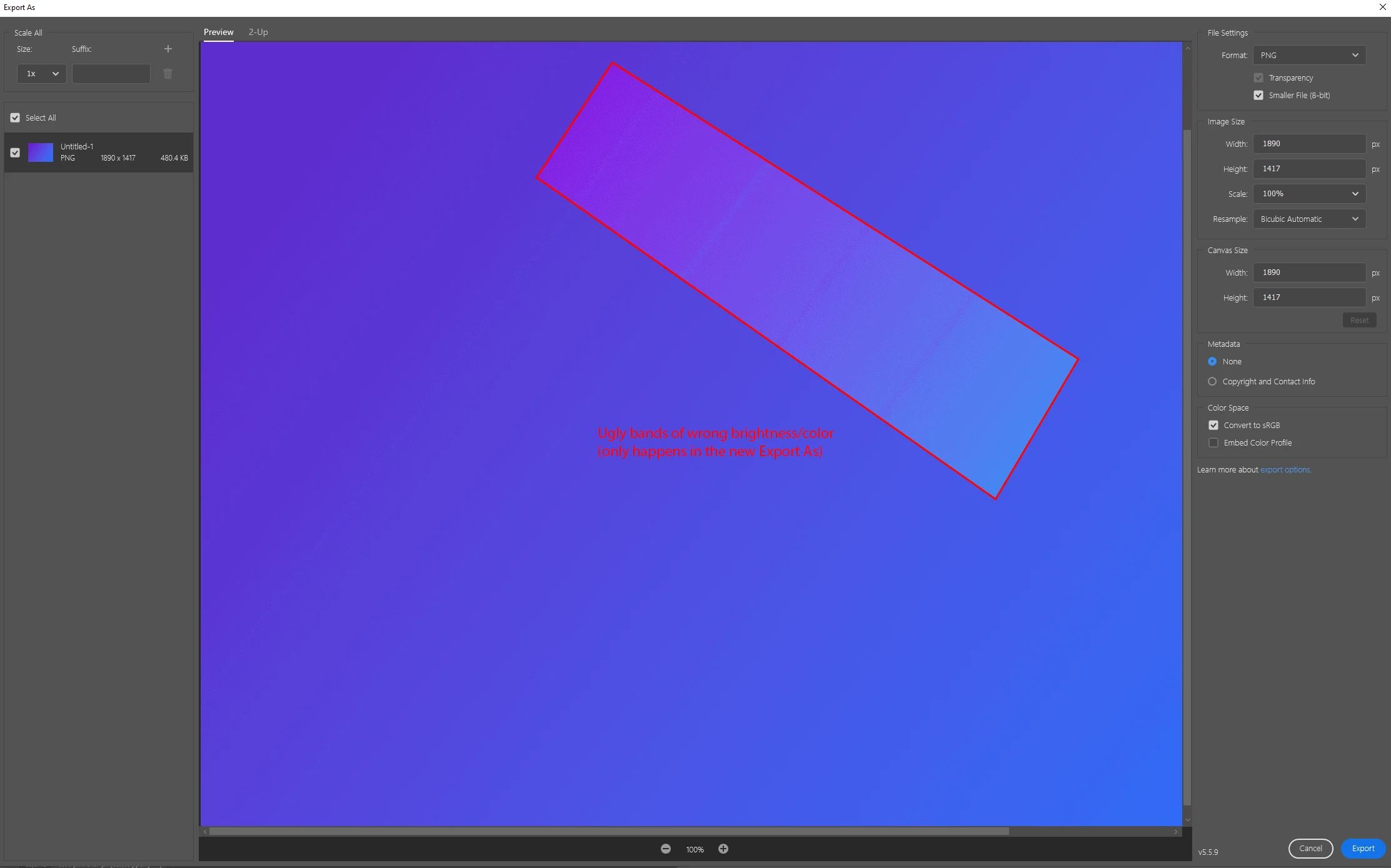
The new Export As gives bad results for PNG (8-bit) when reducing the color palette. This is most visible in gradients. Tested on Photoshop v23.0.0 on Windows 10.


Workaround: Enable Legacy Export As in Preferences.


Steps to reproduce problem:

  1. Create a new image
  2. Make a gradient using the Blue_24 preset (or similar, but that's the one I used).
  3. File > Export > Export As...
  4. Choose PNG, and "Smaller File (8-bit)"
  5. Result: You get a few lines through the gradient that are too bright or dark. Not good.
  6. Result if using Legacy Export As (or Save for Web): A smooth-looking gradient as expected.
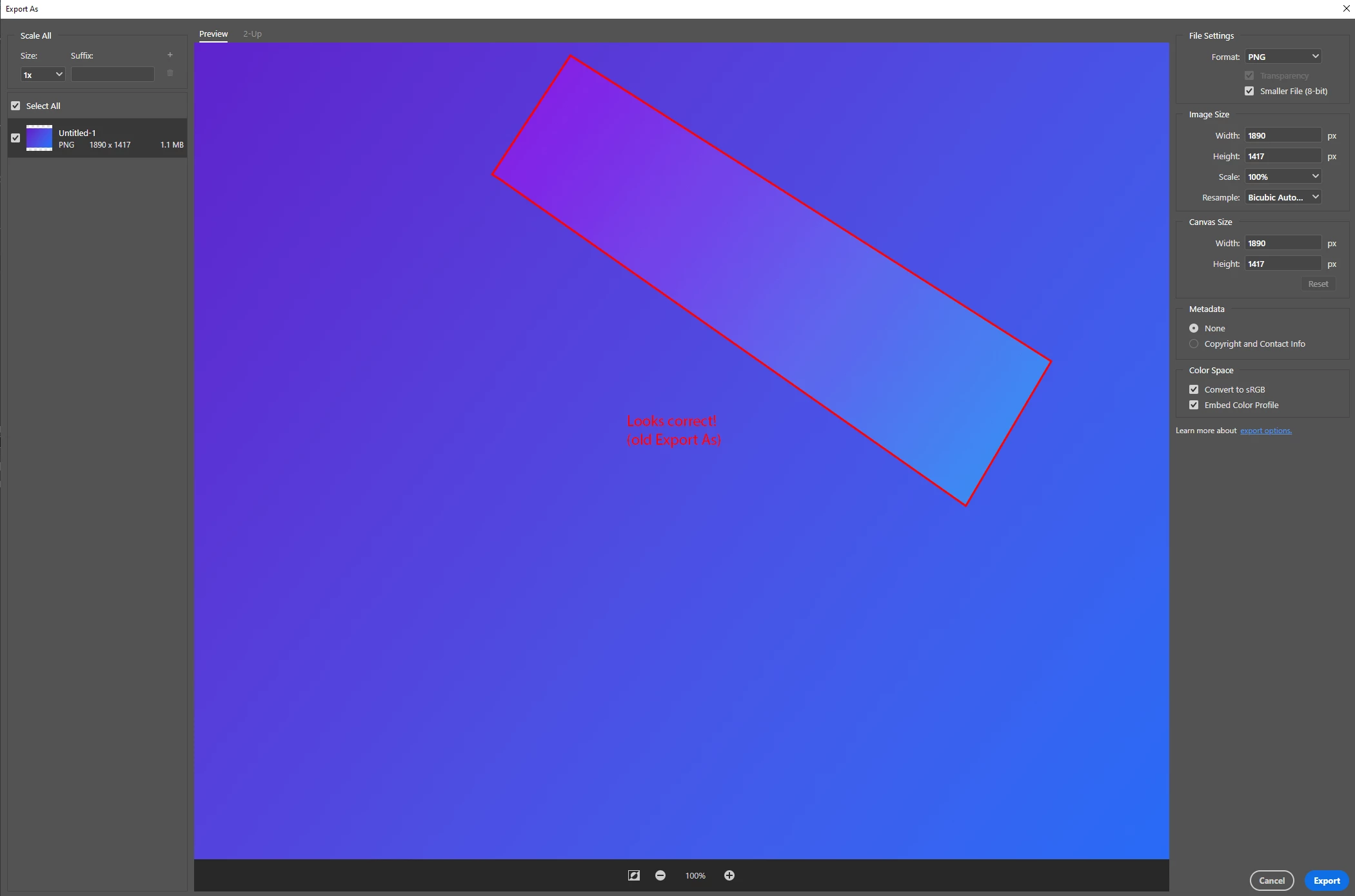
 

Full resolution/lossless screenshots attached to this post.

This topic has been closed for replies.

19 replies

Chain83Author
Inspiring
April 1, 2022

I think you are using the term "dithering" wrong, and what you are trying to say is that semi-transparent pixels become opaque when you choose 8-bit (indexed). This will cause anti-aliased/smooth edges to look jagged/sharp.


This is separate problem from the bug in this thread.


Previously, Export As allowed full 8-bit transparency for 8-bit/indexed PNG files (this is great, and something we missed in Save for Web), but in the most recent versions of Phoyoshop it has stopped working and you now get the same behaviour as with GIF (or PNG-8 in Save for web) where it just sets one of the colors in the color table as transparent (something we rarely want).

BrettN
Community Manager
Community Manager
March 31, 2022

@defaultkac7l92ac9ov I just tried it on my end and it is working for me in 23.2.2 (following the instructions in the original post). We haven't made any changes related to this feature area since we fixed this previously. As far as Photoshop's code is concerned when dealing with this scenario, there should be no difference between 23.1 and 23.2.2. Perhaps there is something about your workflow which is different and exposed something which wasn't addressed previously? Or this is something new? Could you provide new steps (if different than above)? Or maybe a sample file? Screen shots? 

Earth Oliver
Legend
March 31, 2022

@defaultkac7l92ac9ov @ Unfortunately, Export As has been a complete mess since release. You would think 6 years would be long enough to work out all the bugs and missing/incomplete features, but you'd be wrong.

Good thing Photoshop isn't an application that professionals depend on to keep the lights on!

Participating Frequently
March 31, 2022

Hi guys,


Good news everybody.


This problem is back in the latest version of (23.2.2.).


Downgraded to (23.1.) to get rid of the problem.


In my case dithered egdes were exporting with shart endes.


Just STOP WITH THE UPDATES PLEASE, release one version once a year (but make it good, like you used to).


I am honestly sick and tired of getting an update every week that will break something to be fixed in the next version. I need the suite for work and not for constand mocking about with it, googling for errors and reinstalling the program.


The update everyweek service is much worse than it was when there was a solid version of Adobe Suite 6. Everything seemed to simply work back then.


Ciao,
Alex

Mohit Goyal
Community Manager
Community Manager
December 14, 2021

Hi all,  


We're happy to announce the release of Photoshop 23.1. This update includes the fix for this issue. To see the list of all fixed issues, click here

To update Photoshop to 23.1, click "Update" in the Creative Cloud desktop app next to Photoshop. More detailed instructions for updating  


Let us know if the update resolves the problem for those affected and share your feedback with us.


Thanks,

Mohit

Legend
October 29, 2021

Thanks. I'll have the engineering team take a look.

Chain83Author
Inspiring
October 29, 2021

If it's not clear, I did test with and without the various boxes checked/unchecked, but it makes no difference. New Export As always gets that bad light/dark lines (not what I'd consider normal banding), while legacy export as and save for web always gets a smooth result.

Ps: In Save for Web we have control over what algorithm/settings to use (feature request for Export As!), and I tested a bunch of settings but was unable to get an error of the type seen in the new Export As. 

Chain83Author
Inspiring
October 29, 2021

Sorry, forgot to toggle that when taking the screenshot, but no. Embedding the color profile makes no difference; it's just metadata. The color values in the image file does not change, and it doesn't affect the algorithm used to reduce the color palette.

Legend
October 29, 2021

I notice you're you're not embedding the color profile in the version where you're getting banding. If you check that, does it look right?