

Jqqerry
Inspiring
August 18, 2022

P: Object Selection very slow response Photoshop 23.5

  • August 18, 2022
  • 166 replies
  • 20483 views

Current latest PS version is 23.5

And Object Selection is really slow.

It wasn't like this until the early version of PS 2022, but it's getting slower and at 23.5, it's really weirdly slow.


I thought there might be a speed difference between turning on and off the option, so I compared it, but the results were the same.

Precise previews for 16bit document on/off

Native canvas on/off

Multithread compositing on/off

Use Graphic Processor on/off

Image Processing- Select Subject(Device , Cloud) : I don't know if this affects object selection, but I tried changing options.


The size of the test image below is really small. 1000px x 667px (sRGB, 8bit document)

The reason why I tested it with a small image was because I thought it was because of the large image and the number of layers.

But if you look at the gif image below, you can see a huge difference in loading and speed


This is Photoshop 23.5's object selection.
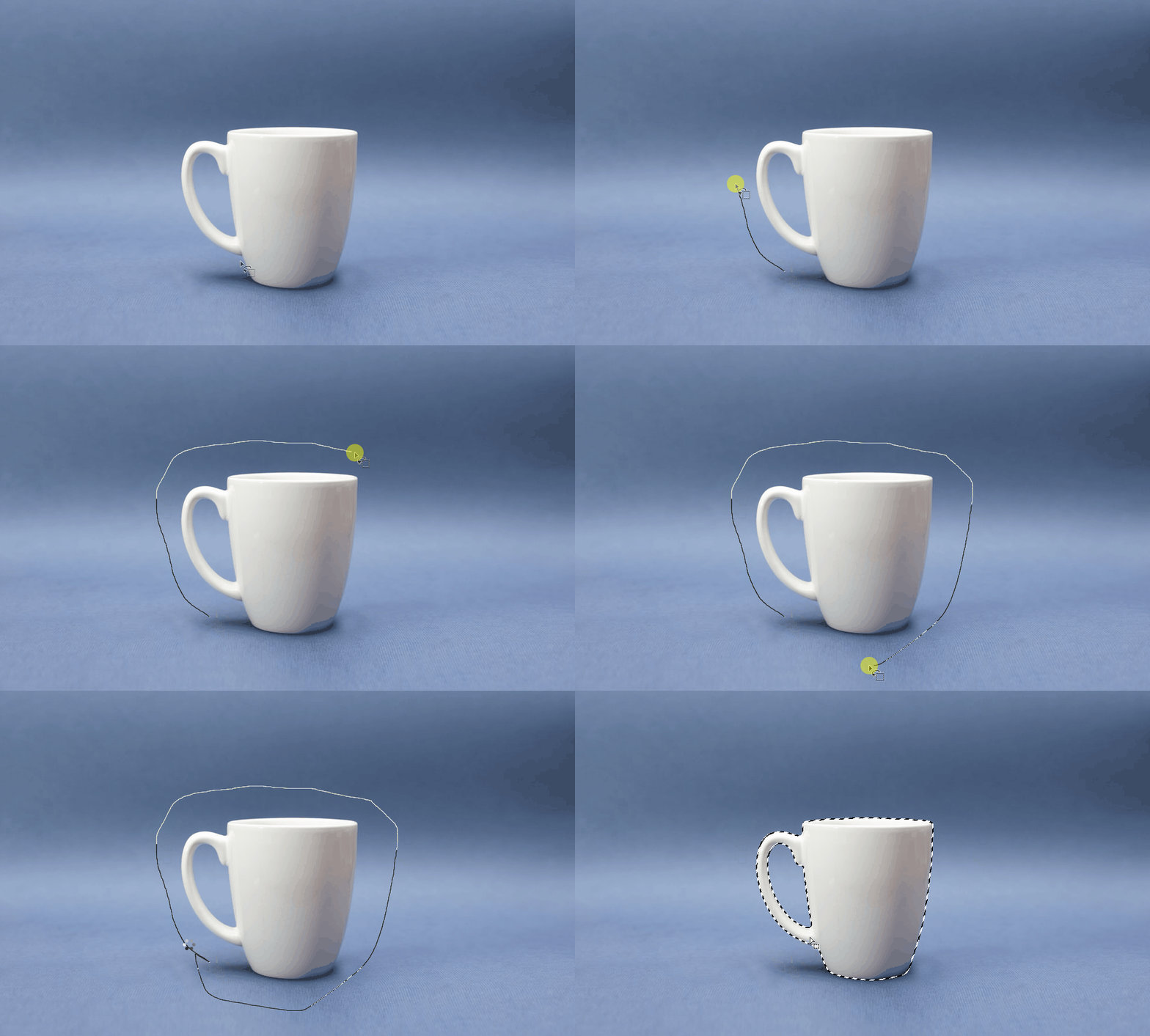
Even though the end is cut to meet the gif capacity, the loading time in front is long. Once again, the test image is very small.


And Now this is Photoshop 21.0.3's object selection. you can check this...
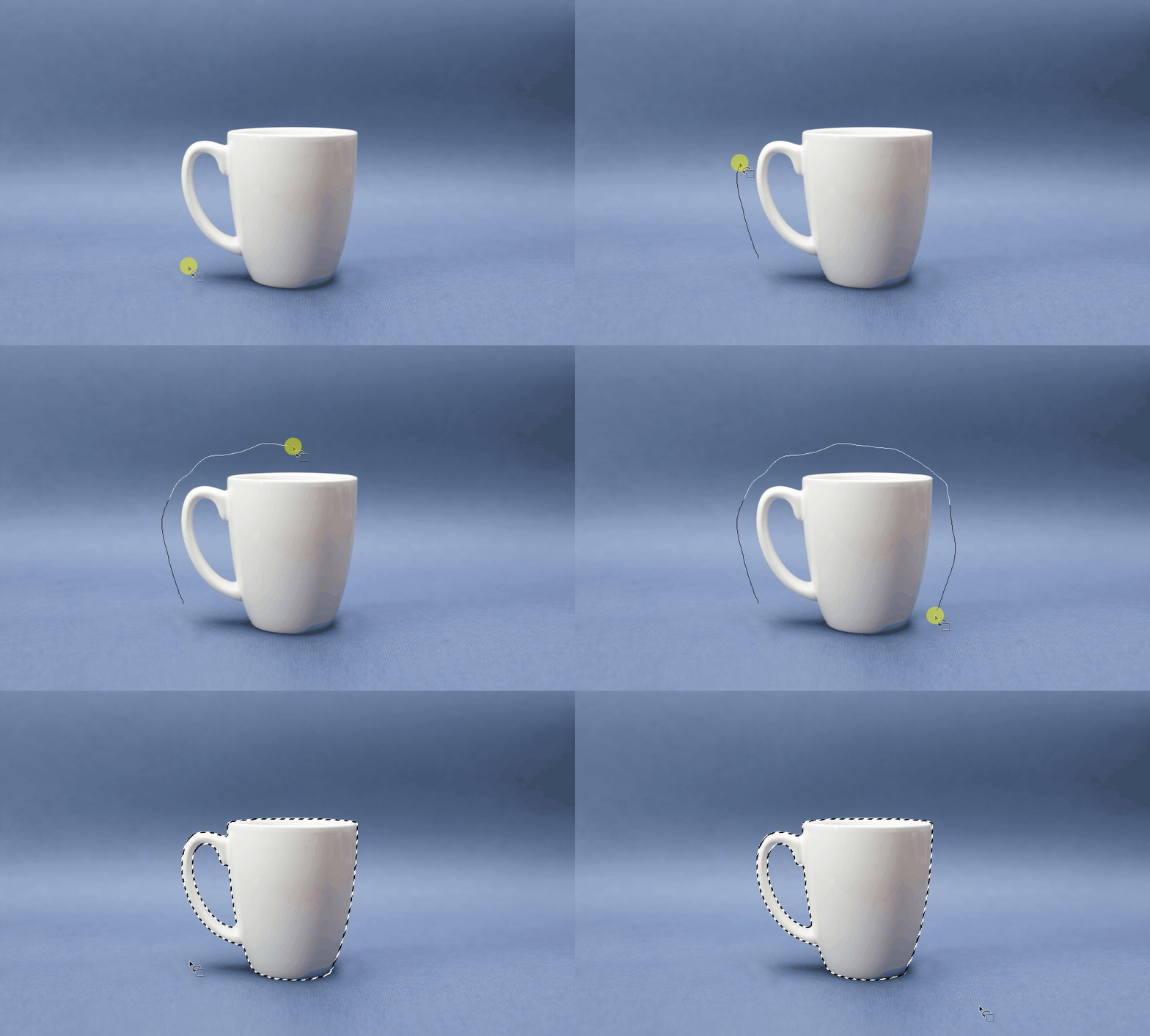


Can you see the difference? It's a big difference.


This is the difference in speed that appears even though the image used in the test is really small.
In the actual working image (6000x8000px), there is a loading as if the computer had stopped a little bit.
It's the same if you try to select a very small, very simple part of a real image, not a lot of it.


This needs to be improved Speed or delay. In fact, the masking quality of those two images was almost the same.

This topic has been closed for replies.

166 replies

Participant
August 26, 2022

Do not use the "object selection tool" until it is fixed.

It's very slow and broken now.

I know the speed and feeling because I am a person who uses the object selection tool every time. But now it's just broken.

For a more objective comparison, we compared it with the quick selection tool. And I tried to choose a simple object from a simple background.

But it was the defeat of the object selection tool. The 2021 and 2020 version of object selection is good.

The current 2022 version of the object selection tool is slower and inaccurate than the Quick selection tool (a tool from 10 years ago).


I've also tried to create a selection of tops and bottoms in a single photo (this is the majority of what I'm doing)

The existing object selection tool (2021 version, 2020 version) selects both the top and bottom, and 2 seconds is sufficient at the longest. Catch your fingers and neck naturally.

However, it took more than 40 seconds to make the same selection with the 2022 version of the object selection tool. Each selection takes at least 4 to 5 seconds to load, and even that is not accurate. So you have to re-select or make additional selections.
This requires an urgent update because the function of Photoshop itself is not available.

Participant
August 25, 2022

Will it be fixed next week? It's too slow right now. Not Available...

Participant
August 25, 2022

It's not accurate, but it's also slow...
The reason why we use the object selection tool has all disappeared.
If this doesn't get fixed, bad experiences continue For us.

Participant
August 25, 2022

hope this will be fixed in the next update.
Because since the first release of 2022 last year, the object selection tool has been virtually unavailable due to frequent crashes. And I was really happy to see the patch note that the crash was fixed in this 23.5 version, which is a very difficult level of speed to use. I have several versions of Photoshop, 2022 is the slowest now, and the selection is the least accurate.
If this doesn't fix in this update, then in fact, object selection is rarely used in the 2022 version of Photoshop.
Are we fools to keep trying to use tools that cannot be used?


Participant
August 24, 2022

current object selection tool is weird... i feel almost it's broken.......

Participant
August 24, 2022

I've become so strange and slow that I doubt it's broken. In fact, loading takes at least 3 seconds each time you try to make a selection. That doesn't mean it's more accurate. When saving the same file as psd and trying various versions, the object selection tool of 23.5 is the slowest and the masking quality is the worst.

It's actually a speed that's almost unusable. What's even funnier is that when the object selection tool is turned on by pressing the W key on the keyboard without trying to choose, the photoshop is already slow. The object finder is turned off.
My pc has very good specifications and this is very strange. If you couldn't use it properly because of the crash before the 23.5 version, you can't use it properly because it's too slow in the 23.5 version. I accidentally changed the tool, but I felt that the computer was slowing down by pressing the w key, so I thought about excluding the w key from the keyboard shortcut. That's the problem Right now. It's serious.

Participant
August 24, 2022

I'm also in favor of this being fixed. I love object selection tool. But now the loading time is too long, so it's a waste of time. 😭😭

Participant
August 23, 2022

It's so hard to wait for this to fix.......

The object finder is turned off and have not tried to select anything, but it slows down as soon as iselect the object selection tool (as soon as i press W on the keyboard).

It's really strange that Photoshop's work environment slows down just by doing nothing, and just having the "object selection tool" enabled on the tool. And when I try to choose, the loading is too long.......

Participant
August 22, 2022

I am also one of the people who is experiencing discomfort at the slow speed of the object selection tool. After doing a small survey in our learning group, many people found that the object selection tool in 2022 was especially slower. (We learn and train in different versions)


I hope this will be resolved soon. Thank you.

Participant
August 21, 2022

I personally like the 23.5 version right now.
If only we could turn the speed of this object selection back to normal......=)

23.5.1? or 23.6? I don't know which version will be released quickly, but I expect that to be the best version of Photoshop 2022.