



Jeff Arola
Community Expert
Community Expert
March 15, 2022

P: Photoshop 23.2.2 Share Button is distracting

  • March 15, 2022
  • 170 replies
  • 20899 views

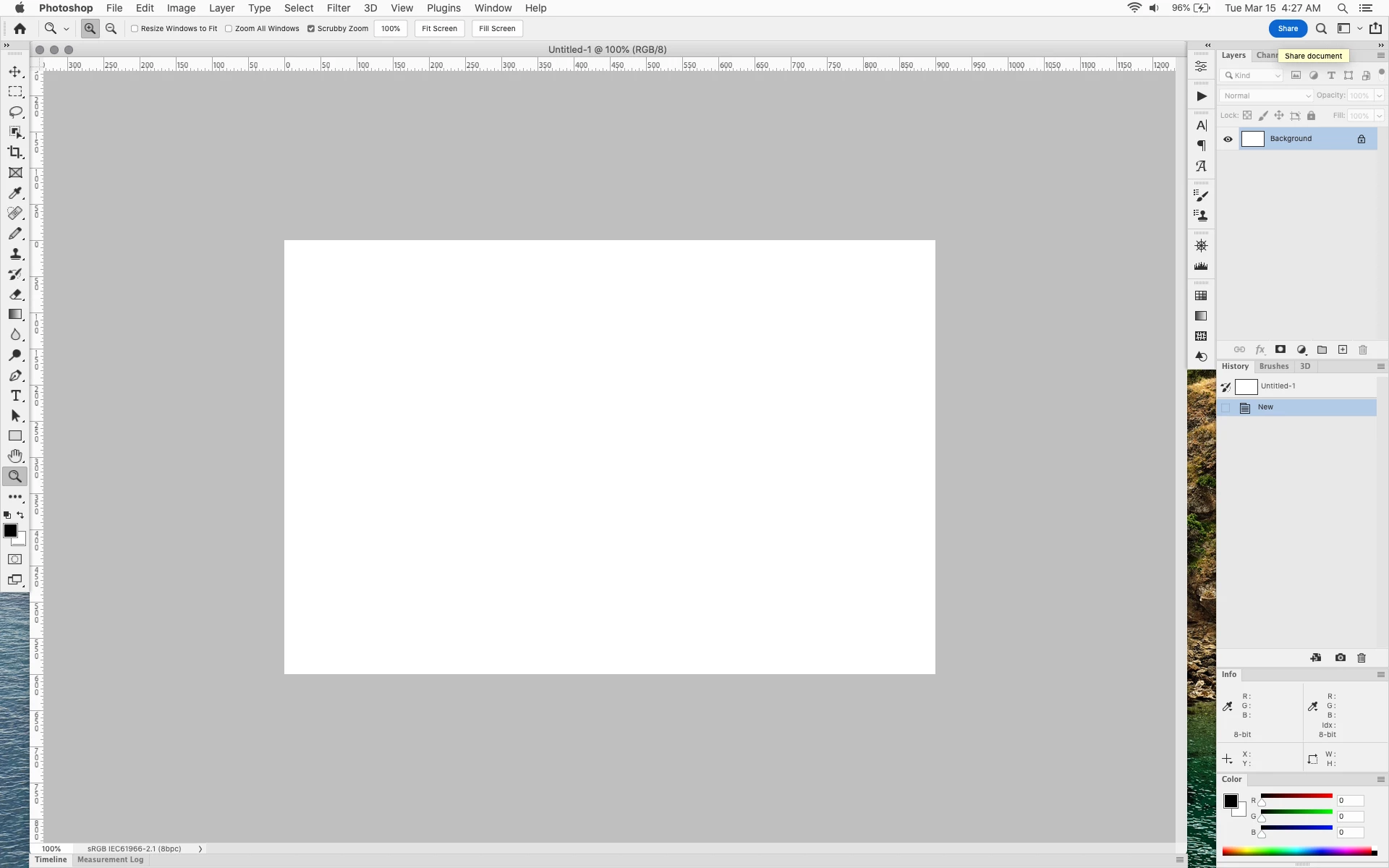
In photoshop 2022 (version 23.2), photoshop implemented a Blue Share button in the

top right corner of the app workspace that is supposed to turn into a button of the sme color as

the other tool options bar icons.


With the latest 23.2.2 update the Blue Share button does not go away after first use as described

on this page under Easily find the Share button


https://helpx.adobe.com/photoshop/using/whats-new/2022-1.html


I reset the photoshop preferences as i do after every photoshop update by trashing the preferences folder.


Share button that the Blue Share button is supposed to appear as after first use
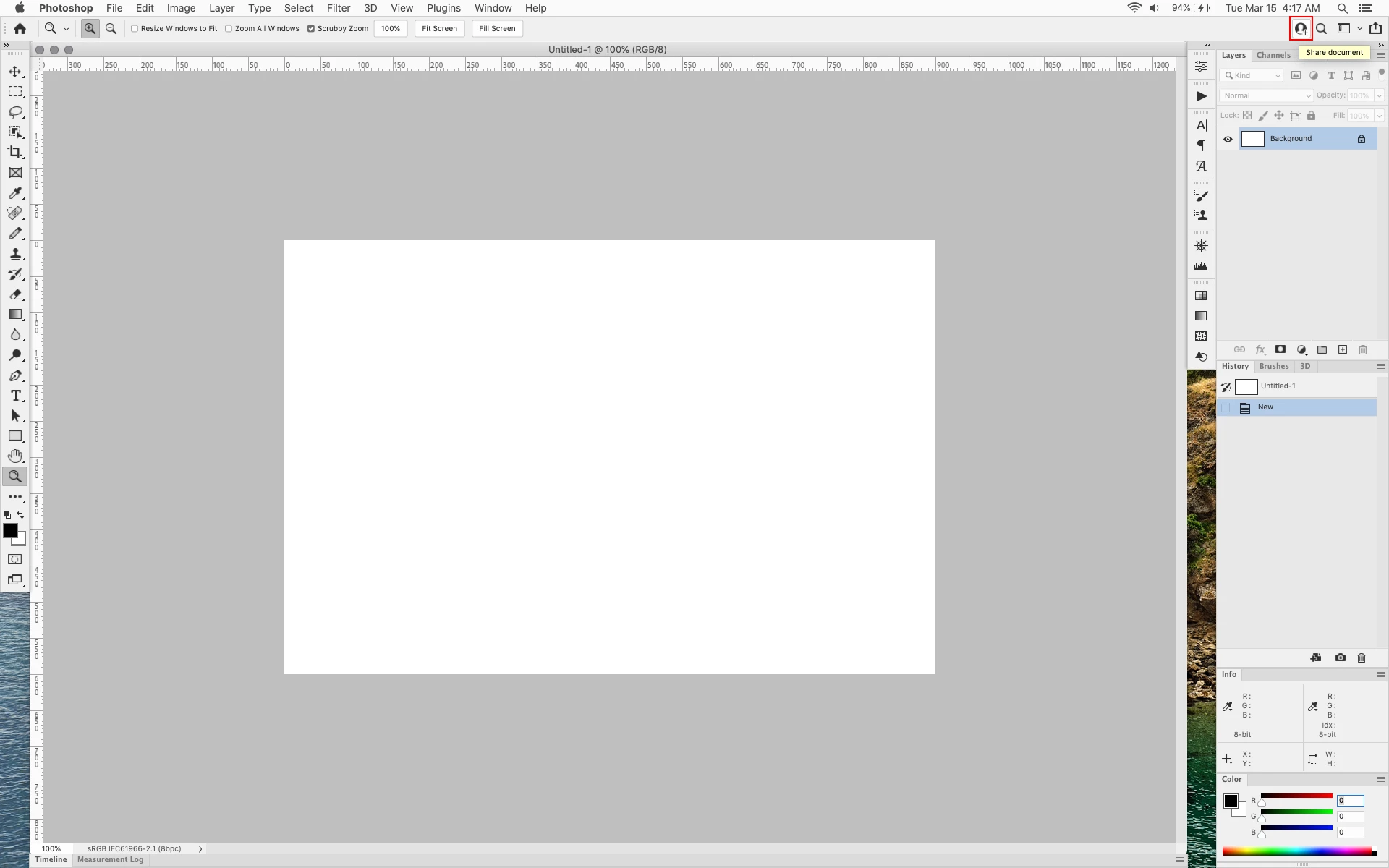


In the 23.2.2 update the button still stays as a Blue Share button after first use


170 replies

Participating Frequently
October 1, 2022

Issue still exists in Photoshop 23.5.1

Participating Frequently
September 14, 2022

I'm not sure I agree with paying for a subscription that is not bringing value, but in instead frustration of being marketed at within software I pay for. Imagine popups in your car asking if you want to use Sat. Radio every time you opened the door... no thanks!

philb67143745
Participating Frequently
September 14, 2022

@jane-e 
"You can turn off automatic updates using the Creative Cloud app and then update only when you are ready to."

Really? Wow, that's a astonishing reply. I'm sure people will love Adobe more now.

jane-e
Community Expert
Community Expert
September 14, 2022

@default2truevt6logh wrote:

"It's sad when things make me want to go back to the day of boxed software without constant updates."


You can turn off automatic updates using the Creative Cloud app and then update only when you are ready to.


Jane


Participating Frequently
September 13, 2022

I've been an Adobe fan for many years, but these "updates" to features without any regard to freedom of choice for the end user is going to drive me away. I don't pay the most per month for design software to be forced to see what is a bright ad all day. Even if you use the Neutral interface option, the button is annoying and non-configurable.


It's sad when things make me want to go back to the day of boxed software without constant updates. Please focus on the customer experience we want, not the one Adobe wants.

Known Participant
September 2, 2022

Running an iMac Pro
Monterey 12.5
Eizo 27in CG279x  @  2560x1440
PS 23.4.2
I'm attaching a screenshot of the UI for the Direct Select tool showing the difference btwn PS 23.4.2 with Share button and PS 22.5.9.  –  Not an exact match, but shows the how the Share Button sits on top of the Direct Select Options in the UI.

Jeff Arola
Community Expert
Community Expert
September 2, 2022

That definitely looks like an issue that needs to be addressed.


What operating system and screen resolution are you running?


In the meantime you could go to Edit>Preferences>Workspace and check Enable Narrow Options Bar, then restart photoshop.

Make sure you have the tool tips turned on so can identify what the symbols in the tool options bar represent.


Known Participant
September 2, 2022

I don't see how that would change anything, but the I covered up the paths panel with a fill in the screenshot. This is a company workstation and the work is proprietary. I wanted to obliterate the path names.

Why would that affect the issue of the Share button? 
The issue is that the Share button is sitting on top of the options for the Direct Select Tool. It would do that whether or not there are paths in the .PSB.

jane-e
Community Expert
Community Expert
September 2, 2022

@kind_adventures15D5 


Your screenshot shows the Paths panel, but no paths. So we can better see your issue, can you 

  • create and name a path
  • select one anchor point with the Direct Selection tool
  • include the Paths panel, options bar, and the path in your screenshot.

Jane

Known Participant
September 2, 2022

I don't think you followed my issue. I don't want to chang the button colors – I want it to go away.

Thete is a function of the Direct Select tool that changes Path behavior. The Share button obscures that part of the interface. It sits on top of the option. Terrible design.

I don't want the Share button in ANY color. I will NEVER use it.

Make it optional.