

Jeff Arola
Community Expert
Community Expert
Mar 15, 2022 7:55 AM UTC
Released

P: Photoshop 23.2.2 Share Button is distracting

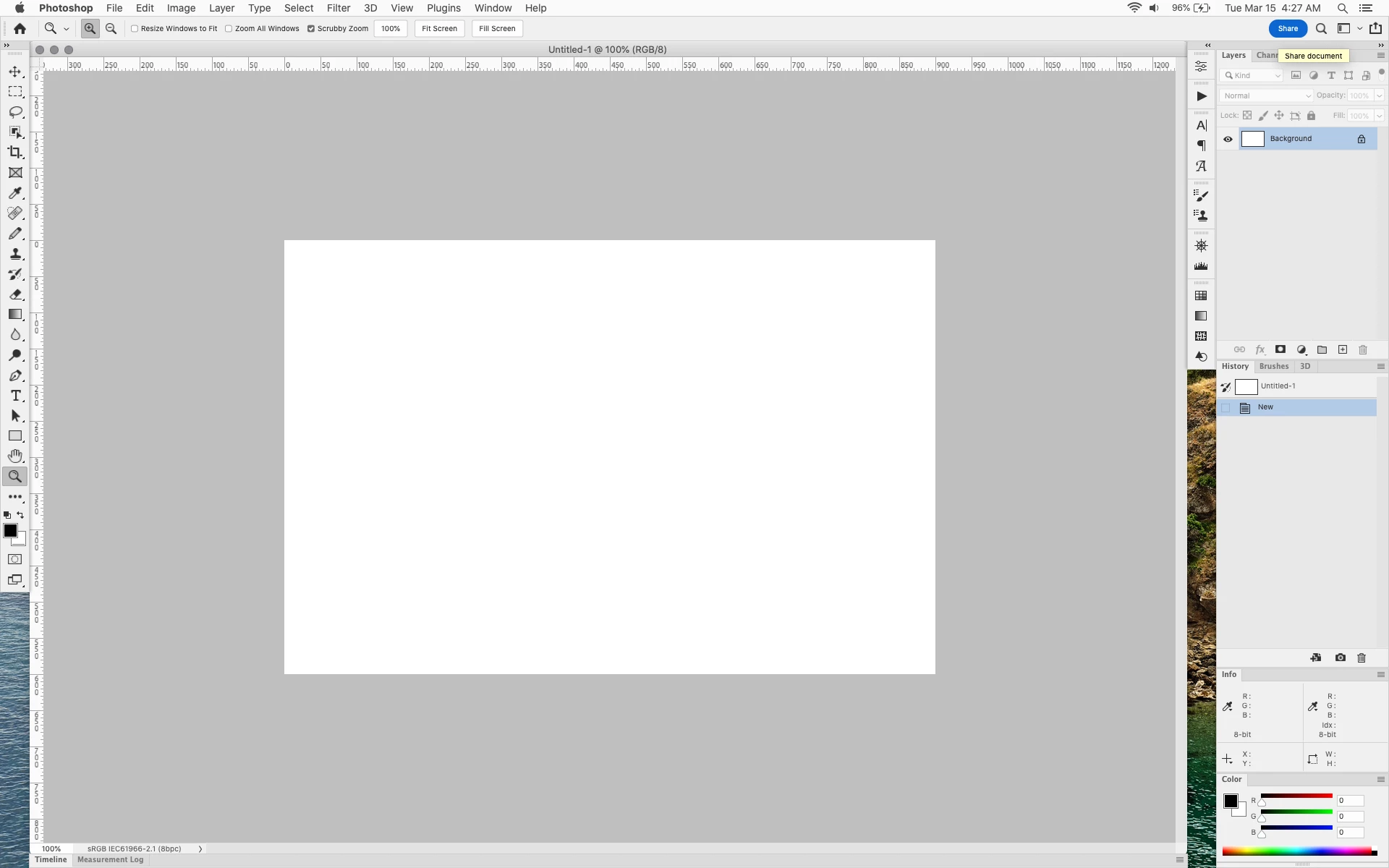
In photoshop 2022 (version 23.2), photoshop implemented a Blue Share button in the

top right corner of the app workspace that is supposed to turn into a button of the sme color as

the other tool options bar icons.


With the latest 23.2.2 update the Blue Share button does not go away after first use as described

on this page under Easily find the Share button


https://helpx.adobe.com/photoshop/using/whats-new/2022-1.html


I reset the photoshop preferences as i do after every photoshop update by trashing the preferences folder.


Share button that the Blue Share button is supposed to appear as after first use
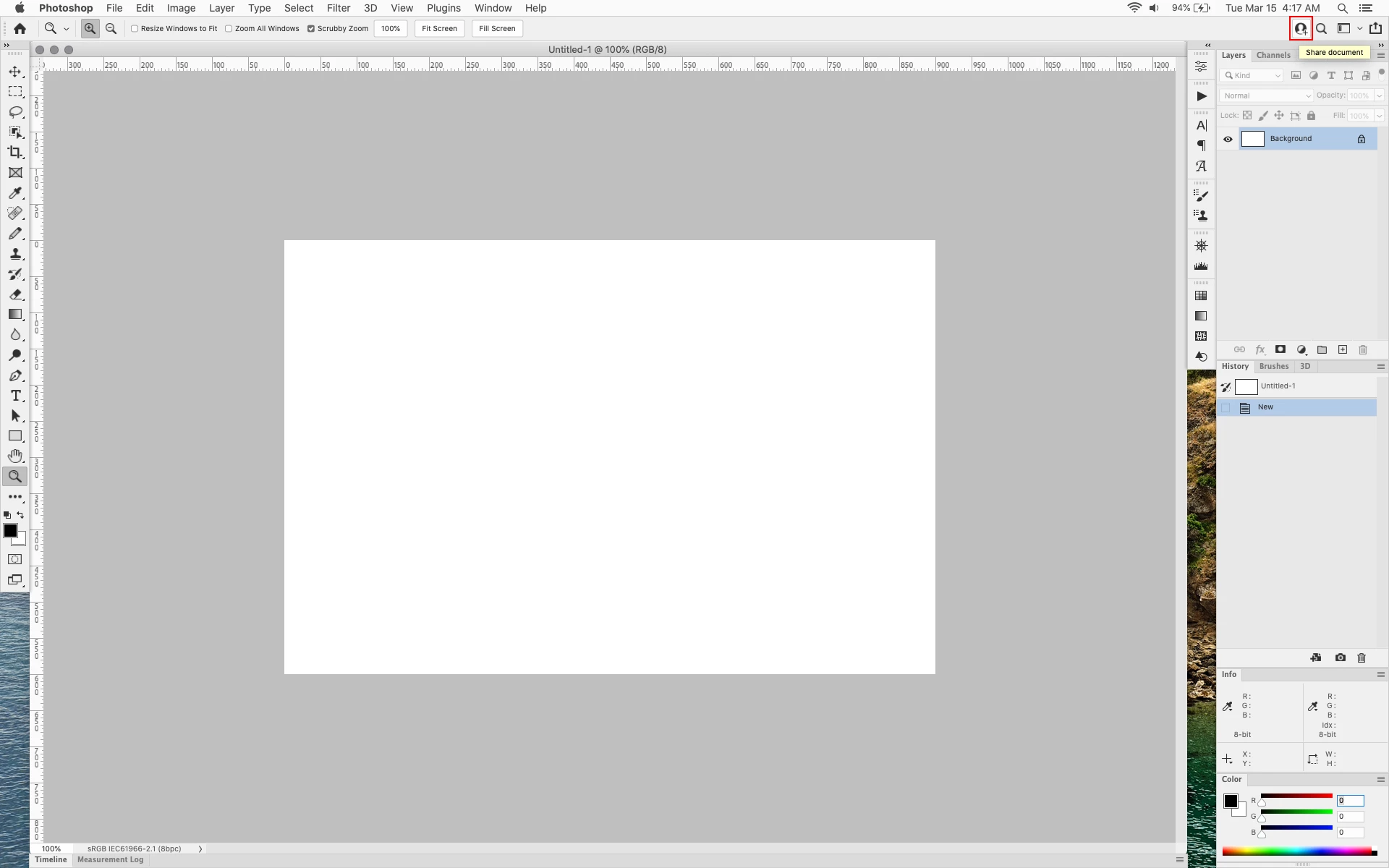


In the 23.2.2 update the button still stays as a Blue Share button after first use


206 replies

Jeff Arola
Community Expert
Community Expert
Aug 18, 2022 5:19 PM UTC

Much better now. Thanks Adobe.

Translate
Legend
Aug 18, 2022 1:44 PM UTC


Yes, it looks like they just added two new elements and made a checkbox (as far as I remember, this was in early CS versions, when there was a separate switch to gray out the Photoshop logo on the toolbar)

Translate
davescm
Community Expert
Community Expert
Aug 18, 2022 11:06 AM UTC

Thanks Adobe - fixed in Preferences  v23.5 🙂

Dave

Translate
Ged_Traynor
Community Expert
Community Expert
Aug 18, 2022 10:59 AM UTC

Yep, unmodified UIColors.txt

Translate
D Fosse
Community Expert
Community Expert
Aug 18, 2022 10:48 AM UTC

Really? You mean it's fixed? A simple preference checkbox is all we ever asked for.


I've just spent a half hour re-modifying UIColors.txt once again, but I didn't have to do that?


EDIT: Indeed. I uninstalled/reinstalled just to get a clean table, and yes! It's no longer blue if you check that button. Wonderful, thank you whoever made that happen!

Translate
Ged_Traynor
Community Expert
Community Expert
Aug 18, 2022 10:37 AM UTC

Finally an option to change the blue button to not blue 😁

Translate
Participant
Aug 14, 2022 3:07 PM UTC

I'm new to PS 22 and am so glad to see that others find the Share button as annoying as I do.

Translate
Participant
Jul 31, 2022 5:04 PM UTC

PS has a long standing cutting edge visually atractive UI that doesn't distract workflow.  The subject relitively new addition

of a share document button is designed with a bright blue background. It screeming for the user's attention to click it. Is it tied to buying a subscription - thats the message I pick up.  Bad taste & needs to be corectected. Love ADOBE but this button must be consitant with PS's standard theme with white text and grey bacground.  Being a designer I think its ugly & distracting. THX

Translate
Derek Cross
Community Expert
Community Expert
Jul 31, 2022 5:28 PM UTC
Participant
Jul 22, 2022 1:51 PM UTC

Thanks for the tip on how to change the colour.

Resetting preferences doesn't help unfortunatly.


Translate
Participant
Jul 12, 2022 8:48 PM UTC

Please please please back QUICK SHARE FEATURE!

Translate