


Participant
April 14, 2022

P: Photoshop 23.3 Keeps Crashing After Using Image>Trim with GPU compositing enabled

  • April 14, 2022
  • 5 replies
  • 491 views

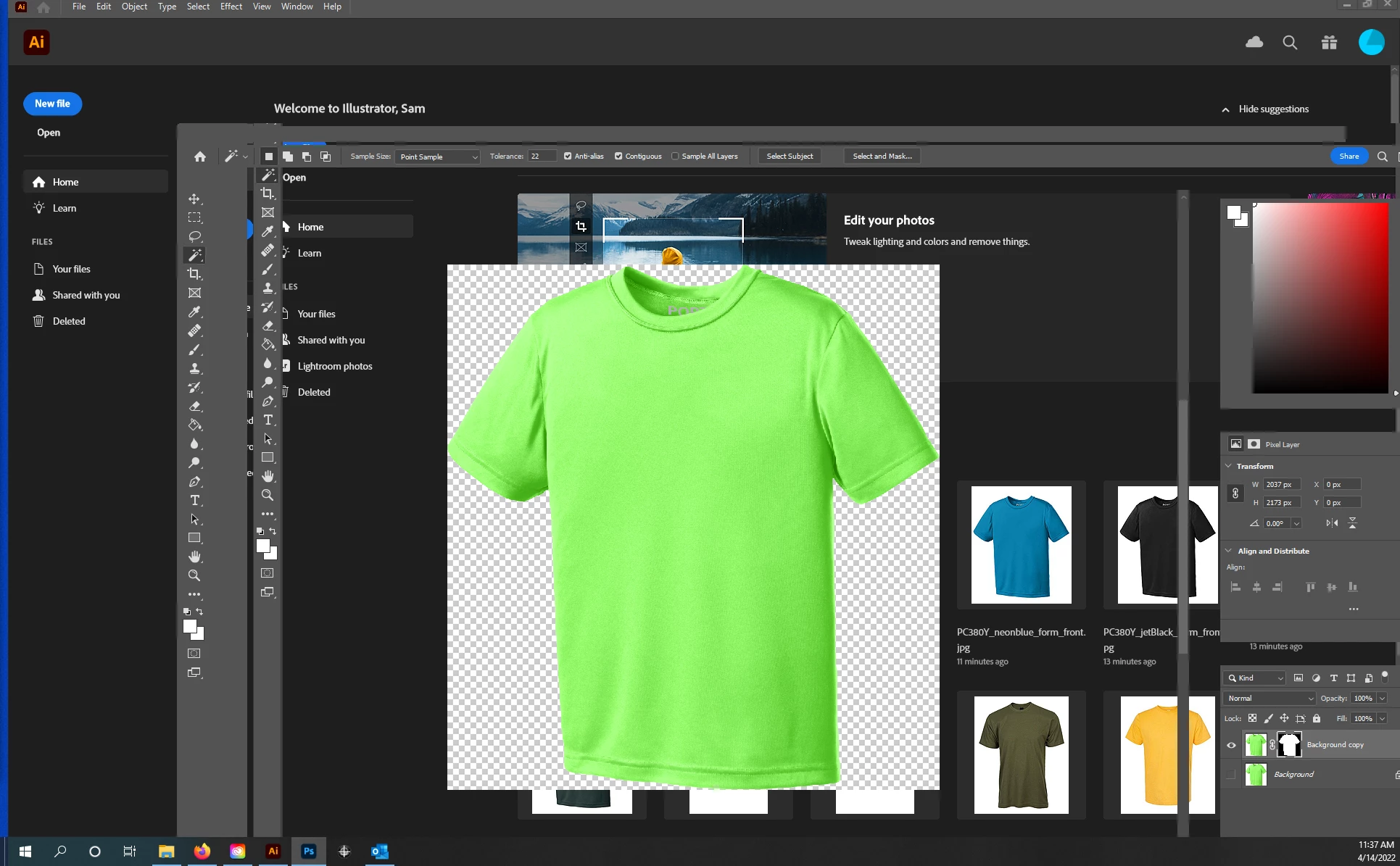
Almost every time I use Image>Trim, Photoshop crashes or tells me "One or more selections cannot be exported because they are empty." When it crashed it will either stop responding or will not render properly by the GPU and will look like the attached screenshot. I am using Windows 10.
This topic has been closed for replies.

5 replies

Participant
May 2, 2022

@Andrew Sender  it's with GPU compositing enabled on 23.3.1

Andrew Sender
Community Manager
Community Manager
May 2, 2022

@Sam2319560078l9 , that's great to hear!  And just to double check is this with GPU Composoiting disabled or enabled on Ps 23.3.1 or later?

Participant
May 2, 2022

@Andrew Senderthanks, the issue seems to have gone away in the latest update (23.3.1). I had reverted back to 23.2.2 to avoid the crashes but the latest update has been working fine so far. I'll try your suggestion if it starts crashing again. Thanks for your answer!

Andrew Sender
Community Manager
Community Manager
April 26, 2022

Hi @Sam2319560078l9 ,

I'm sorry to hear you're having this issue.  Can you try disabling Preferences -> Performance -> Advanced Settings ... -> GPU Compositing?  It's a new feautre my team and I released in Ps v23.3.

-Andrew

TheDigitalDog
Inspiring
April 14, 2022

When PS crashes, one of the first things to try is resetting your preferences.

Press and hold Alt+Control+Shift (Windows) or Option+Command+Shift (Mac OS) immediately after launching Photoshop. You will be prompted to delete the current settings.

If that doesn't work, let us know.

Author “Color Management for Photographers" & "Photoshop CC Color Management/pluralsight"