
Yustas240
Inspiring
December 28, 2017

P: Photoshop 23.3 opens images with everything in white color.

  • December 28, 2017
  • 150 replies
  • 77262 views

Hey!

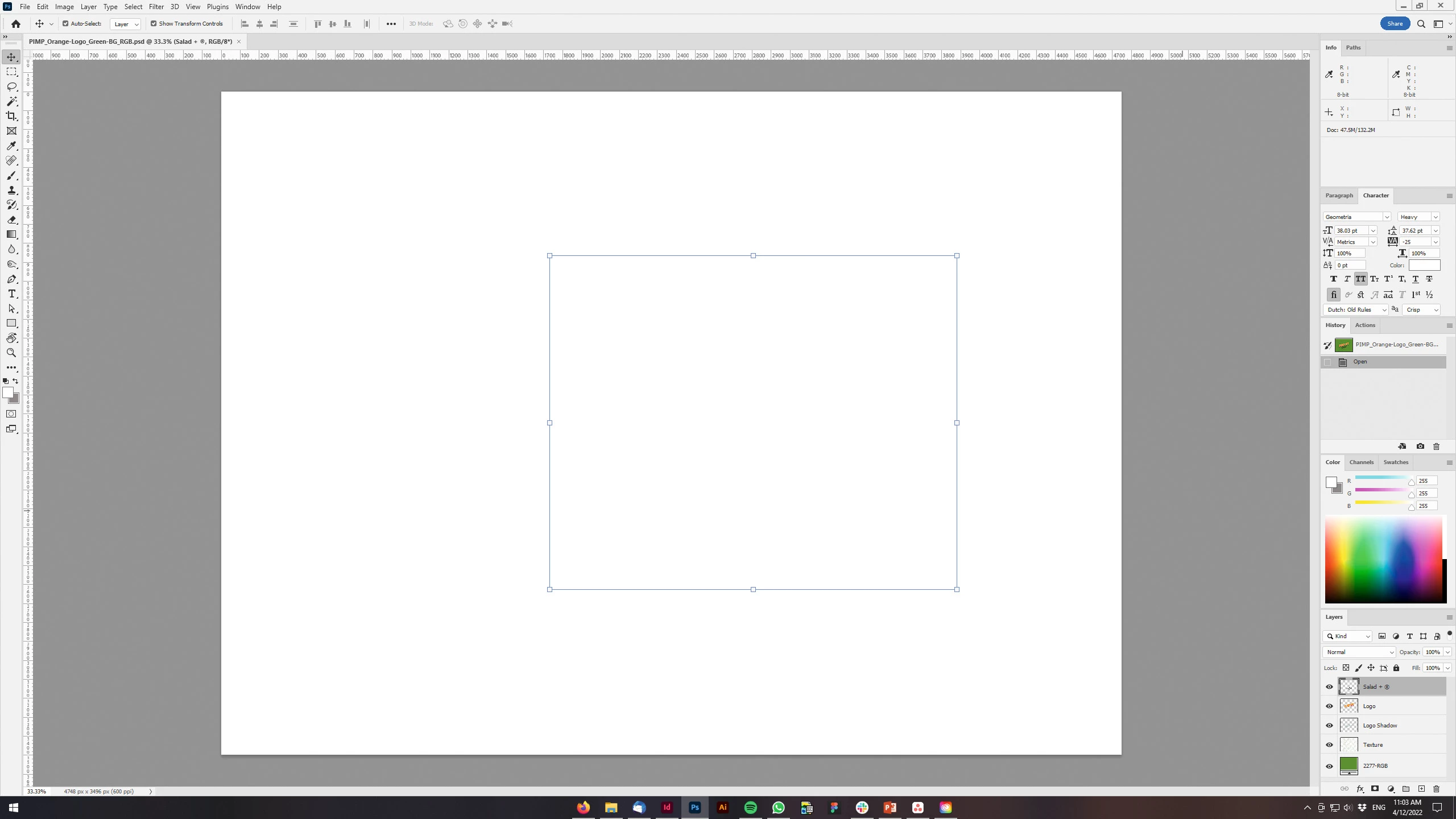
Just updated my Photoshop to 23.3 version. And when I'm trying to open any RGB file - it opens with all layers colored in white color. Seems like RGB is not active at all.

IF I transfer it into CMYK - all good.


Windows 10 Home.

Below is the print screen of RGB file turned into CMYK. Cuz I was unable even to make a printscreen in RGB.
 

150 replies

Thomas 42541987
Known Participant
April 24, 2022

Hi,
I installed 23.3.1 on a Mac Studio (Apple M1 Max). If I open an image everything is black 😞
Only with deselected graphics processor the image will display ... unfortunately I need the rotate-command.


Any idea? 

Thank you for your time!


Participant
April 23, 2022

Yeah I have had the same issues lately. Hoping this update fixes it, never had issues before and I have been using Photoshop for close to 20 years probably. I also had printing issues as if my print settings on their own just went all haywire and it was not color matching with my printer. I got that generally fixed.


Mine did the same thing though, I could literally see my edits in the layer preview. I did the uncheck trick and it worked but then the resolution was all wonky. Finally just clicked all the rendering options and it seemed to help with the file i was working on. Not sure what's up Adobe, but whoever did the previous update needs to take a coffee break and not touch anything lol

Community Manager
April 21, 2022

Thank you all for your helpful feedback that allowed us to track down this hardware specific issue. 


If you are still experiencing this problem, please ensure both Ps and your drivers are up to date, then share with us your specific hardware setup.

Kukurykus
Legend
April 21, 2022

It doesn't fit the problem of this thread. See how that works in 23.3.

Pranesh_ZA
Known Participant
April 21, 2022

Hi Mohit - tried downloading the updated version now - gets to 97% and fails...

Pranesh_ZA
Known Participant
April 21, 2022

Hi

Can you also make it that PS does not reset all settings to default - I have had to redo about 5 or 6 days of edits because I had not notices that the JPEG quality was reduced from 7 to 6 with the last update. instead of 24MB files I was exporting 5Mb files....

Inspiring
April 21, 2022

Great! Looks like it worked! Thanks so much.


Participant
April 21, 2022

Good afternoon. I have some problem with the newest photoshop version. When I open a file in RGB color space I can see all layers, but the working area is white. When I convert color space to CMYK I can see all elements on working area, but when come back to RGB it turns white again.

I reinstalled Photoshop and reset settings to default.

Also when I made some printscreen and paste it I see only pixels, and the picture is not sharp as usually.

I'm working on Nvidia quadro 2000, I know it's old, but drivers are the newest.

Thank you for any help.


Ged_Traynor
Community Expert
Community Expert
April 21, 2022

Hi

This issue has been resolved in version 23.3.1, released today

https://helpx.adobe.com/photoshop/kb/fixed-issues.html

Participant
April 21, 2022

Yes, thank you. Everything is fine now.

Kukurykus
Legend
April 21, 2022

In 23.3.1?

Participant
April 21, 2022

Ciao a tutti, purtroppo pure io oggi ho il stesso problemma, dell'area di lavoro non viene visualizzato nulla, ho provato diverse soluzioni, bastava anche passando sopra dell'immagine...  Vedo che non sono solo! Mi sono incazzato con Adobe,  ho distalato Photoshop e altri programmi di Adobe, dopo anni non ho mai avuto problemi con loro, per mia fortuna avevo in riserva altri programmi similari, intanto ho perso ore di lavoro, Grazie, Redolfi