

Participant
February 24, 2023

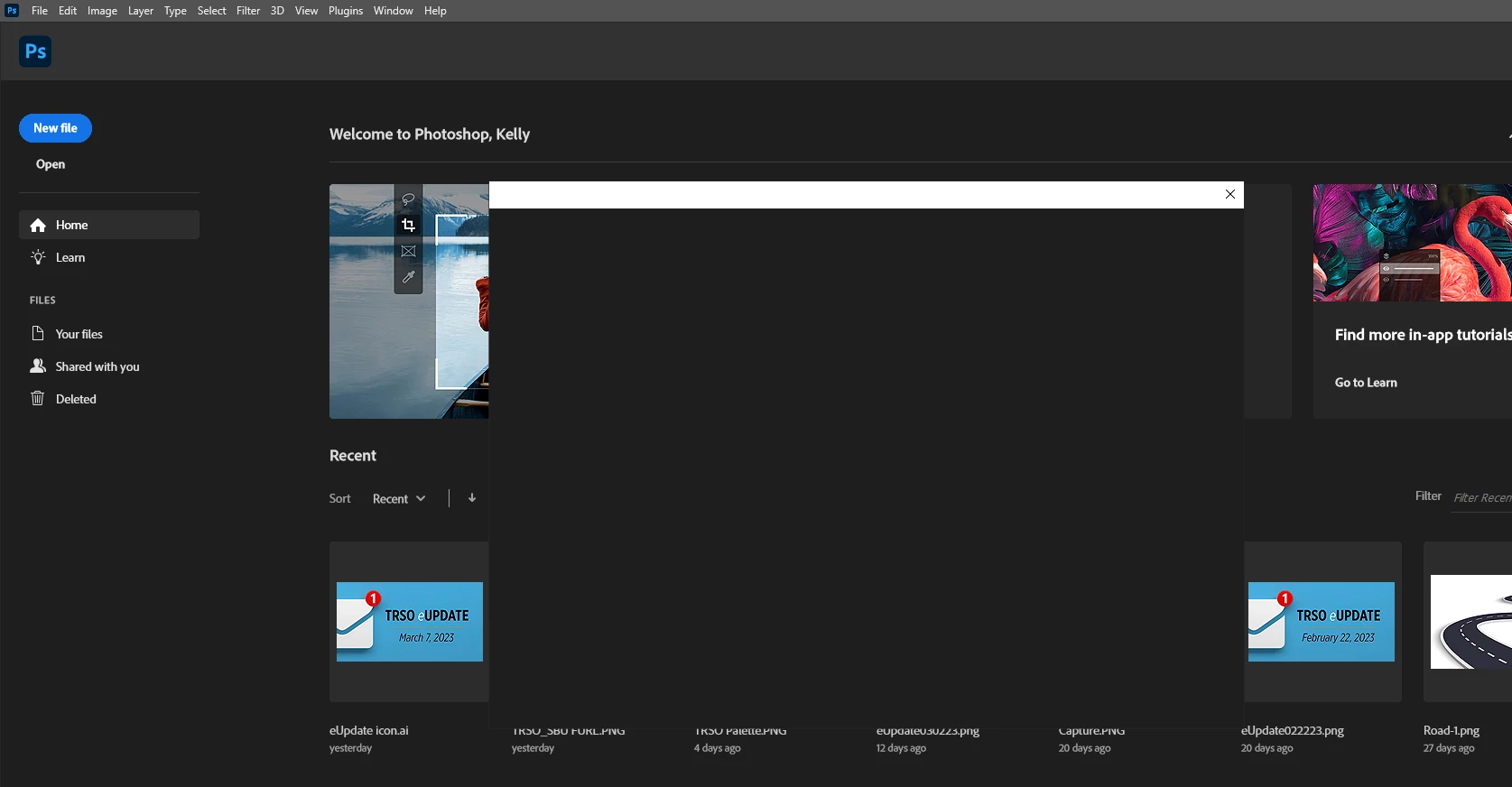
P: Photoshop 24.2 When trying to open or save box is blank

  • February 24, 2023
  • 80 replies
  • 32812 views

When tryin to open a file by choosing the file menu then open the browse box is blank. Version 24.2

 

80 replies

Participating Frequently
March 23, 2023

does this stick after a reboot, log off though?

Participating Frequently
March 23, 2023

This fixed it for me, too! I took an existing JPG, dragged it into open Photoshop, and saved it as a different name. Then I went to open a file and got the regular open file dialog box!

Participant
March 23, 2023

This is really pathetic that this has not been resolved yet. 

Participating Frequently
March 23, 2023

I've been looking for a way to disable save to cloud for a while, since our IT department has turned off cloud features. I tried what you suggested, but there is no option to change the default file saving location, only the local working directory. 

Participating Frequently
March 23, 2023

at the bottom choose directory...


hasnt made any difference for us though

ladyAllure23
Participant
March 23, 2023

Where is the default file location option?

Participant
March 23, 2023

@CShubert heading over to 

Preferences > File Handling > Default File Location from "Creative Cloud" to "On your computer". 

There is no setting called Default File Location on my app. There was an update not few moments ago and it didn't solve the issue. Any other way to disable this?


Participant
March 23, 2023

Hi - we're getting the same issue on our fleet of Intel iMacs (2017) running Monterey with version 24.0.1 at our University: resetting preferences isn't fixing it. The same adobe account is working on some and not others, all builds are identical. Have tried deleting Mac account and recreating, still same issue. Have logged in on the same machine with a different Adobe account, first account doesn't work, second account does. No equivalent issue with Illustrator etc. so far. Will need a fix as soon as possible as students cannot save work.  Thanks

Participant
March 23, 2023

thanks a lot.

you rescue me!

Participating Frequently
March 22, 2023

Sorry saw mistake on the path..


Windows 10/11: Users/[user name]/AppData/Roaming/Adobe/Adobe Photoshop [version]/Adobe Photoshop [version] 

Rename to  .OLD so, Adobe Photoshop 2023  is now  Adobe Photoshop 2023.old