
Inspiring
February 23, 2026

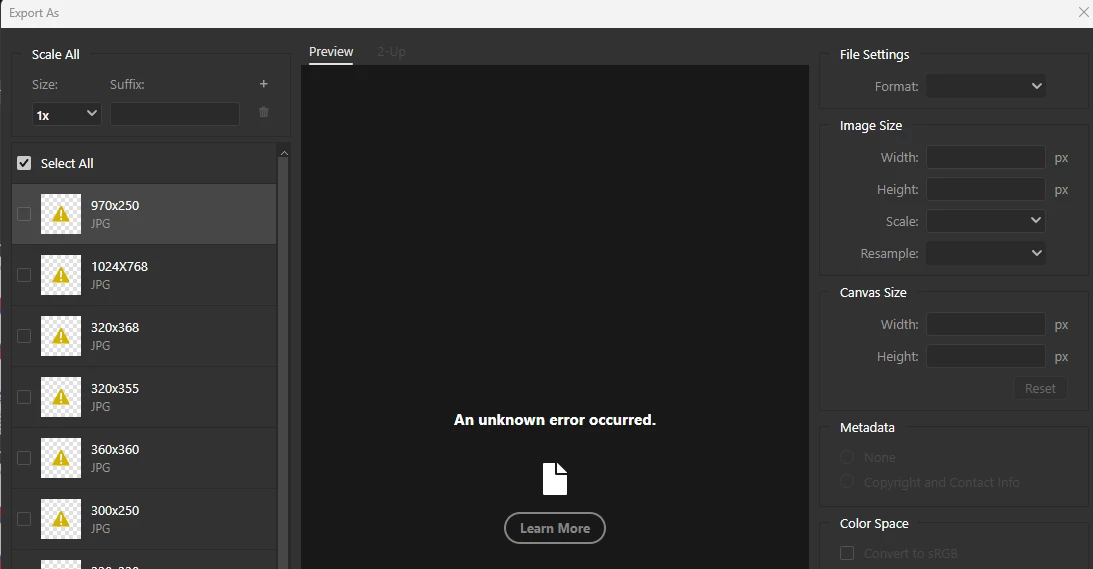
P: Photoshop 27.4 (GA) Export As says "An unknown error occurred."

  • February 23, 2026
  • 35 replies
  • 850 views

New realease 27.4 - Can't Exports Artboards as JPG and others formats (ctrl+alt+shift+W) 

Whenever you try to export artboards with 'Exports As' and choose JPG, it shows unknown error in all of them. Doesn't matter which way you try to do this or format - the window export is freezed (grey) - not JPG or PNG or others.
*it's also happen in the beta version.
 
Photoshop Ver: 27.4.0
Beta Ver: 27.5.0
 
We'll be glad for a quick reply asap.


    35 replies

    popgun8
    Participating Frequently
    March 20, 2026

    Your feed back is VERY much appreciated. Thank you! 

    popgun8
    Participating Frequently
    March 20, 2026

    Does Adobe even look at these posts?  I literally live in PS daily.  It is essential to my business. But lf this shit keeps up with zero updates, I’m seriously looking elsewhere.  Im so sick of this big company ruling my existence with their garbage updates.

    Srishti Bali
    Community Manager
    Community Manager
    March 20, 2026

    @popgun8 , we understand this situation as well as your frustration. Our engineers are already aware of this issue and are trying to roll out a fix as soon as possible.

    In my previous reply, I suggested 3 workarounds to help you get through this situation for now.

    • Use File > Save As > Save As a Copy to export as JPG.

    • Export artboards individually from the Layers panel.

    • Revert to Photoshop 27.3.


    I will update this thread as soon as we get any updates on the fix from product teams.


    Please stay tuned, and thanks in advance for your patience.


    Regards,

    Srishti

    Participant
    March 18, 2026

    Can confirm - same issue for me, Photoshop for Mac, v27.4.0, MacOS Sequoia 15.7.3. 


    Super pain in the butt.

    Participant
    March 18, 2026

    I have the same problem, I cannot export in jpg format, I have the same message, Whenever you try to export artboards with 'Exports As' and choose JPG, it shows unknown error in all of them. Doesn't matter which way you try to do this or format - the export window is frozen (grey) - not JPG or PNG or others. For this reason I need to use Photoshop version 2025.

    CarlosFilipeOperti
    Participating Frequently
    March 18, 2026

    Hi, Nikunj


    Came here because I’m having the opposite problem of Lina. I still use legacy “Export As”, and it stopped working. Current “Export As” setting works, but I’m not sure it delivers a file with the same quality (if you can tell if I’m wrong, would be nice). 

    Not sure if the issue started after an update, as I don’t use PS often, but I’m positive I didn’t change any setting. 

    Attached are the System Info in a txt file, and a printscreen of the Export As window with the error.


    Thanks and regards

    Carlos Filipe Operti - Rio de Janeiro - Brasil - www.carlosoperti.com
    Ged_Traynor
    Community Expert
    Community Expert
    March 18, 2026

    @CarlosFilipeOperti the error you’re seeing is a known issue with version 27.4


    Crowyote
    Participant
    March 16, 2026

    I’m considering rolling back. Legacy Export As was better for JPGs as you could save JPG quality up to it’s maximum which is “12” Now, Legacy Export As DOES NOT work and you can only save JPGs up to 7 quality in Non-legacy Export As. You will get better quality with a quick “Save As” which wasn’t true before. Lame!

    I require higher resolution images for model training. This is unacceptable! Fix it in the next version.
    How do I roll back in the meantime?

    Inspiring
    March 13, 2026

    This issue was reported a month ago on the beta version, and still got through to the final release.

    Studio Keylight
    Participant
    March 10, 2026

    Same problem here. The problem lies with the update to version 27.4. I rolled back my version to 27.3.1 and that one works fine. This is the best solution for now until there is a fix.

    Kristian - Studio Keylight
    Inspiring
    March 10, 2026

    I found that this happens when the “use legacy” option is selected. I have not been able to find a workaround except turning that setting off and losing several export file formats.

    J E L
    Community Expert
    Community Expert
    March 7, 2026

    Hi ​@antoniotand, there are several steps we can take you through to fix this but it would help to show us screenshots, as ​@D Fosse suggests, or to let us know what steps you’ve already taken. We also need to know what Photoshop version you are running and on what operating system. Have you reset your Photoshop preferences? Are you launching Photoshop from the Creative Cloud Desktop app or directly from a shortcut? Have you checked to see if there is an update for your GPU driver? The more you can share with us, the sooner we can help you get back to exporting images.