





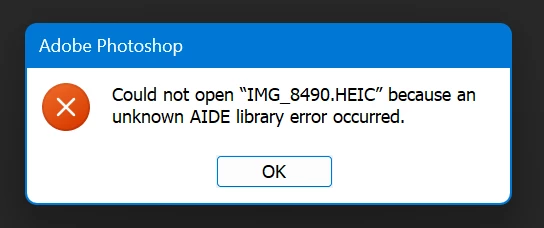
P: Photoshop HEIC files Could not open <filename> because an unknown AIDE library error occurred.
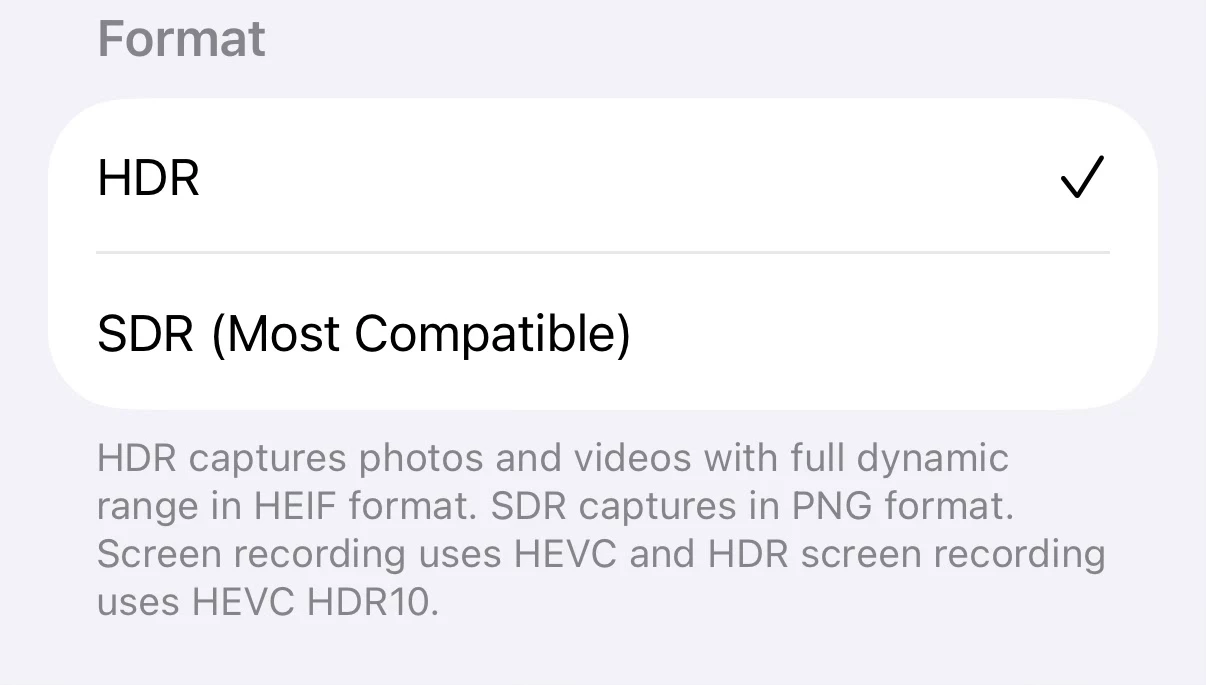
I'm experiencing an error, specifically with screenshots taken on my iPhone 16 Pro with the new "HDR" screenshots option enabled in the iOS 26 settings (General > Screen Capture > HDR)
I'll attach an example screenshot HEIC file, as you can see it causes the same error as OP. If you can't reproduce with it I can attach system info and try some other troubleshooting.
The setting:
Error box. It happens in both the Photoshop beta (27.0.0 20250921.m.3233 a60f1d2 x64 (beta, PublicBeta)) and stable (26.10.0 20250811.r.7 595d3a6 x64 (final, Release))
The error does not occur with HEIC images that were taken with the camera for me, only screenshots it seems. And only the HDR screenshots, because otherwise they're taken as PNGs.
Also importantly, Windows explorer will not show a thumbnail preview of the HEIC files that cause an error in Photoshop (but will show thumbnails of "working" HEIC files like the ones from the camera I mentioned). So I think there is something different about the format of certain HEIC files coming out of the iPhone.
Another quirk I noticed is that if you use the iOS Photos app to crop the screenshot after it's already saved, the cropped HEIC image file will open fine (and also show a preview in Explorer). But if you crop it before saving (like in the markup interface), it will not open.
Using a file identifier tool it seems like the HDR screenshots might be using a slightly different format "heix", assuming it's correct.
Not working file:

Working file:

Apparently HEIX is an extension of HEIC.
------
Edit: Tweaked the start of the post with better context now that this is its own thread. Originally was response to this thread.
 AdChoices