



P: Photoshop Notes appear bigger than normal in a open window.
Hi community,
When I add a note to a psd file, The note 'icon' looks quite bigger than it should be. This gets more troublesome when I add more notes.
Attached below is a screenshot at normal, maximised window view and at a resolution of 1920x1080:
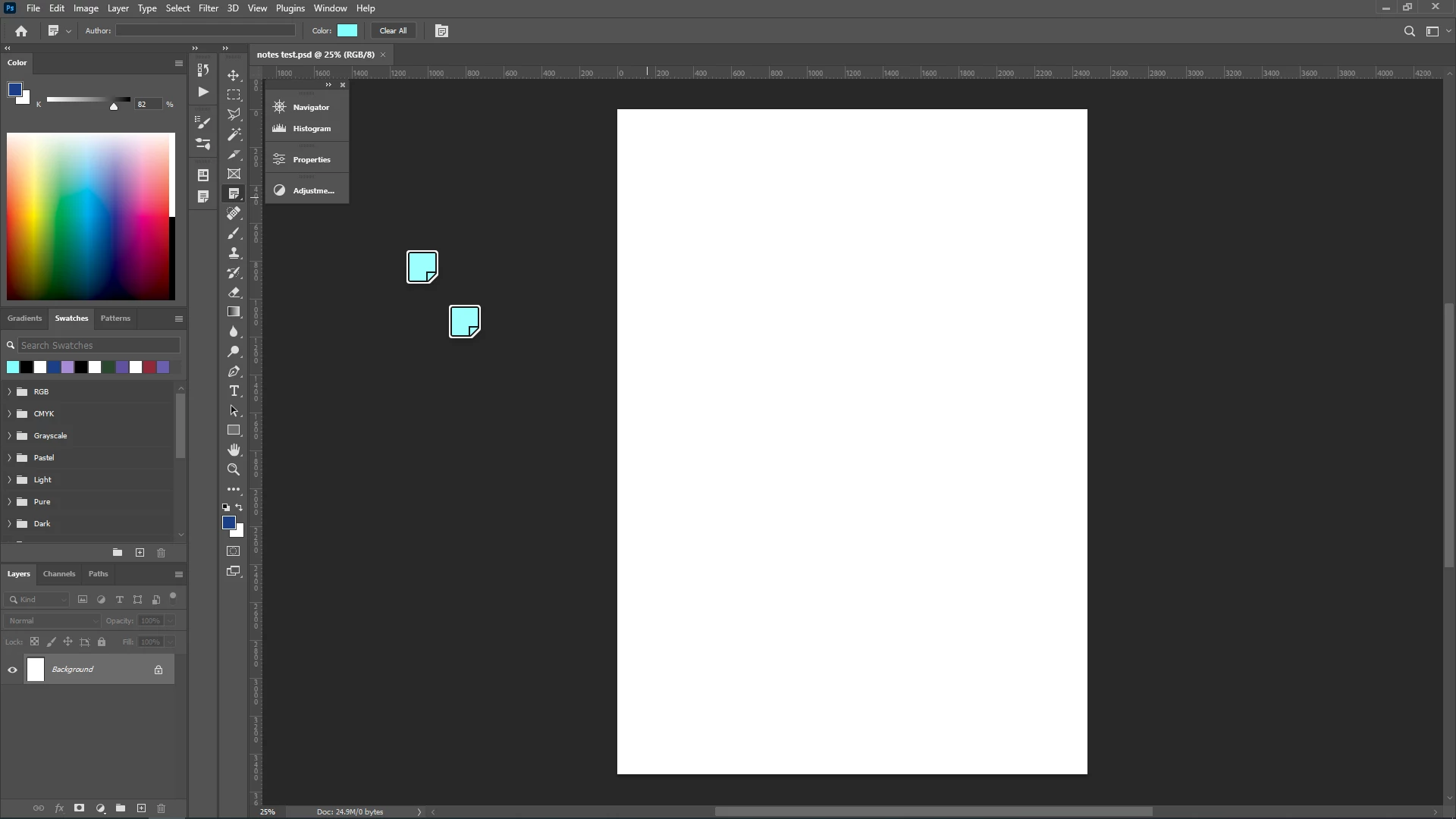
On zooming in the .psd file, the icon size of the notes get bigger and overlap each other, if zoomed in at a certain level. This happens when the 'graphics processor' option is on and off as well. This very inconveninet when having multiple notes!
When I disable the graphics processor option, the icon size of the notes look normal as seen below.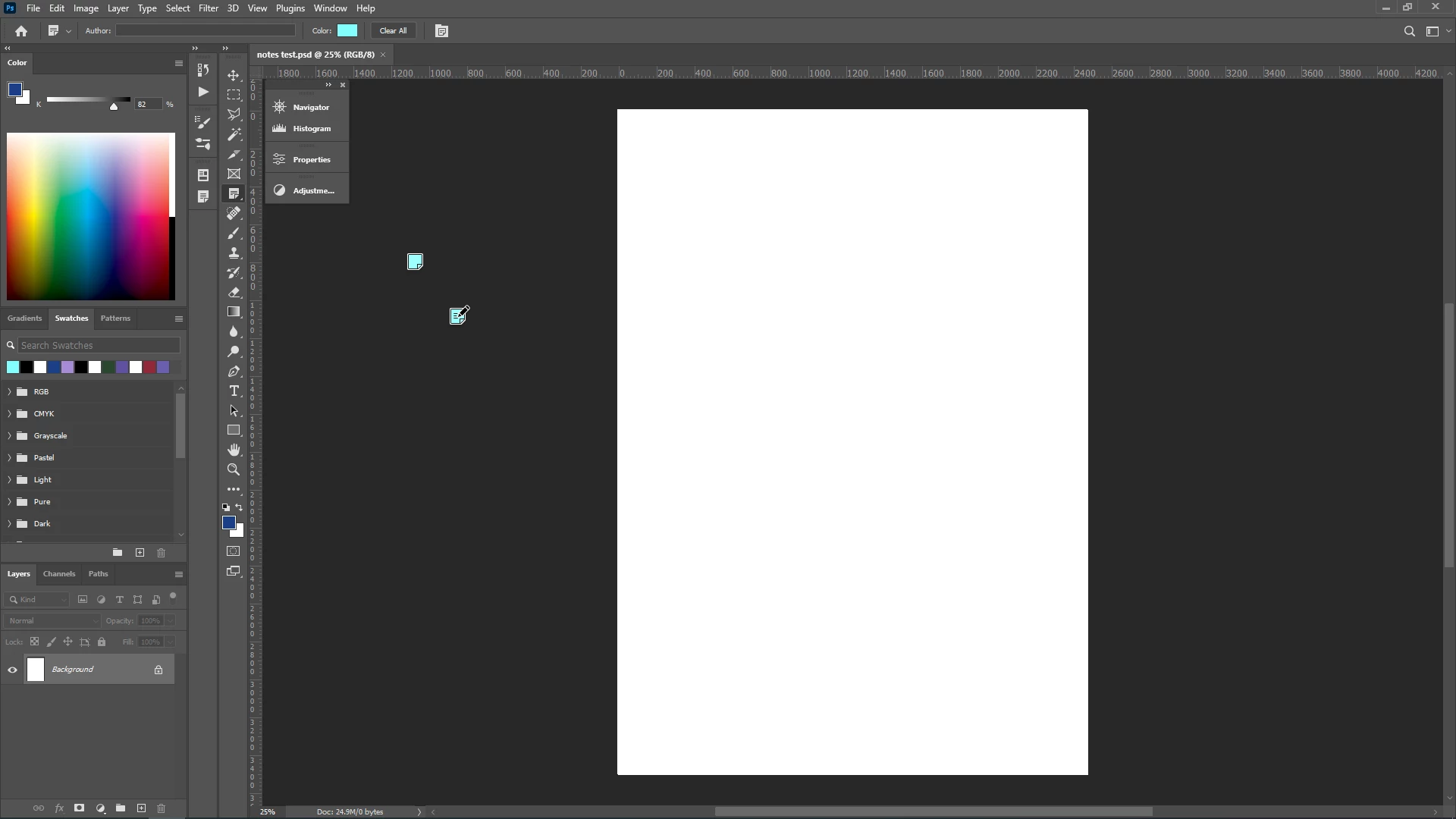
I cannot disable the graphics processor option as I use the animated zoom and other features for digital artwork. I also need the notes function to keep track of the process and update the changes as per the feedback I receive.
Is there a workaround for this where I can reduce the size of the notes' icons without disabling the graphics processor?
My graphics card drivers are upto date and Photoshop confirms it's compatibility and updation in the graphic cards compatibility window.
I am using Win 10 and PS 23.4.1
Thank you for your help 🙂
#photoshop #photoshopnotestool #notestool
 AdChoices