


Known Participant
June 10, 2021

P: Preview isn't working for Select & Mask

  • June 10, 2021
  • 7 replies
  • 217 views
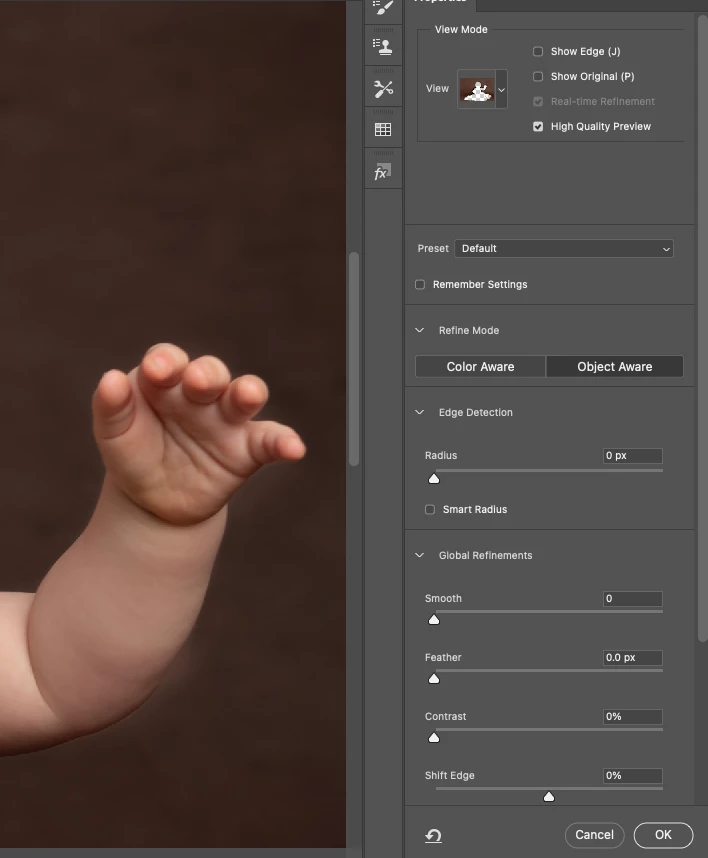
It used to work fine, but now when I select & mask from a Layer Mask it doesnt now show my adjustments in the preview window. But when I step out of select and mask by pressing 'ok', my adjustments are made. It means Ive no visability of what changes I am making...can anyone help? Could it be memory related? If so how do I fix?
 
This topic has been closed for replies.

7 replies

Legend
January 27, 2022

Fixed in 22.4.2 or later.

Inspiring
August 17, 2021

*andreasvhh  I fixed it using https://feedback.photoshop.com/conversations/photoshop/photoshop-v224-select-and-mask-workspace-preview-selection-tools/60a4e807886a965feaa2adeb

Go to Preferences > Technology Previews, and check the item Deactivate Native Canvas, then restart Photoshop. 

Inspiring
August 17, 2021

I have the very same behavior. I do a lot of green screen portraits. PS is useless with this bug. You adjust without control. I have M1 as well.

WabblitAuthor
Known Participant
June 17, 2021

Is anyone please able to help me with my issue? Refine edge just isnt performing like it used to and I have no idea why.  When I use the Refine Edge brush tool it shows an area that I have brushed over, then it doesnt pick the right areas as accurate as it did before.  Is it just not performing with an M1 mac yet?? Im really stuck as to why this is happening!

WabblitAuthor
Known Participant
June 10, 2021

@pierre_courtejoie 

Thanks for taking the trouble to reply, I have since updated it but it is still happening? Could it maybe be my graphics card being pushed too far with the latest updates of PS?? Im working of a M1 MacBook Pro and its never happened like this on my older machine....any advice welcome, it is such a pain!

WabblitAuthor
Known Participant
June 10, 2021

@pierre_courtejoie Thanks for taking the trouble to reply. Ive just done the update but it is still doing it, could it be my grahics card being pushed with the new versions of PS?? Im working off a M1 macbook pro?  I just cant figure out whats up as it never used to do this! 

PECourtejoie
Community Expert
Community Expert
June 10, 2021

Hello, just go to your Creative Cloud app, and update photoshop to 22.4.2, it fixes this very issue: https://helpx.adobe.com/photoshop/kb/fixed-issues.html

If you do not see an update, go to help>search for updates.