


Dogsydave
Participant
July 1, 2016

P: Program error when using Layer - Arrange - Reverse

  • July 1, 2016
  • 10 replies
  • 314 views

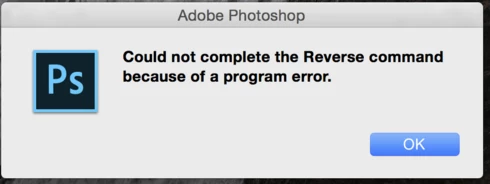
Bug Report: Layer Stack bug in Photoshop 2015.5 Mac OS X Yosemite. - After opening layer in a stack trying to reverse the order of the layers using Layer > Arrange > Reverse - the following message is displayed - 'Could not complete the Reverse command because of a program error'
This topic has been closed for replies.

10 replies

Legend
May 9, 2017
This issue should be fixed in CC 2017 or later.
Inspiring
September 16, 2016
Participating Frequently
September 16, 2016


As of the latest version of Photoshop (2015.5) I am no longer able to use the reverse layer order command.

Inspiring
August 10, 2016


Reverse layer error. I can't reverse the order of my layers with Layer > Arrange > Reverse. I have an error message popping up when I try to use it. Note, my photoshop is up to date.
Legend
August 9, 2016
Correct. This issue should be resolved in our next update.
Dogsydave
DogsydaveAuthor
Participant
August 9, 2016
2015.5.1 - does not fix this issue.
Inspiring
August 1, 2016


When I select all layers and go to Layer -> Arrange -> Reverse, I get the following error: "Could not complete the Reverse command because of a program error."

Error first occurred in Photoshop CC 2015.5.0 release. On MacBook Pro Retina Early 2015 running El Capitan 10.11.5.
Inspiring
July 27, 2016
I'm also having the same problem. 
Participant
July 26, 2016


I am using this command frequently in a workflow and since update to PS 2015.5 release it returns "Could not complete command because of a program error"

Reproduce: Select multiple layers and go --> MENU: LAYER> ARRANGE> REVERSE

Please can anyone try and confirm and hope someone can fix this asap cause i am using this a lot 🙂
Participating Frequently
July 11, 2016
Hi David,

I've reproduced this issue.  It appears this only happens if there is no background layer in the document.

The workaround in the meantime is to add a background layer to the document. 

I've passed this issue to the engineering team to be fixed.  Thanks for the report.


Eric