


P: PS 27.4.0 Image > Apply Image > Preview does not work with Modern User Interface
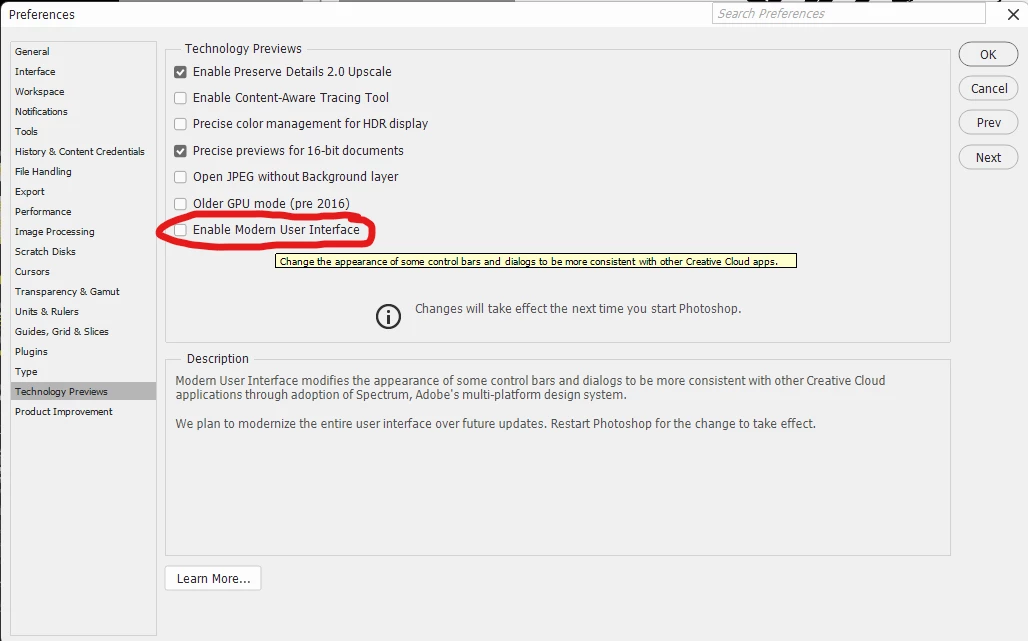
The newly added modern user interface does not preview when using “apply image”. It also does not save the last known state/settings of apply image like it has in the past. This means if you are doing multiple apply images you have to select your settings every single time which is a huge pain. Please fix this so preview works and last used state/settings is saved or keep this options in the preferences so I can turn off modern user interfaces. It’s great Adobe wants to modernize the UI. Just make sure it works the same as before.
To replicate the issue:
Step 1. Open an RGB image.
Step 2. Duplicate Red channel and Green Channel
Step 3: Select duplicated green copy channel
Step 4. Go to image - apply image and select these options
Layer: merged
Channel: Red copy
Blending Mode: Add
Opacity 100%
Check invert box
Turn on and off preview
Issue: The image will not show the preview of what is being applied when checking and unchecking the box. Only hitting ok shows what apply image will do.
I have GPU performance disabled if that matters as using the GPU causes my computer to hang more often. I’m on Windows 11 using Photoshop version 27.4.0.
As a workaround for now I have unchecked enable modern user interface and it work’s as it should, but it looks like Adobe is planning to modernize everything which means I may not be able to do this in the future.
 AdChoices