
Participant
Nov 17, 2026 8:50 AM UTC
Investigating

P: PS 28.0 (MUI):Actions Palette in Button Mode is now two buttons wide when docked

Actions Palette in Button Mode is now two buttons wide when docked to another view such as Layers etc. This was not a problem with the previous version which allowed resizing to one button width and maintained that width when docked.
Please fix as the only workaround is taking it out of the View Stack and sticking it to the side as a spring loaded view.

Previous Layout
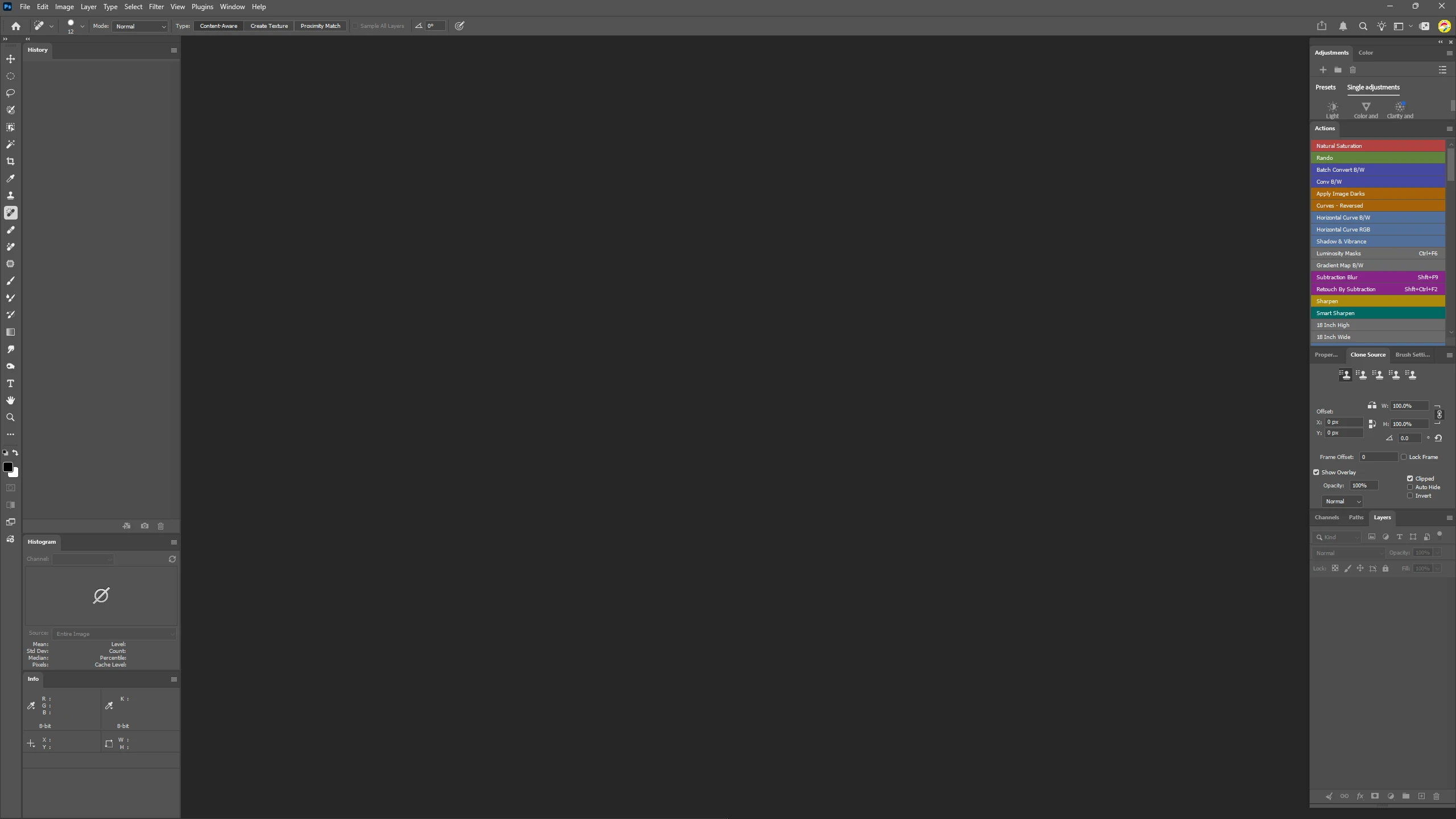
 

Problem 
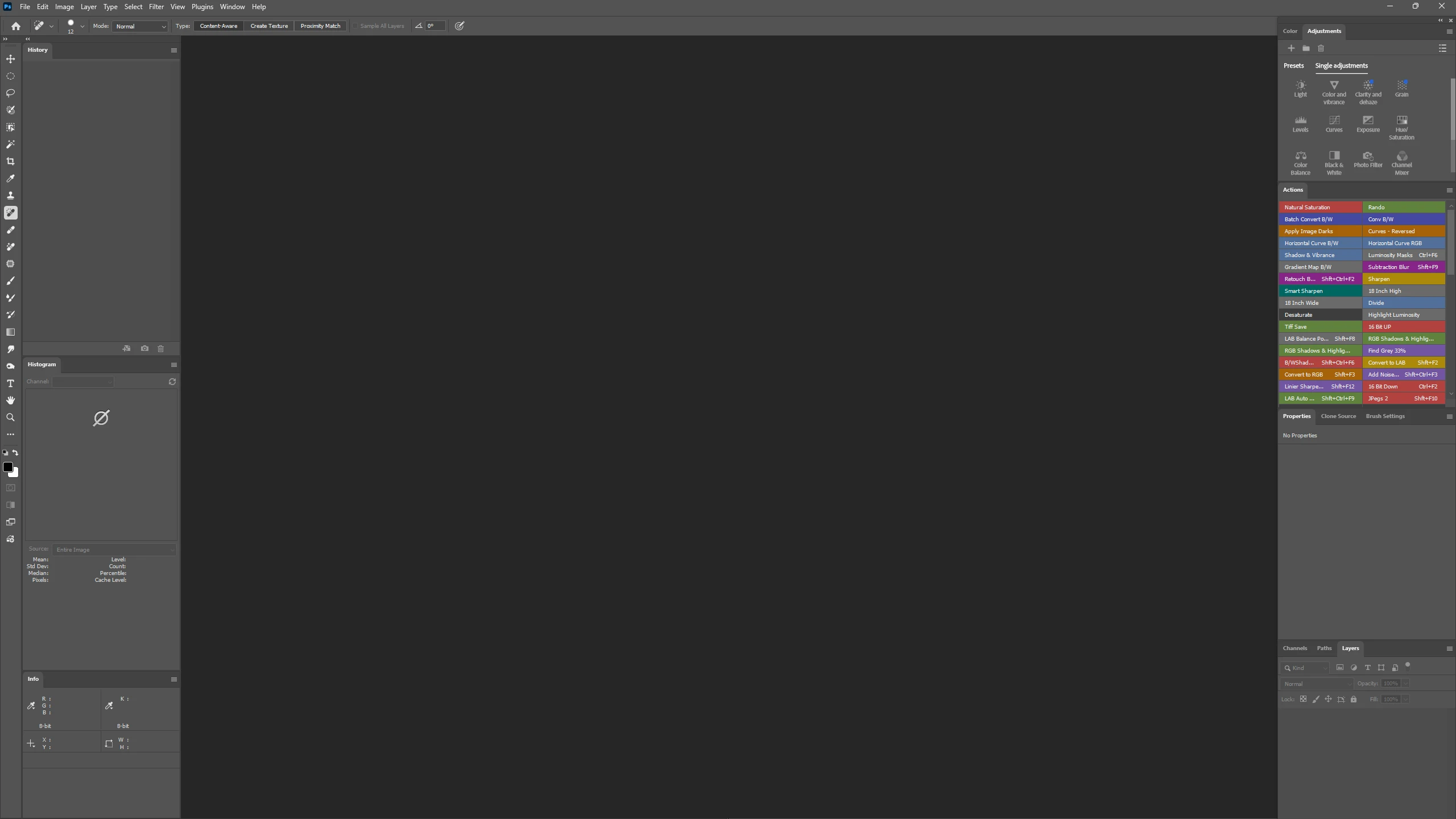
 

Workaround
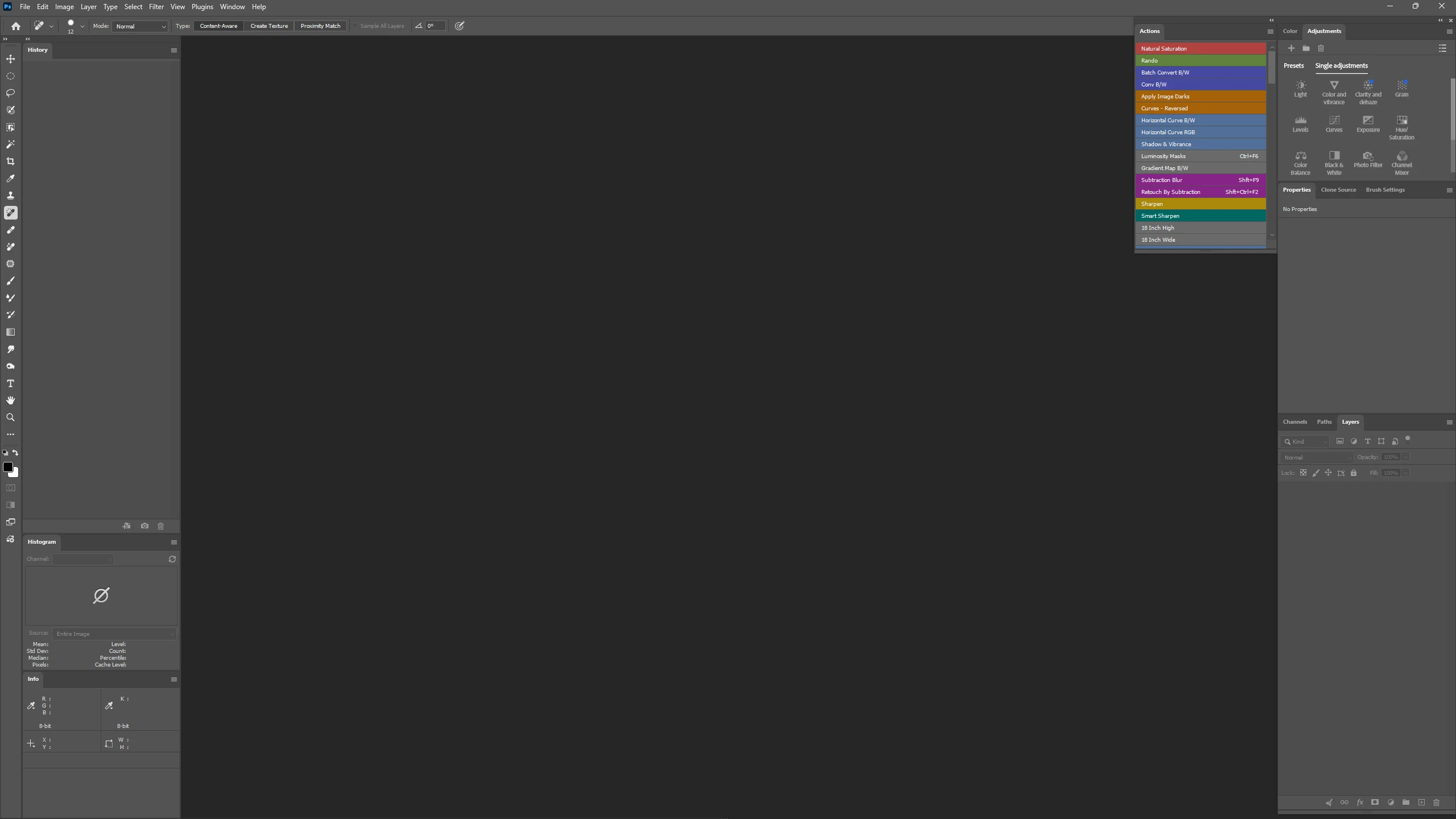
 

    Pinned Reply By Sameer K

    Hey, @calm_artistry0d95. Welcome to the Photoshop Community. Thanks for adding the screenshots; it helped find the root cause. I've shared this with the team.


    The modernized version of the Properties panel has a slightly larger minimum size in docked panels, making the Actions panel slightly larger so it can't switch to a vertical list. There are two ways you can work around this:


    Move either the Actions panel or the Properties panel to the left panels in your UI.

    Or,

    Go to Photoshop's preferences (CMD/CTRL+K) > Interface > uncheck Modern User Interface & restart Photoshop.


    I hope this helps.


    Thanks!
    Sameer K
    (Type '@' and type my name to mention me when you reply)

    2 replies

    Sameer K
    Community Manager
    Sameer KCommunity ManagerPinned
    Community Manager
    Nov 17, 2026 11:07 AM UTC

    Hey, @calm_artistry0d95. Welcome to the Photoshop Community. Thanks for adding the screenshots; it helped find the root cause. I've shared this with the team.


    The modernized version of the Properties panel has a slightly larger minimum size in docked panels, making the Actions panel slightly larger so it can't switch to a vertical list. There are two ways you can work around this:


    Move either the Actions panel or the Properties panel to the left panels in your UI.

    Or,

    Go to Photoshop's preferences (CMD/CTRL+K) > Interface > uncheck Modern User Interface & restart Photoshop.


    I hope this helps.


    Thanks!
    Sameer K
    (Type '@' and type my name to mention me when you reply)

    Translate
    Participant
    Nov 17, 2026 11:14 AM UTC

    ​@Sameer K Yes, I tried moving my stack to the left on my UI and whist that worked it reverted to two buttons side by side on the left after opening one of the Actions.  I have since found it will support the vertical menue in the Modern Look but only with the Classic Actions option turned off in the Actions Dialog Options.  Guess I’ll have to get used to a more modern Actions view.

    Translate