

January 30, 2026

P: PS Web Cannot click in the home screen
  • January 30, 2026
  • 5 replies
  • 54 views

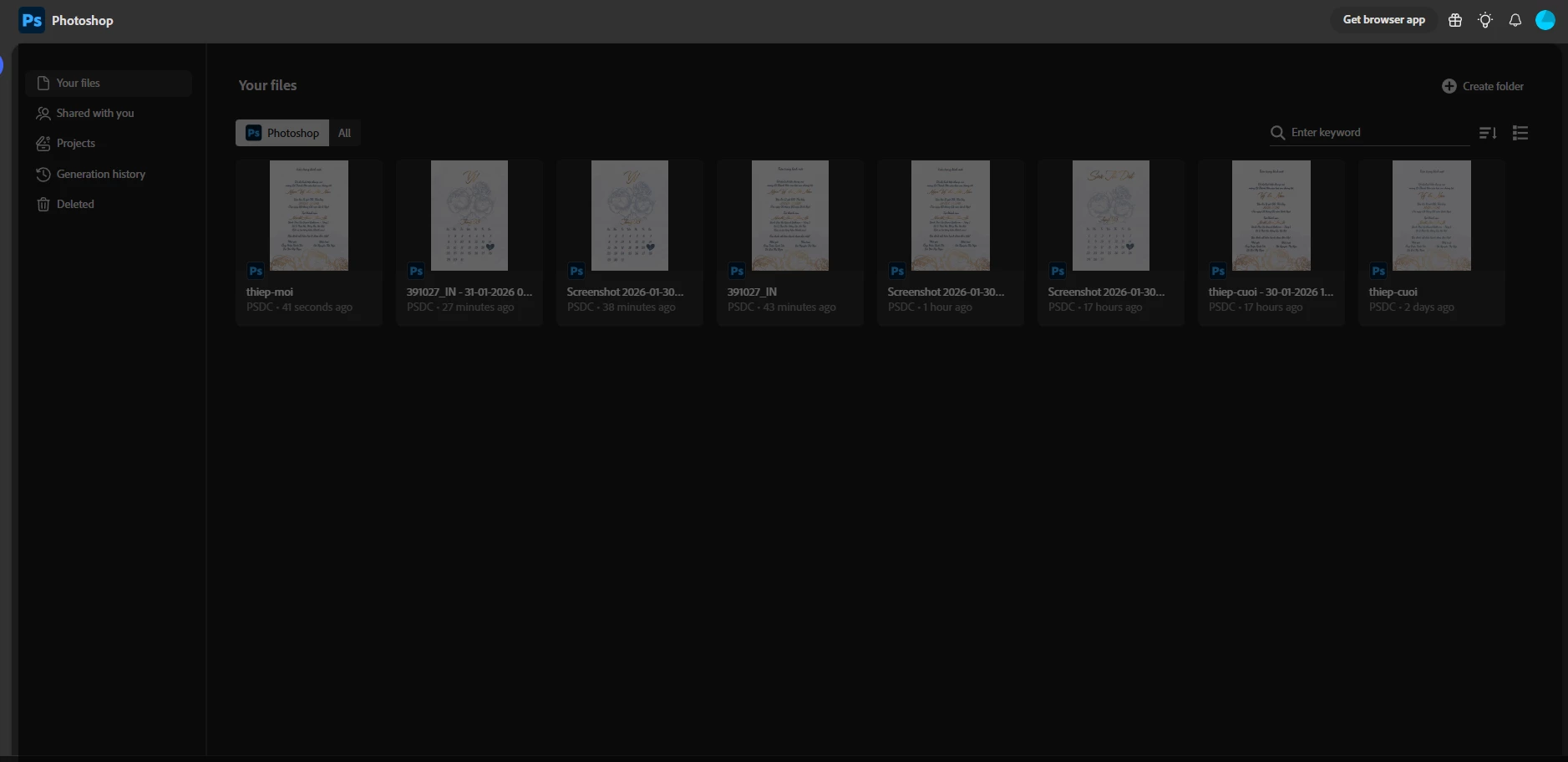
There’re a black layer on the web. So I cannot click anything on my photoshop screen

5 replies

Anshul_Saini
Community Manager
Community Manager
February 23, 2026

Hi ​@gabriel_fein5067,


I hope this issue has been resolved by now. From your screenshot, I can see that you’re opening Photoshop Web as an installed web app (PWA) rather than directly in a browser tab. Photoshop on the web receives backend updates continuously, and sometimes installed web app versions (especially from Chrome or Edge) may not refresh correctly, which can cause parts of the UI to appear dark or unclickable, as in your case.


Here’s what I recommend:

• Close the installed Photoshop web app

• Open Google Chrome (or Edge)

• Go directly to: https://photoshop.adobe.com

• Use Photoshop Web inside the regular browser tab


If the issue still appears in the browser:

• Clear cookies and cache specifically for photoshop.adobe.com

• Sign out and sign back in

• Then reload the page


That usually forces a clean UI reload, resolving this type of interface lock.


Let me know if it’s still happening after trying this.


Best,
Anshul Saini

Sameer K
Community Manager
Community Manager
February 2, 2026

Hey, ​@namth3. Welcome to the Photoshop Community. I’ll help you figure this out. 

Are you working on a ChromeOS-based device? If yes, the team is aware of this behavior, and a fix should arrive soon.

As a temporary workaround, press the ESC key a couple of times and check if that helps.


Thanks!
Sameer K

(Type '@' and type my name to mention me when you reply)

Trevor.Dennis
Community Expert
Community Expert
January 28, 2026

When the User Interface (UI) is mostly dark like in your screen shot, it probably indicates that it is waiting for input.  Just hitting escape might cancel out of that situation.  There might be a panel, or pop-up asking a question (waiting for input) that is off screen.  Try reducing the Photoshop window, if it will let you).  


Resetting Preferences as suggested by ​@AxelMatt should return the UI to its default state. 

AxelMatt
Community Expert
Community Expert
January 28, 2026

Try to reset the preferences to the default settings. Manually removing the preferences files is the most complete method for restoring Photoshop to its default state.


This method ensures all preferences and any user presets which may be causing a problem are not loaded. Please follow the steps below:

  1. Quit Photoshop.
  2. Navigate to the preferences folder of Photoshop.
    MacOS: Users/[user name]/Library/Preferences/Adobe Photoshop [version] Settings
    Windows: Users/[user name]/AppData/Roaming/Adobe/Adobe Photoshop [version]/Adobe Photoshop [version] Settings
     
    Note: This folder is hidden by default. To access files in the hidden user Library folder see the appropriate links below.
    MacOSHow to access hidden user library files.
    WindowsShow hidden files and folders in Windows
     
  3. Move the entire Adobe Photoshop [Version] Settings folder to a safe place on your drive for a back-up of your settings. Then delete this folder.
     
  4. Open Photoshop.

Photoshop creates automatically the appropriate settings folder with the default values.

If this doesn’t help we need more informations about your system.

Which version of Photoshop do you use?

Which operating system (and version) do you have installed.

Is your system up-to-date? Do you have installed all recent updates and patches for the operating system and the device drivers, especially the graphic driver. Please make also sure that you have installed the Studio version and not the Game Ready version of your NVidia driver.

What has been changed on your system before the error occur?


My System: Intel i7-8700K - 64GB RAM - NVidia Geforce RTX 3060 - Windows 11 Pro 25H2 -- LR-Classic 15 - Photoshop 27 - Nik Collection 8 - PureRAW 5 - Topaz Photo
gabriel_fein5067
Participant
January 27, 2026

The problem is in PS, I cannot use the full menu; a large part of the menu is darker, and I cannot click on anything