
Viktor Drakenberg
Participant
November 15, 2018

P: Pulled string circle doesn't show up in projects with multiple layers

  • November 15, 2018
  • 4 replies
  • 4291 views

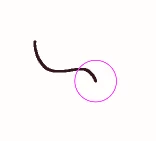
Normally when using the "Pulled String Mode" smoothing option, a pink circle will appear when drawing to show at what distance the brush will start moving. However, when multiple layers exist in the file (no matter which layer you have selected), the pink circle does not appear until already reached by the mouse cursor.
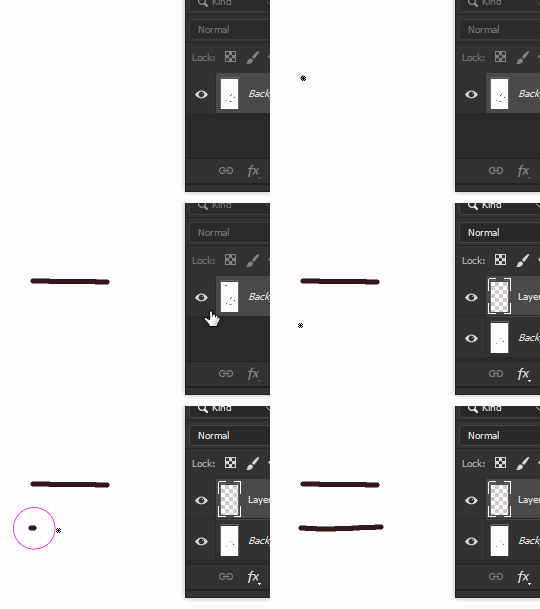
 

This is incredibly frustrating as the Pulled String mode is supposed to be great for drawing precise lines, but this issue takes me off guard when the brush starts moving before I expect it to. This has been an issue for over 3 years, by the way. I'm unsure if this is a problem on other platforms, but it is on Windows.

This topic has been closed for replies.

4 replies

Mohit Goyal
Community Manager
Community Manager
February 26, 2023

Hi all,


We're happy to announce the release of Photoshop 24.2. This update includes the fix for this issue. To see the list of all fixed issues, click here


To update Photoshop to 24.2, click "Update" in the Creative Cloud desktop app next to Photoshop. More detailed instructions for updating


Let us know if the update resolves the problem for those affected, and share your feedback.


Thanks,

Mohit

Chad Rolfs
Adobe Employee
Adobe Employee
September 30, 2022

@deniz13 make sure you go to Preferences > Cursors and check Show Brush Leash While Smoothing (under Painting Cursors at the bottom). 

Legend
December 5, 2021

Thanks. I've asked engineering to take a look.

deniz13
Known Participant
November 15, 2018

has anyone experienced this? when i'm in pulled string mode, the usual pink circle with the string in it doesn' show up. when i start drawing, the pink circle appears eventually, but never any string. any ideas how to fix this?